Spacio vs Rltrsync for Lead Capture: Full 2026 Guide

Table of Contents
- Spacio vs Rltrsync: Which Lead Capture Tool Actually Delivers?
- Lead Capture Comparison: Spacio vs Rltrsync Features
- How to Automate Real Estate Lead Intake at Open Houses
- Best Open House App for Realtors: Why Verification Matters
- Open House Lead Follow-Up Best Practices for High Conversion
- CRM Integration and Lead Routing: Spacio vs Rltrsync Workflow
- Pricing and Plans: Finding the Right Fit for Your Business
- The Verdict: Choosing Your Open House Lead Capture Tool
- Frequently Asked Questions
Last Updated: September 5, 2026
Spacio vs Rltrsync: Which Lead Capture Tool Actually Delivers?
Choosing between Spacio and Rltrsync for lead capture often comes down to how much you trust the data you collect. Both tools move agents past paper sign-in sheets, but they handle verification, follow-up, and CRM delivery in fundamentally different ways.
A lead capture tool is only as valuable as the quality of the leads it produces. An open house generating 40 sign-ins looks impressive, but if a quarter of those phone numbers are disconnected or fake, your follow-up time is wasted. Below, we break down the feature sets, workflows, and pricing of both platforms.
Lead Capture Comparison: Spacio vs Rltrsync Features
The feature gap between Spacio and Rltrsync appears immediately in how each handles the visitor check-in experience and data verification.
Visitor Check-In Experience
Spacio emphasizes a polished, tablet-based registration experience where visitors interact with a dedicated device at the door. This works well when a team member can manage the hardware, but it introduces a single point of failure: if the tablet dies, the check-in process stops entirely.
Rltrsync offers a lighter approach, allowing visitors to register through a web link on their own devices. This removes the hardware dependency but often relies on the property's Wi-Fi, which can be unreliable or insecure.
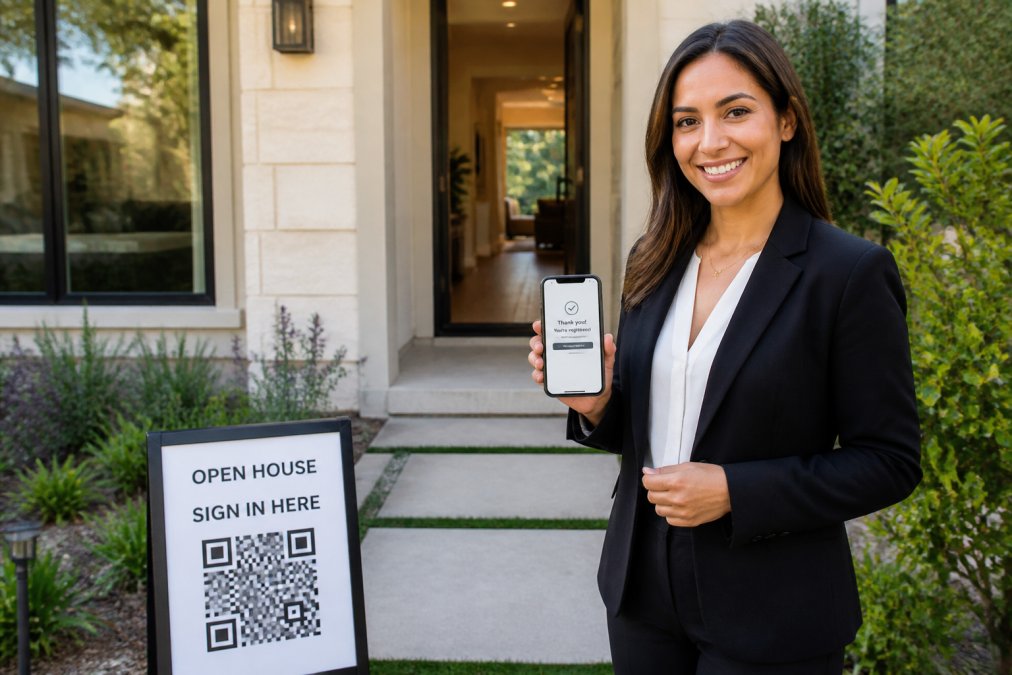
The most resilient model uses the visitor's own smartphone and cellular connection, eliminating dependence on both hardware and property Wi-Fi. Platforms like ohACCESS use a simple QR code scan that works with any device and any connection.
Lead Verification and Data Quality
This is where the two platforms diverge most sharply. Unverified registration captures names and numbers, but it cannot confirm those details are accurate. Agents frequently discover that a portion of their collected data contains VoIP numbers, burner phones, or fabricated email addresses.
Verification changes the equation. A system that sends two codewords, one by text and one by email, in real time proves the contact channels are active and owned by the registrant before they ever step through the door. The visitor shares a codeword with the host agent to enter, confirming their identity without any app download.
| Feature | Spacio | Rltrsync | ohACCESS |
|---|---|---|---|
| Registration Device | Tablet-based | Visitor's phone | Visitor's phone |
| Verification Method | Standard form | Standard form | Dual codeword (text + email) |
| Fake Lead Protection | Low | Low | High |
| Wi-Fi Dependence | No | Yes | No |
| Visitor App Required | No | No | No |
How to Automate Real Estate Lead Intake at Open Houses
Automating lead intake means every registration flows directly into your follow-up system without manual data entry. The workflow starts the moment a visitor scans your QR code and submits their information, triggering an immediate notification to you and delivering a structured lead record to your CRM.
A practical automation sequence looks like this:
- Post a print-ready QR sign at the property entrance.
- Visitor scans and completes the short form on their phone.
- System sends verification codewords and alerts you instantly.
- Lead record is delivered to your CRM as a formatted entry.
- Your CRM triggers your standard follow-up sequence.
The critical step is CRM delivery. The most reliable method is a formatted lead email sent to your CRM's intake address, which many platforms parse into fields automatically. This approach, verified with systems like Follow Up Boss, ensures your prospect management starts immediately without manual copying.
Best Open House App for Realtors: Why Verification Matters
The best open house app for realtors prioritizes lead qualification over sheer volume. An unverified list of names is just a list. A verified list, where every phone number and email has been confirmed as active, is a pipeline you can actually work.
Verification directly impacts your conversion tracking. When you know the contact data is accurate, your follow-up calls connect, your automated email sequences land in real inboxes, and your post-event metrics reflect genuine buyer interest rather than phantom sign-ins.
Knowing who is entering a property, with a forensic trail of IP address and device information on each sign-in, provides a layer of accountability that paper sheets or simple forms cannot match.
Open House Lead Follow-Up Best Practices for High Conversion
Speed and relevance define successful open house follow-up. When a visitor registers, you should receive a real-time notification that allows you to acknowledge them before you leave the property. An effective follow-up sequence includes an automatic thank-you email the next morning, a personalized note referencing their stated buying timeline, and a direct call within 48 hours.
But most articles stop there. They focus on the 'capture' phase and ignore the most important question: How do you know your open house actually generated a return on investment?
Measuring Post-Event ROI: The Metrics That Matter
To move beyond vanity metrics like 'total sign-ins,' build a simple post-event analysis. Here is a practical framework to apply after every open house:
- Lead Quality Score: Categorize each lead based on their stated buying timeline. A visitor in the 0-3 month window is a hot lead; someone in the 12+ month window is a nurture prospect. Calculate the percentage of your sign-ins that fall into the 'active buyer' category (0-6 months). This is your true conversion pool.
- Verification Rate: What percentage of your sign-ins had confirmed, working phone numbers and emails? A low verification rate means your follow-up efforts are being wasted on bad data.
- Feedback Score: A tool that captures a visitor's 1-10 rating of the property and their price verdict (Too High / Reasonable / Too Low) provides immediate market intelligence. If 80% of visitors say the price is 'Too High,' you have critical pricing feedback for your seller.
- Cost Per Qualified Lead: Calculate your total cost for the open house (marketing, staging, your time) and divide it by the number of qualified leads (those in the 0-6 month window). This gives you a cost-per-acquisition figure to compare against other marketing channels.
The Privacy-Safe Seller Report
This is where a modern tool changes the conversation with your seller. Instead of handing over a paper sheet with visitor names and phone numbers, which raises privacy concerns, you can share a one-tap Seller Report page. This report shows aggregate data only: the total registered-visitor count, how many plan to buy within 6 months, the buying-timeline breakdown, and the average visitor rating and price verdict.
This approach protects the visitor's privacy (they consented to you having their info, not the seller) and positions you as a professional who provides data-driven market insights rather than just a list of names.
By focusing on these post-event metrics, you turn your open house from a lead generation activity into a measurable marketing channel. You can prove the value of your efforts and ensure your follow-up time is spent on prospects with the highest potential to close.
CRM Integration and Lead Routing: Spacio vs Rltrsync Workflow
The workflow difference between Spacio and Rltrsync becomes clear in how they handle lead routing. A tool that isolates your leads in its own dashboard forces you to export and re-import data, creating friction and increasing the chance of errors.
The Three Integration Mechanisms That Matter
When evaluating either platform, look for one of three specific delivery mechanisms. The most dependable is a formatted lead email sent directly to your CRM's unique lead-intake address. For instance, Follow Up Boss provides every user with a private lead-inbox email address. When a tool sends a structured email there, Follow Up Boss parses the content, name, email, phone, and notes, directly into the correct contact fields without any manual copying.
The second mechanism is a webhook connection via an automation platform like Zapier. This allows the sign-in data to trigger actions in thousands of other applications. The trade-off is that setting up a Zap requires a few minutes of your time to map the fields correctly.
The third mechanism is team-level forwarding. If you lead a team, you need a system that can automatically copy every agent's verified sign-ins to a shared team CRM. This ensures that if an agent leaves the team, the leads they captured still belong to the brokerage's central database.
What to Avoid: The 'Dashboard Trap'
A common pattern is a tool that captures leads but holds them hostage in its own proprietary dashboard. To get them into your CRM, you must manually export a CSV file and then import it. This 'dashboard trap' breaks the immediacy of follow-up and adds administrative work that defeats the purpose of automation.
The Verification Handoff
The integration story is incomplete without considering data quality. When a platform like ohACCESS delivers a lead, it isn't just sending a name and a phone number; it's sending a verified lead. The system flags VoIP numbers, burner phones, and bounced emails before the data ever reaches your CRM. You are not just routing leads; you are routing qualified leads.
This approach keeps your contact management centralized and clean. You avoid babysitting a separate tool and instead work entirely within your familiar client database.
Pricing and Plans: Finding the Right Fit for Your Business
Pricing structures for these tools vary, and the right fit depends on your team size and open house volume.
For individual agents, a flat monthly rate that includes all features is ideal. Some platforms offer annual or multi-year options that reduce the effective monthly cost. For teams of two to ten agents, a flat team rate provides predictable budgeting without per-agent fees.
NAR's guide on technology adoption for agents suggests that agents should prioritize tools that integrate cleanly with their existing systems over those with the most features. When comparing options, confirm whether the pricing includes CRM delivery, seller reports, and verification, or if those are add-ons. A free trial that includes the first 25 sign-ins with every feature enabled is the best way to test the workflow before committing.
The Verdict: Choosing Your Open House Lead Capture Tool
The choice between Spacio and Rltrsync ultimately depends on your tolerance for unverified data. If you are comfortable with a standard digital sign-in sheet that collects names and numbers without confirmation, either platform can serve as a basic tool.
For agents who want to eliminate fake contact information and ensure every lead they follow up on is real, verification is non-negotiable. The dual-codeword system, where a visitor receives one code by text and one by email and shares it with you at the door, provides proof of contact validity that neither Spacio nor Rltrsync offers as a core feature.
The practical implications of verified lead capture extend beyond data quality. You save hours by removing manual data entry and follow-up on dead numbers. You provide homeowners with a professional, aggregate report of turnout and buyer interest without compromising visitor privacy. And you maintain a clean, actionable pipeline that your CRM can nurture effectively.
The challenge with open house lead capture is not collecting names, it is collecting names you can trust and act on quickly. Spacio and Rltrsync offer digital convenience, but ohACCESS delivers the verification layer that turns a sign-in sheet into a qualified lead pipeline. With automatic CRM delivery, instant text and email alerts, and a one-tap seller report that respects visitor privacy, ohACCESS ensures every open house contributes real, actionable prospects to your business. Start your free trial today and see the difference verified lead capture makes at your next showing.
Frequently Asked Questions
What is the main difference between Spacio and Rltrsync for lead capture?
The core difference often lies in the verification process. While both tools capture visitor information, a tool focused on verified check-in, like ohACCESS, sends two codewords (one via text, one via email) that visitors share with the host agent. This proves the contact details are real, eliminating fake names and invalid numbers that plague lead capture and waste your follow-up time.
How does digital lead capture improve open house security?
Digital check-in improves security by verifying visitor contact information before they enter the property. Instead of relying on illegible handwriting on a paper sheet, the system confirms a valid phone number and email through a codeword process. This creates a forensic trail and deters individuals from providing false details, giving agents peace of mind during showings.
Do I need a dedicated app for open house registration?
No. The best open house apps for realtors are mobile-first and work entirely through a web browser. Visitors simply scan a QR code with their phone camera to access the registration form. There is no app for them to download, which removes a major barrier to entry and keeps the sign-in process fast and frictionless.
How do I integrate open house leads into my CRM?
Modern open house tools automate lead intake by delivering every sign-in directly to your CRM. For example, ohACCESS sends a formatted lead email to your CRM's specific intake address, which is parsed into the correct fields automatically, or it can use a Zapier webhook to connect with thousands of other apps. This removes manual data entry from your workflow.
Frequently asked questions
What is the main difference between Spacio and Rltrsync for lead capture?
The core difference often lies in the verification process. While both tools capture visitor information, a tool focused on verified check-in, like ohACCESS, sends two codewords (one via text, one via email) that visitors share with the host agent. This proves the contact details are real, eliminating fake names and invalid numbers that plague lead capture and waste your follow-up time.
How does digital lead capture improve open house security?
Digital check-in improves security by verifying visitor contact information before they enter the property. Instead of relying on illegible handwriting on a paper sheet, the system confirms a valid phone number and email through a codeword process. This creates a forensic trail and deters individuals from providing false details, giving agents peace of mind during showings.
Do I need a dedicated app for open house registration?
No. The best open house apps for realtors are mobile-first and work entirely through a web browser. Visitors simply scan a QR code with their phone camera to access the registration form. There is no app for them to download, which removes a major barrier to entry and keeps the sign-in process fast and frictionless.
How do I integrate open house leads into my CRM?
Modern open house tools automate lead intake by delivering every sign-in directly to your CRM. For example, ohACCESS sends a formatted lead email to your CRM's specific intake address, which is parsed into the correct fields automatically, or it can use a Zapier webhook to connect with thousands of other apps. This removes manual data entry from your workflow.
Keep reading
Start free with 25 verified check-ins. No credit card required.
Start Free