How to Send Open House Reports to Sellers
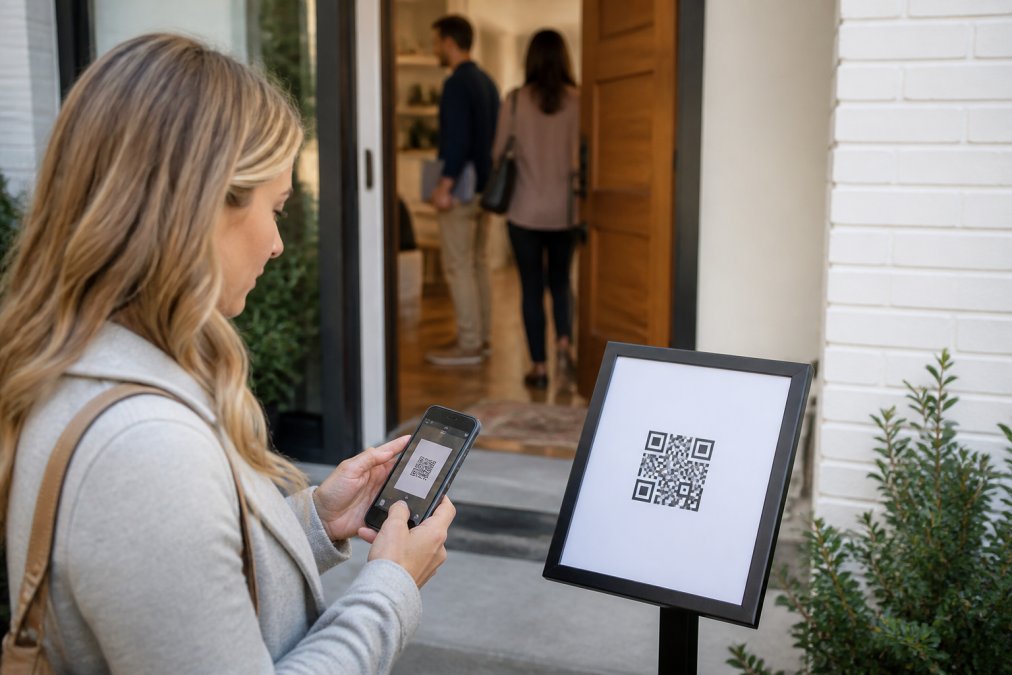
Table of Contents
- Why Open House Reports Matter to Sellers
- Manual Data Entry vs. Automated Lead Capture
- Best Open House Sign-In Apps for Automated Reporting
- Step-by-Step Guide to Generating and Sending Reports
- Open House Feedback Template and Follow-Up Scripts
- Open House Follow-Up Scripts for Sellers
- Data Privacy and Compliance Considerations
- Troubleshooting Common Sync and Reporting Issues
Last Updated: August 14, 2026
Why Open House Reports Matter to Sellers
Homeowners want proof that their agent worked hard to sell their property. An open house report demonstrates how many verified buyers came through and what level of buyer interest exists. Without this data, sellers are left guessing whether the open house was worth their time and weekend disruption.
Manual data collection using paper sign-in sheets creates a gap between the event and actionable insight. By the time you've deciphered illegible handwriting, days have passed. Sellers want answers the same day. They want to know if serious buyers showed up or just neighbors browsing.
Automated lead capture changes this entirely. Instead of manually transcribing visitor information from crumpled sheets, you generate a professional report in seconds with verified attendance numbers, buying-timeline breakdowns, and honest visitor feedback. The report becomes proof of your marketing effort and the market response to their property.
Manual Data Entry vs. Automated Lead Capture
Paper sign-in sheets create friction at every stage. Visitors write illegibly or provide fake information to avoid follow-up calls. Agents spend hours deciphering handwriting, entering data into their CRM, and matching names to phone numbers. Errors compound. Duplicate entries appear. By the time the data is clean, the lead is cold.
Automated lead capture eliminates this entirely. Visitors scan a QR code at the property entrance, verify their contact information through a simple form, and receive instant confirmation. The agent sees real-time notifications as each visitor checks in. Data flows directly into the CRM with zero manual entry.
The efficiency gain is substantial. An open house that once required two hours of post-event data entry now takes seconds to report. More importantly, data quality is dramatically higher. Verified phone numbers and email addresses mean your follow-up actually reaches people. Fake entries are eliminated because visitors must receive a codeword to enter the property.
For sellers, the difference is clear: they receive a professional report within hours of the open house closing, complete with accurate visitor counts and aggregated buyer-interest data.
Best Open House Sign-In Apps for Automated Reporting
Verified QR-Code Check-In Systems
The most effective open house sign-in apps use verified QR-code check-in because it solves the core problem: fake information. A visitor scans the QR code outside the property, enters their contact details, and the system sends them codewords by text and email. No codeword means no entry. This verification step filters out bad actors and ensures every lead in your system is real.
ohACCESS utilizes a verified QR-code system. Visitors scan at the property entrance, receive codewords by text and email, and only then gain access. The agent receives instant notification with verified contact information the moment the contact form is submitted. This approach eliminates the worst problem with paper sheets: fake names and invalid contact information that waste your follow-up time.
The workflow is simple but powerful. You place a QR code at your open house entrance. Visitors scan it, enter their information, and receive confirmation. Real-time alerts notify you as each person checks in. When the open house ends, your CRM is already populated with clean, verified data. No manual work. No transcription errors. No fake leads clogging your pipeline.
What makes this different from basic sign-in apps is the codeword requirement. Visitors can't just enter any information and walk away. They have to provide legitimate contact details to receive the code that unlocks entry.
CRM Integration and Real-Time Syncing
Real-time syncing means visitor data appears in your CRM the instant they check in, not hours later after manual entry. This enables immediate follow-up while the property is fresh in their mind.
The integration works through a formatted lead email (or Zapier webhook) that delivers visitor information straight to your CRM. Name, phone, email, buying timeline, and check-in timestamp flow automatically into your existing system with no duplicate entry.
For agents managing multiple open houses per week, real-time syncing compounds the advantage. You're not manually updating lead records hours after the event. The data is there, ready for follow-up, the moment you need it.
CRM integration also enables automated follow-up workflows. When a visitor checks in, a drip campaign can trigger automatically. Welcome emails go out. SMS reminders are queued. All of this happens without your intervention, freeing you to focus on in-person conversations during the open house.
Step-by-Step Guide to Generating and Sending Reports
Collecting Verified Visitor Data
Start by setting up your QR code at the property entrance before the open house begins. Position it clearly where visitors can't miss it as they arrive. Include a simple sign explaining the check-in process: "Scan to enter and receive your codeword."
When visitors scan the QR code, they land on a form asking for name, phone number, email, and their buying timeline (0-3 up to 12+ months), plus an optional custom question you define. The form should be mobile-friendly and take less than 30 seconds to complete. After submission, they receive codewords by text and email that grant property access.
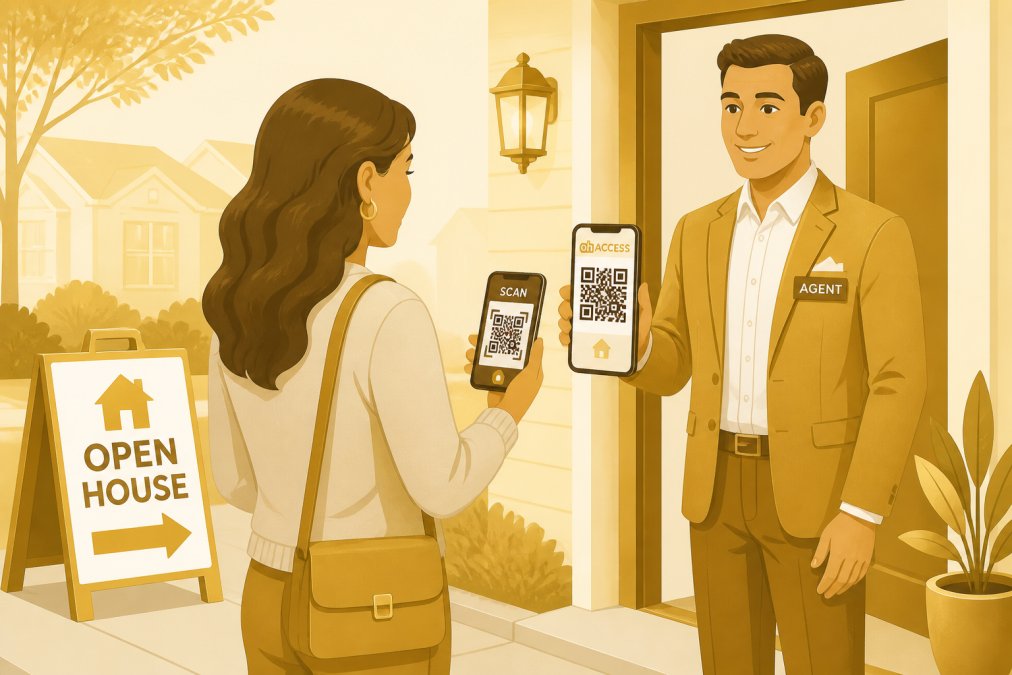
As visitors check in, you receive instant notifications with their details. This real-time visibility lets you identify hot prospects during the open house and engage them directly.
The verification step is critical. Because visitors must provide legitimate contact information to receive their codeword, you eliminate the fake entries that plague paper sign-in sheets. Every contact in your system is real and reachable.
Syncing Data to Your CRM
Once visitor data is collected, the next step is syncing it to your CRM. Most modern open house sign-in apps connect directly to your CRM through an API or integration.
If you use Salesforce, HubSpot, Zoho, or another major CRM, check whether your sign-in app offers a native integration. Set up the connection before your open house and map the visitor fields to your CRM contact fields.
For apps without native CRM integrations, use workflow automation tools like Zapier to bridge the gap. Create a Zap that watches for new visitor entries and creates a contact in your CRM automatically.
The key is automation. Every visitor who checks in should appear in your CRM within seconds, not hours. This enables immediate follow-up and ensures no leads fall through cracks.
Creating One-Tap Professional Reports
After the open house closes, generating a report should take seconds, not hours. The best open house sign-in apps include built-in reporting that summarizes attendance, buying timelines, and lead quality with one click.
Your report should include: total visitor count, a buying-timeline breakdown, how many visitors plan to buy within 6 months, and the average visitor rating and price feedback — never individual visitor contact details, which stay private with you.
ohACCESS generates these reports automatically and formats them professionally, ready to send to your sellers. You don't design the report or compile data. You click "Generate Report" and it's done. This one-tap approach means you can send your sellers a detailed report within an hour of closing the open house.
The report becomes a marketing tool. It shows sellers concrete evidence of buyer interest and justifies your marketing effort.
Open House Feedback Template and Follow-Up Scripts
Creating a structured feedback template helps you capture useful information beyond basic contact details. During the open house, ask visitors: What did you like most about the property? What concerns do you have? Are you actively looking or just browsing? On a scale of 1-10, how interested are you?
These responses help you qualify leads and tailor your follow-up. A visitor who rates the property 8/10 and says they're actively looking is a hot prospect. Someone who's just browsing gets a different follow-up approach.
| Question | Response Options |
|---|---|
| Interest level (1-10) | Numeric scale |
| Buyer status | Active buyer, Pre-approved, Just browsing, Investor |
| Top concern | Price, condition, location, layout, other |
| Preferred contact method | Phone, email, text |
This template keeps feedback consistent and makes it easy to segment your follow-up list.
Open House Follow-Up Scripts for Sellers
Your sellers need to know not just that people visited, but that you have a plan to convert those visitors into offers. The follow-up script is your proof of action.
A strong follow-up script starts within 24 hours of the open house. You've already sent the report to sellers showing attendance and lead quality. Now you contact the qualified visitors with a personalized message.
For hot prospects (high interest rating, active buyer status):
"Hi [Name], thanks for visiting [Property Address] yesterday. I noticed you were very interested in the property. I pulled together some information about the neighborhood and comparable sales that I think you'll find useful. Are you available for a call this week to discuss next steps?"
For moderate interest prospects:
"Hi [Name], thanks for coming to the open house at [Property Address]. I'd love to hear what you thought about the property and answer any questions that came up. Do you have time for a quick call this week?"
For casual browsers:
"Hi [Name], thanks for visiting [Property Address]. I'm sending along some additional photos and information about the property. If you'd like to schedule a private showing or have any questions, feel free to reach out."

The key is personalization. Reference specific details from their feedback. If they mentioned concerns about the kitchen, address that in your follow-up. Document your follow-up attempts in your CRM. When you send your sellers an updated report two weeks after the open house, you can show not just how many visited, but how many you've converted to showings or offers.
Data Privacy and Compliance Considerations
Collecting visitor contact information creates data responsibility. You're gathering phone numbers and email addresses, which fall under privacy regulations that vary by jurisdiction.
The primary regulation governing contact information collection in real estate is the Telephone Consumer Protection Act (TCPA), which restricts telemarketing calls and text messages. When you collect phone numbers at open houses, you're creating an established business relationship, which gives you limited rights to contact those numbers. However, you must honor opt-out requests immediately.
For email addresses, the CAN-SPAM Act requires that marketing emails include clear identification of the sender, an accurate subject line, and an unsubscribe mechanism.
Best practices for data privacy:
- Disclose how you'll use visitor information before collecting it.
- Store visitor data securely using apps that encrypt data in transit and at rest.
- Delete data after a reasonable period (6-12 months).
- Honor opt-out requests immediately.
- Don't share visitor data with third parties without permission.
Most modern open house sign-in apps handle data security and compliance automatically. However, you're still responsible for how you use the data. Respect visitor privacy, honor opt-out requests, and follow CAN-SPAM and TCPA guidelines.
Troubleshooting Common Sync and Reporting Issues
Even with automated systems, sync failures and reporting glitches occasionally occur.
QR Code Not Scanning
If visitors report that the QR code won't scan, the problem is usually environmental. Direct sunlight can create glare that confuses phone cameras. Paper creasing or fading can make the code unreadable. Solution: Print QR codes on high-quality paper, laminate them to prevent wear, and position them in shade or under a porch light.
Visitor Data Not Appearing in CRM
If check-ins aren't syncing to your CRM, first verify that the integration is still active. Log into your sign-in app and check the CRM connection status. If it shows "disconnected," you may need to re-authorize the integration.
If the integration shows "connected" but data still isn't flowing, test with a dummy entry. If the test entry syncs but real entries don't, the problem may be field mapping. Contact support to verify that visitor fields are correctly mapped to your CRM contact fields.
Duplicate Entries in CRM
Duplicates usually occur when a visitor checks in twice or when the sync runs multiple times. Most CRMs have built-in duplicate detection. Run a duplicate check in your CRM and merge duplicate records. Deduplicate in your CRM instead, using phone number or email as the unique identifier so a repeat check-in updates the existing record.
Report Generation Delays
If reports are taking longer than expected to generate, check whether your sign-in app is processing a large volume of check-ins. During peak open house times, generating a report with 100+ visitors may take a few minutes. This is normal.
Missing Data in Reports
If your report is missing visitor information, verify that visitors completed the entire form during check-in. Some visitors may have skipped optional fields. Review the raw visitor data in your sign-in app to confirm what information was actually collected.
Generating open house reports to sellers quickly and accurately is the difference between looking like an organized professional and looking like you're winging it. Automated lead capture through verified QR codes, real-time CRM syncing, and one-tap report generation transforms your open house from a weekend event into a documented marketing activity. Sellers see proof of buyer interest. You get qualified leads ready for follow-up. Everyone wins. With ohACCESS, you skip the manual data entry entirely and focus on what actually converts leads: fast, personalized follow-up. Start free and see how much time you recover when your open house data flows automatically into your CRM.
Frequently Asked Questions
What should be included in an open house report to send to sellers?
A comprehensive open house report should include total visitor count, a buying-timeline breakdown, average visitor rating and price feedback, and aggregated question answers — visitor contact information stays with the agent, never the seller. Automated systems capture this data instantly, eliminating manual entry errors. Many agents also include follow-up action items and next steps in the report to show sellers the tangible value of the open house event.
How do you deliver negative feedback from open house visitors?
Frame negative feedback constructively by focusing on actionable insights rather than criticism. For example, instead of 'visitors didn't like the kitchen,' say 'multiple visitors mentioned the kitchen would benefit from updates, this is a common objection to address in your marketing.' Present feedback as market data that helps sellers understand buyer priorities. Pair any concerns with positive feedback to maintain balance and demonstrate genuine buyer interest.
How often should you send open house updates to sellers?
Send an initial report within 24 hours of the open house while the event is fresh and buyer feedback is most relevant. This demonstrates professionalism and keeps sellers engaged. If you're conducting multiple open houses or follow-up showings, provide weekly updates summarizing cumulative feedback and lead activity. Consistent communication shows sellers you're actively marketing their property and building momentum toward a sale.
What tools can automate open house reporting and eliminate manual data entry?
Digital sign-in platforms with verified QR-code systems, automatic CRM integration, and one-tap report generation streamline the entire process. These tools capture accurate visitor data through phone and email verification, sync directly to your CRM, and generate professional reports ready to share with sellers. Automation removes the time burden of manual data entry and reduces errors, allowing you to focus on lead follow-up instead of administrative tasks.
This article was written using GrandRanker
Frequently asked questions
What should be included in an open house report to send to sellers?
A comprehensive open house report should include total visitor count, a buying-timeline breakdown, average visitor rating and price feedback, and aggregated question answers — visitor contact information stays with the agent, never the seller. Automated systems capture this data instantly, eliminating manual entry errors. Many agents also include follow-up action items and next steps in the report to show sellers the tangible value of the open house event.
How do you deliver negative feedback from open house visitors?
Frame negative feedback constructively by focusing on actionable insights rather than criticism. For example, instead of 'visitors didn't like the kitchen,' say 'multiple visitors mentioned the kitchen would benefit from updates—this is a common objection to address in your marketing.' Present feedback as market data that helps sellers understand buyer priorities. Pair any concerns with positive feedback to maintain balance and demonstrate genuine buyer interest.
How often should you send open house updates to sellers?
Send an initial report within 24 hours of the open house while the event is fresh and buyer feedback is most relevant. This demonstrates professionalism and keeps sellers engaged. If you're conducting multiple open houses or follow-up showings, provide weekly updates summarizing cumulative feedback and lead activity. Consistent communication shows sellers you're actively marketing their property and building momentum toward a sale.
What tools can automate open house reporting and eliminate manual data entry?
Digital sign-in platforms with verified QR-code systems, automatic CRM integration, and one-tap report generation streamline the entire process. These tools capture accurate visitor data through phone and email verification, sync directly to your CRM, and generate professional reports ready to share with sellers. Automation removes the time burden of manual data entry and reduces errors, allowing you to focus on lead follow-up instead of administrative tasks.
Keep reading
Start free with 25 verified check-ins. No credit card required.
Start Free