Sync Open House Leads to CRM: A Step-by-Step Guide
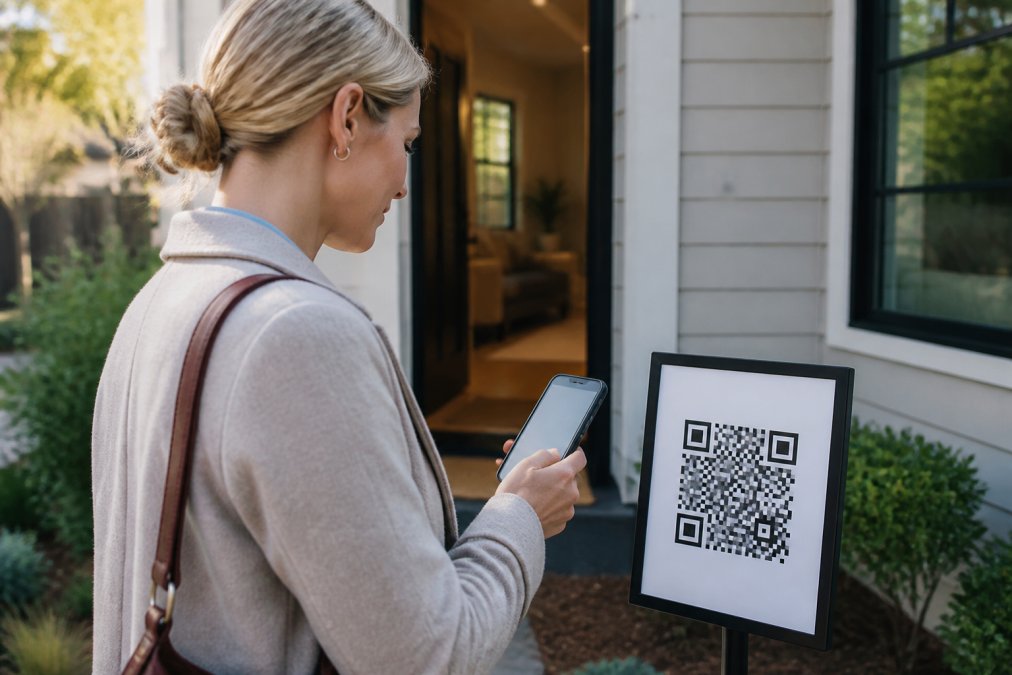
Table of Contents
- Why Syncing Open House Leads to Your CRM Matters
- Choose a Real Estate Open House Sign-In App
- Set Up Your CRM Integration
- Configure Automated Lead Follow-Up for Realtors
- Manage Data Quality and Handle Sync Failures
- Compliance and Data Privacy for Open House Lead Collection
- Measure Results and Optimize Your Workflow
- Conclusion
Last Updated: August 11, 2026
Why Syncing Open House Leads to Your CRM Matters
Open house sign-in used to mean illegible names, fake phone numbers, and cold leads by follow-up time. Syncing open house leads to CRM changes that entirely. When visitor data flows directly from your sign-in process into your customer relationship management system, follow-ups happen the same day, your database stays clean, and your team spends less time on data entry and more time prospecting.
The real value is accuracy. A verified sign-in process eliminates fake information at the source. When syncing open house leads to CRM happens automatically, you're managing one unified workflow instead of two systems. Agents report improved conversion rates because they're actually reaching real people who expressed genuine interest.
Choose a Real Estate Open House Sign-In App
Not all sign-in solutions solve the core problem: fake information and wasted follow-up time. A modern real estate open house sign-in app needs to capture verified contact information, eliminate fake entries, and integrate seamlessly with your CRM so syncing open house leads to CRM happens automatically.
The verification step is critical. When a visitor scans a QR code and receives one-time codewords by text and email before they can enter the property, you've solved the fake-information problem instantly. No codeword means no entry. That single friction point ensures every entry in your database is someone who genuinely wanted to see the property.
Integration capability comes next. The app should connect directly to your CRM through an API or middleware like Zapier. This makes syncing open house leads to CRM possible without manual work. Every visitor becomes a lead record the moment they submit their verified contact information.
What to Look For in a Sign-In Solution
When evaluating a real estate open house sign-in app, focus on these capabilities:
- Verification method: Does it send codewords to both phone and email? Stronger verification means cleaner data.
- CRM integration: Can it sync directly to your CRM, or does it rely on third-party middleware? Direct integration is faster for syncing open house leads to CRM.
- Real-time notifications: Do you get alerted when each visitor checks in?
- Automated reporting: Can the app generate same-day reports for homeowners?
- Mobile-first design: Does it work on any smartphone without requiring an app download?
- Data mapping flexibility: Can you customize which fields sync to your CRM?
Set Up Your CRM Integration
Syncing open house leads to CRM requires configuration. Start by identifying which CRM you're using and whether your sign-in app has a native integration. Native integrations are direct connections built by both platforms, faster, more reliable, and requiring less maintenance. If your app lacks native integration, use middleware like Zapier to bridge the gap.
Before connecting anything, map out your data fields. Your sign-in app captures name, phone, email, and possibly property address and visit time. Your CRM has fields for those, but they might be named differently. A field called "Phone" needs to know which CRM phone field to populate: "Mobile Phone," "Primary Phone," or "Work Phone." Getting this mapping wrong breaks your follow-up workflow.
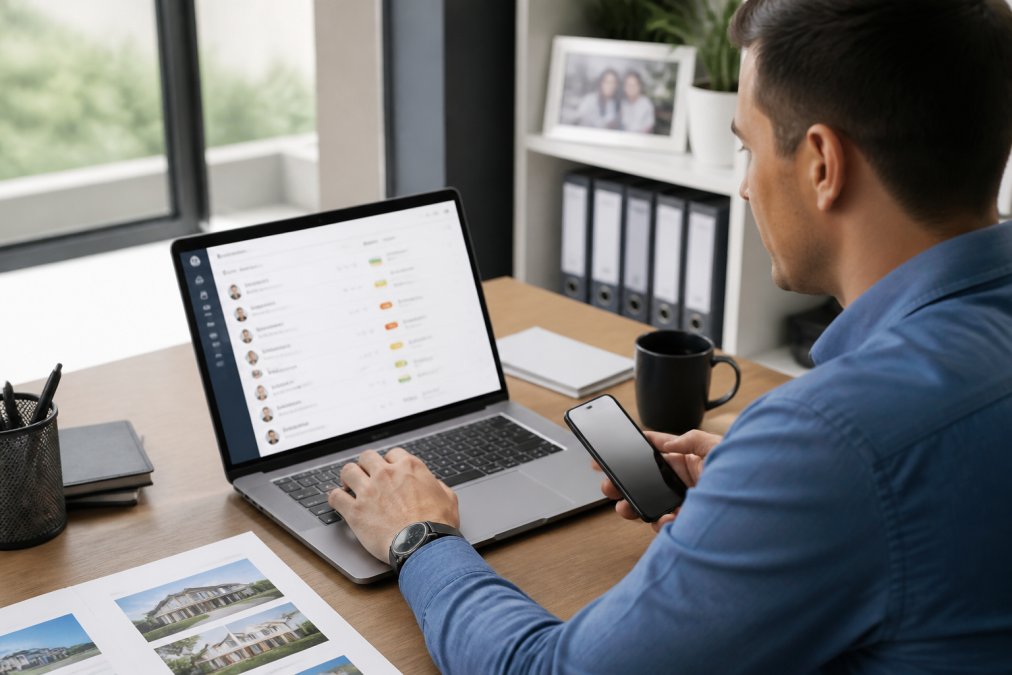
Test the integration with five test leads before your first open house. Submit them through your sign-in app and verify they appear in your CRM with correct information in correct fields. This catches mapping errors before they affect real leads.
Direct API Integration vs. Zapier for Real Estate Lead Automation
You have two main paths for syncing open house leads to CRM: direct API integration or Zapier-style middleware.
Direct API integration is a direct connection between your sign-in app and your CRM. Data syncs in seconds with no middleman. This is the fastest option and best for multiple open houses per week. The tradeoff: setup requires more technical knowledge.
Zapier for real estate lead automation is middleware that watches your sign-in app for new leads, then creates records in your CRM. Data syncs on a schedule (typically every 5-15 minutes), not instantly. For most agents running one or two open houses monthly, that delay is acceptable.
Choose direct API integration if you're syncing open house leads to CRM at scale or need immediate follow-up. Choose Zapier if you're running occasional open houses and the five-minute delay doesn't affect your workflow.
Configure Automated Lead Follow-Up for Realtors
Once syncing open house leads to CRM is working, automate your follow-up. A lead contacted within the first hour is exponentially more likely to convert than one contacted three days later.
Set up a workflow in your CRM that triggers automatically when a new open house lead arrives. A common sequence is an immediate SMS or email acknowledging their visit, a follow-up email 24 hours later with property details, and a phone call or second email three days later if they haven't responded.
The trigger should be specific: "When a new lead is created AND the lead source is 'Open House'", not just any new lead. This prevents your open house automation from interfering with leads from other sources.
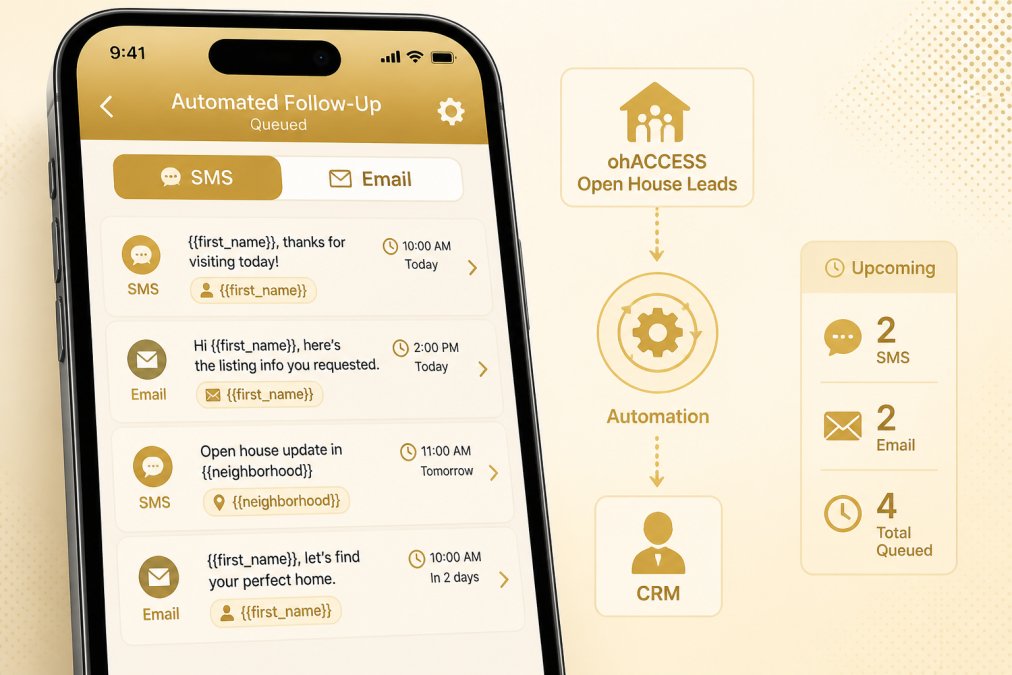
Personalization matters. Your CRM should pull the visitor's name, property address, and preferred contact method from synced data. An SMS that says "Hi [First Name], thanks for visiting [Property Address] today..." converts better than a generic message.
Map Your Lead Fields Correctly
Field mapping is where most syncing open house leads to CRM workflows fail silently. Your sign-in app sends data, your CRM receives it, but it goes into the wrong fields or gets truncated.
Document what your sign-in app sends and what your CRM expects:
| Sign-In App Field | CRM Field | Data Type | Notes |
|---|---|---|---|
| Visitor Name | Contact Name | Text | First and last name combined |
| Phone Number | Mobile Phone | Phone | Format: (XXX) XXX-XXXX |
| Email Address | Lowercase, no spaces | ||
| Property Address | Property Visited | Lookup | Must match existing property record |
| Visit Time | Lead Created Date | DateTime | Timestamp in UTC |
| Source | Lead Source | Dropdown | Hard-coded to "Open House" |
Confirm the data type matches. If your sign-in app sends phone numbers as plain text (5551234567) but your CRM expects formatted numbers ((555) 123-4567), the field will reject or store it incorrectly, breaking your follow-up workflow.
Test with real data. Submit a test lead, check the raw data in your sign-in app's logs, then verify it appears correctly in your CRM. Look for truncation, encoding issues, or missing fields.
Test Your Sync Before Your Next Open House
Test at least 48 hours before your first open house. Run a full end-to-end test: submit a test lead through your sign-in app, verify it appears in your CRM within your expected timeframe, check that all fields are populated correctly, and trigger your automated follow-up workflow manually. If you set up an immediate SMS, you should receive that test SMS. Document what you tested and when.
Manage Data Quality and Handle Sync Failures
Syncing open house leads to CRM is only valuable if data quality is high and your sync is reliable. Both require ongoing attention.
Data quality degrades quickly without management. Duplicate records appear when the same visitor checks in twice. Incomplete records appear when a field fails to sync. A clean database is essential for accurate reporting and effective follow-up.
Sync failures happen. A visitor's phone number might be invalid. Your CRM might be down for maintenance. Your API credentials might expire. These aren't catastrophic if you catch them quickly, but they're invisible if you're not monitoring.
Prevent Duplicate Leads in Your Database
Duplicates are the most common data quality problem when syncing open house leads to CRM. They happen when a visitor checks in at your sign-in app then you manually enter their information, or when a visitor attends two open houses and checks in at both.
Duplicates wreck your reporting and waste follow-up effort. You send two emails to the same person and your conversion rate looks inflated.
Prevent duplicates by configuring your CRM to use phone number or email as a unique identifier. If a lead with that phone number already exists, update the existing record instead of creating a new one. Most CRMs have this setting, usually called "Duplicate Detection" or "Upsert" logic.
Troubleshoot Common Sync Issues
When syncing open house leads to CRM stops working, start with these checks:
The sync stopped entirely. Check your API credentials. If using direct integration, your authentication token might have expired. If using Zapier, log in and verify the connection is still active. Refresh credentials and retry.
Leads are syncing but fields are empty. Check your field mapping. Field names might have changed in your CRM, or your sign-in app might not be sending data for that field. Verify the mapping and re-test with a sample lead.
Leads are syncing but data looks wrong. Check data format. Phone numbers might be missing the area code. Email addresses might be capitalized when your CRM expects lowercase.
Some leads sync, others don't. Check your sign-in app's error logs to see which leads failed and why. A phone number that's too short, an email with a special character, or a property address that doesn't match any record in your CRM will cause failures. Fix the data and retry.
Leads sync but automation doesn't trigger. Check your workflow trigger. The trigger might be looking for "Lead Source = Open House" but your synced data is setting it to "open house" (lowercase). Make your trigger more flexible or standardize your data format.
Compliance and Data Privacy for Open House Lead Collection
Collecting visitor information at open houses creates compliance obligations. You're gathering personally identifiable information. How you handle that data matters legally and ethically.
Your sign-in process should make clear that you're collecting information for follow-up purposes. Many agents include a checkbox: "I agree to receive updates about this property and other listings." This provides basic consent documentation. When syncing open house leads to CRM, that consent travels with the lead record.
Retention policies matter. How long do you keep open house leads in your CRM if they don't convert? Federal regulations like CAN-SPAM require that you honor unsubscribe requests within 10 business days. State laws like California's privacy regulations give consumers the right to request deletion of their data. Document your retention policy and enforce it.
Data security is your responsibility. Use a CRM with strong security, encryption in transit and at rest, regular security audits, and SOC 2 certification. When syncing open house leads to CRM, ensure the connection itself is encrypted (HTTPS, not HTTP).
Measure Results and Optimize Your Workflow
Syncing open house leads to CRM only matters if it improves your business outcomes. Measure what's changing: how many leads you're capturing, how quickly you're following up, what percentage are converting.
Set a baseline before implementing the new system. How many leads were you capturing from open houses before? What was your follow-up time? What was your conversion rate? Then implement syncing open house leads to CRM and track the same metrics.
After 30 days, compare. You should see an increase in lead volume because you're capturing more verified leads and fewer fakes. You should see a decrease in follow-up time because you're not manually entering data. You should see an increase in conversion rate because you're following up faster with cleaner data.
Use your CRM's reporting tools to track open house performance by property. Which properties generate the most visitor traffic? Which convert at the highest rate? Use that data to decide which properties deserve more marketing investment.
Syncing open house leads to CRM transforms your open house from a one-day event into the start of a lead nurture process. When visitor data flows directly into your system with verified contact information, your follow-up becomes immediate and your conversion rate improves. The setup requires attention to detail, correct field mapping, proper workflow configuration, and ongoing data quality management, but the payoff is significant: more leads, faster follow-up, and cleaner data. Start with a test open house, measure your results, and refine your workflow based on what the data shows. With ohACCESS's verified QR-code check-in system, you eliminate fake information at the source by sending visitors codewords — one by text, one by email — to gain access to the property, so it requires that they enter legitimate contact information in order to receive them. They scan a QR code outside the property first. Get started with a free account and see how automating your open house sign-in improves your lead capture and conversion rate.
Frequently Asked Questions
How do I sync open house leads to my CRM automatically?
Use a digital sign-in platform that integrates directly with your CRM via API or middleware like Zapier. When visitors submit their verified contact information at check-in, their data automatically flows into your CRM without manual entry. Most platforms map common fields (name, phone, email, property address) automatically, and you can customize additional fields based on your CRM's structure. Test the sync with a few dummy leads before your next open house to ensure data arrives correctly.
What's the difference between API integration and Zapier for real estate lead automation?
Direct API integration connects your sign-in app directly to your CRM for faster, more reliable data transfer with fewer steps. Zapier acts as a middleman, triggering automations between apps when new data arrives. API is faster and more stable for high-volume open houses, but requires technical setup. Zapier requires no coding and works with almost any CRM, but adds a slight processing delay. For agents running 3+ open houses weekly, direct API integration typically performs better.
Why should I use a real estate open house sign-in app instead of paper sheets?
Digital sign-in apps eliminate fake contact information, save hours on manual data entry, and sync verified leads directly to your CRM in real time. Paper sheets require you to type every name and number into your database, introduce transcription errors, and capture no way to verify contact validity. Digital solutions also provide instant notifications when visitors check in, let you generate professional reports for sellers same-day, and create a searchable history of all property visits for future follow-up.
What should I do if leads aren't syncing to my CRM correctly?
First, check that your API credentials or Zapier authentication is current and hasn't expired. Verify that field mapping matches your CRM's structure (mismatched field names cause sync failures). Review your sign-in platform's sync logs to see if errors appear. Test with a fresh lead to confirm the connection works. If duplicates appear, check for case-sensitivity issues or extra spaces in email addresses. Contact your sign-in platform's support team with your sync logs if the issue persists after these steps.
This article was written using GrandRanker
Frequently asked questions
How do I sync open house leads to my CRM automatically?
Use a digital sign-in platform that integrates directly with your CRM via API or middleware like Zapier. When visitors submit their verified contact information at check-in, their data automatically flows into your CRM without manual entry. Most platforms map common fields (name, phone, email, property address) automatically, and you can customize additional fields based on your CRM's structure. Test the sync with a few dummy leads before your next open house to ensure data arrives correctly.
What's the difference between API integration and Zapier for real estate lead automation?
Direct API integration connects your sign-in app directly to your CRM for faster, more reliable data transfer with fewer steps. Zapier acts as a middleman, triggering automations between apps when new data arrives. API is faster and more stable for high-volume open houses, but requires technical setup. Zapier requires no coding and works with almost any CRM, but adds a slight processing delay. For agents running 3+ open houses weekly, direct API integration typically performs better.
Why should I use a real estate open house sign-in app instead of paper sheets?
Digital sign-in apps eliminate fake contact information, save hours on manual data entry, and sync verified leads directly to your CRM in real time. Paper sheets require you to type every name and number into your database, introduce transcription errors, and capture no way to verify contact validity. Digital solutions also provide instant notifications when visitors check in, let you generate professional reports for sellers same-day, and create a searchable history of all property visits for future follow-up.
What should I do if leads aren't syncing to my CRM correctly?
First, check that your API credentials or Zapier authentication is current and hasn't expired. Verify that field mapping matches your CRM's structure (mismatched field names cause sync failures). Review your sign-in platform's sync logs to see if errors appear. Test with a fresh lead to confirm the connection works. If duplicates appear, check for case-sensitivity issues or extra spaces in email addresses. Contact your sign-in platform's support team with your sync logs if the issue persists after these steps.
Keep reading
Start free with 25 verified check-ins. No credit card required.
Start Free