How to Automate Open House Lead Capture: A Step-by-Step Guide
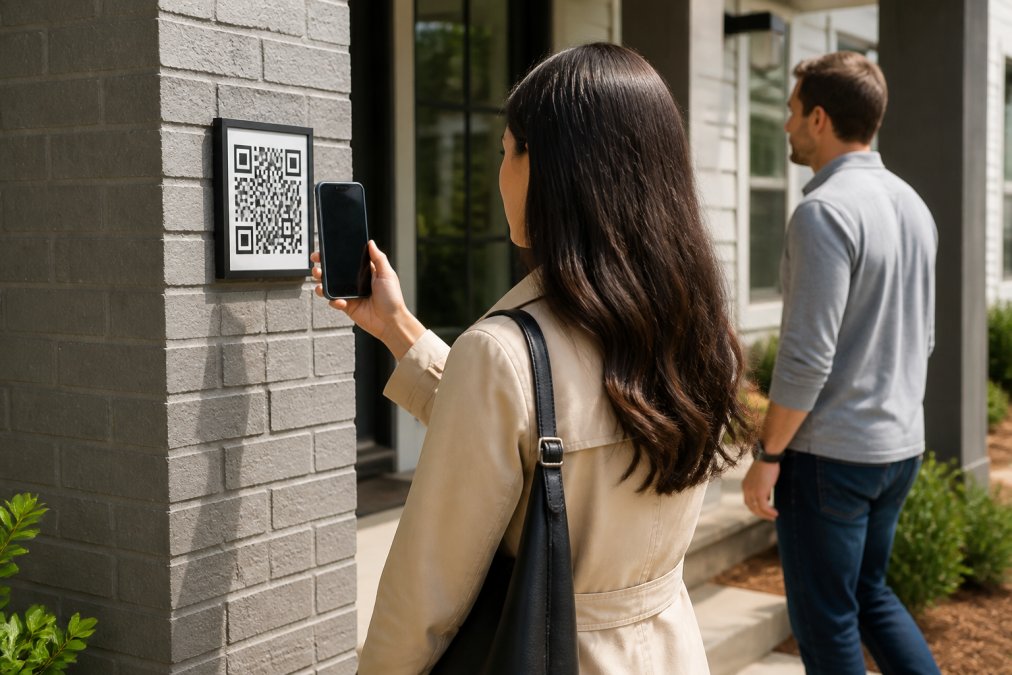
Table of Contents
- Why Automating Open House Lead Capture Matters
- Step 1: Set Up Your Digital Sign-In System with QR Code Scanning
- Step 2: Implement Verified Contact Information Collection
- Step 3: Integrate Your Open House Data Directly Into Your CRM
- Best Real Estate Open House Apps for Automated Lead Capture
- How to Follow Up With Open House Leads Automatically
- Open House Sign-In Sheet Templates and Digital Alternatives
- Data Privacy, Compliance, and Visitor Security
Last Updated: August 7, 2026
Why Automating Open House Lead Capture Matters
Real estate agents lose leads every weekend. Paper sign-in sheets get lost, contact information is illegible, and fake names slip through constantly. Automating open house lead capture replaces manual data collection with instant, verified contact information that flows directly into your CRM.
When you automate open house lead capture, every visitor provides legitimate contact information before they enter the property. No fake names. No invalid phone numbers. Just qualified prospects ready for follow-up.
Homeowners expect proof that their open house attracted serious interest. Buyers expect quick follow-up from agents who actually captured their information. Automation ensures your lead data is accurate, immediate, and ready to convert.
Step 1: Set Up Your Digital Sign-In System with QR Code Scanning
Replace your paper sign-in sheet with a QR code-based digital system. Visitors scan a QR code outside the property, fill out a contact form with their phone number and email, and receive codewords via text and email. They share a codeword with the host agent to access the property. This verification step eliminates fake leads entirely.
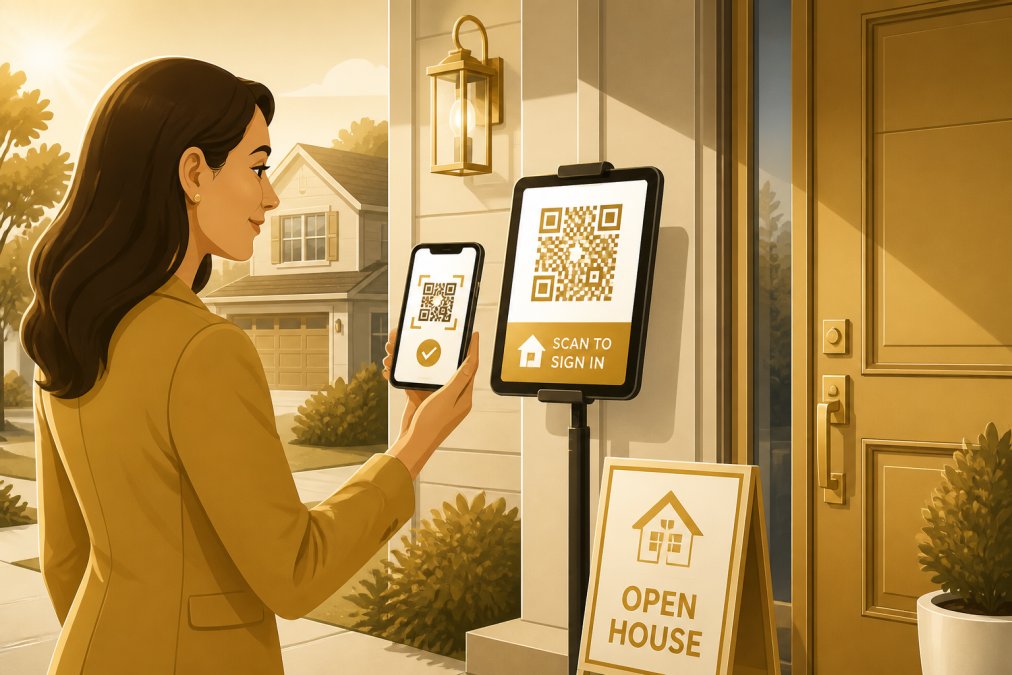
The QR code approach requires no special equipment beyond a smartphone or tablet. Visitors don't need to download an app or create an account. The entire process takes 30 seconds.
Setting up your QR code system:
-
Choose your platform. Select a digital sign-in solution that generates QR codes and handles verification automatically, sending real-time notifications when visitors submit their information.
-
Create your QR code. Generate a unique QR code for each open house. Most platforms create these automatically.
-
Display the QR code prominently. Place it outside the property where visitors see it immediately. Include simple instructions: "Scan to enter."
-
Test before the event. Scan the code yourself. Verify that the form loads correctly, verification messages arrive instantly, and you receive notifications when someone submits their information.
-
Monitor during the open house. Watch your notifications in real time. You'll see each visitor's information arrive instantly.
Choosing Between QR Code Platforms and Custom Forms
A dedicated QR code platform handles verification automatically, sends codewords, tracks entries, and syncs data to your CRM without manual work. Most platforms offer templates, real-time notifications, and professional reporting.
A custom form gives you more control over design but requires you to handle verification yourself. The integration burden is higher, and the risk of data entry errors increases.
For most agents, a dedicated platform is the right choice. It's faster to set up, requires less technical maintenance, and delivers better data quality.
Step 2: Implement Verified Contact Information Collection
Verification prevents fake leads. The moment a visitor enters their phone number and email, they trigger an automatic verification process. They receive two codewords — one via text, one via email. Without a codeword, they cannot enter the property.
This single step eliminates fake contact information. A serious buyer will gladly enter their real phone number and email to access the property. Someone with malicious intent won't.
How Codeword Verification Eliminates Fake Leads
Codeword verification creates friction for bad actors but none for legitimate visitors. The verification flow is straightforward: visitor scans QR code, enters phone number and email, receives codewords by text and email, shares a codeword with the host, gains access. This entire sequence takes less than a minute.
Every contact in your database has been verified. Every phone number has been tested. Every email address is real. When you follow up, you're calling people who actually want to hear from you.
Visitors know they're providing real information to access the property. That commitment increases the likelihood they'll respond to your follow-up.
Step 3: Integrate Your Open House Data Directly Into Your CRM
Raw lead data is useless if it sits in a spreadsheet. The moment a visitor's information arrives, it should flow directly into your CRM. This integration eliminates manual data entry and ensures your lead database stays current.
Most modern CRM platforms can ingest leads automatically — through a formatted lead email sent to your CRM's lead-intake address, or through a webhook connection like Zapier. Your digital sign-in system delivers visitor data into your CRM the moment the form is submitted.
Setting up CRM integration:
-
Find your CRM's lead-intake email address. Most major platforms (Follow Up Boss, kvCORE, Lofty, and others) give every account a dedicated address that turns inbound lead emails into contacts automatically.
-
Connect it in your sign-in system's settings. In ohACCESS, pick your CRM from the dropdown and paste the lead-intake address — or paste a Zapier webhook URL instead. This typically takes 5 minutes.
-
Let the formatting do the work. A well-formatted lead email labels every field (name, phone, email, buying timeline) so your CRM parses it into the right fields automatically.
-
Test the integration. Submit a test form and verify the data appears in your CRM within seconds.
-
Set up automation rules. Use your CRM's automation to assign leads, send welcome emails, or trigger follow-up sequences automatically.
Your CRM becomes the single source of truth for all open house leads. Every visitor becomes a lead in your system instantly.
Best Real Estate Open House Apps for Automated Lead Capture
Several platforms specialize in automating open house lead capture. The best choice depends on your workflow, team size, and existing tools.
ohACCESS stands out because it combines QR code scanning with verified contact information capture. Visitors scan a QR code, enter their phone number and email, and receive codewords by text and email to access the property. The agent gets instantly notified with the visitor's details when the contact form is submitted. This verification step eliminates fake leads entirely. The platform sends every sign-in straight into your CRM (via a formatted lead email or Zapier webhook), generates one-tap seller reports, and provides real-time notifications during the open house.
What sets ohACCESS apart from other digital open house sign-in platforms is that we send visitors two codewords — one by text, one by email — to gain access to the property, so it requires that they enter legitimate contact information in order to receive them. They scan a QR code outside the property first. The agent gets instantly notified with the visitors details when the contact form is submitted.
Key Features to Compare Across Platforms
When evaluating open house automation platforms, focus on these core capabilities:
| Feature | Critical | Nice to Have | Why It Matters |
|---|---|---|---|
| QR code generation | Yes | , | Enables touchless sign-in at property entrance |
| Contact verification | Yes | , | Eliminates fake leads and invalid contact info |
| Real-time notifications | Yes | , | Allows you to engage with visitors during open house |
| CRM integration | Yes | , | Syncs leads automatically without manual entry |
| Mobile-friendly forms | Yes | , | Works seamlessly on smartphones and tablets |
| Seller reporting | Yes | , | Provides proof of turnout and buyer interest |
| Email drip campaigns | No | Yes | Automates follow-up after open house |
| SMS automation | No | Yes | Reaches prospects via text message |
| Team collaboration | No | Yes | Useful for brokers managing multiple agents |
| Custom branding | No | Yes | Adds professional polish to your sign-in process |
Real-time notifications matter because they change how you interact with visitors. When you see a notification that a serious buyer just entered the property, you can greet them by name and answer their specific questions.
CRM integration is non-negotiable. If the platform doesn't sync with your existing CRM, you're creating extra work.
How to Follow Up With Open House Leads Automatically
Capturing leads is only half the battle. Following up with them within 24 hours determines whether they become clients. Automation ensures you follow up consistently, even when managing multiple open houses per week.
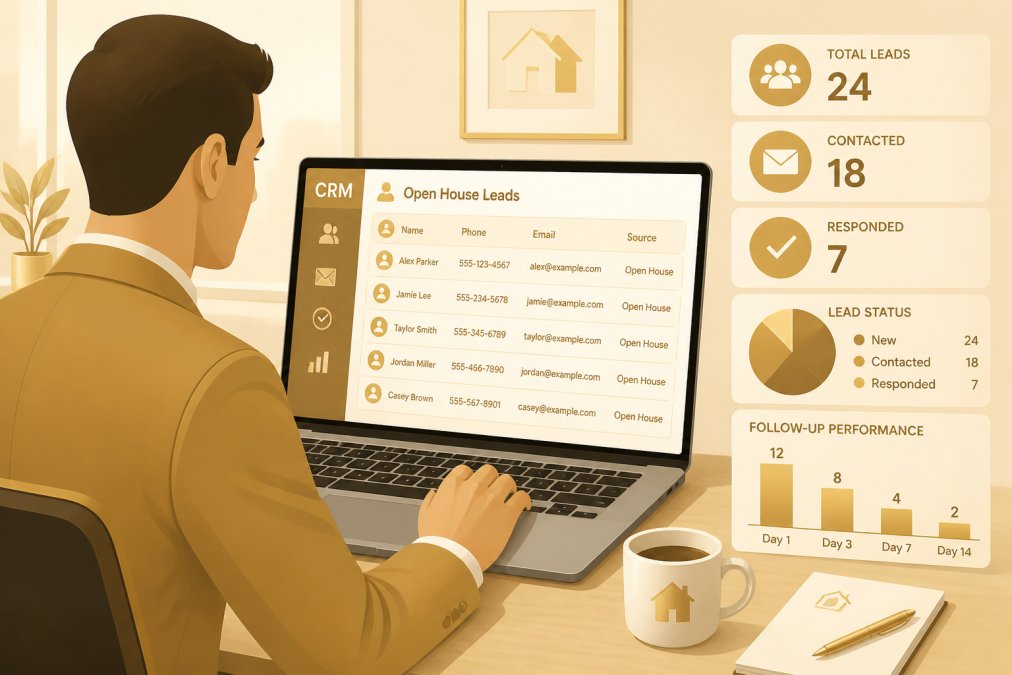
Every lead should receive the same initial touchpoint, an email or text message acknowledging their visit. From there, leads branch into different workflows based on their engagement level and stated interests.
Setting Up Email and SMS Drip Campaigns
An email drip campaign sends a series of messages over time, each building on the previous message. The first email arrives within hours of the open house. Subsequent emails provide property information, market insights, or new listings that match the visitor's interests.
Building your email drip campaign:
-
Create your welcome email. This arrives within 2 hours of the open house. Thank the visitor for attending, reference the property address, and ask about their timeline and interests.
-
Add a property-specific email. This arrives 24 hours later. Include photos, pricing details, neighborhood information, and next steps.
-
Build a follow-up sequence. Emails 3-5 arrive over the next week. Share market insights, new listings, or financing information relevant to their interests.
-
Set up conditional logic. If a visitor opens your emails, they're engaged, send additional content. If they don't open emails after three attempts, move them to a quarterly newsletter.
-
Test before the open house. Send test emails to yourself. Verify that links work and images load.
SMS campaigns have a 98% open rate within minutes. Text messages work best for time-sensitive information: "New listing just posted that matches your criteria" or "Open house this Sunday at 2 PM."
Lead Routing and Qualification Workflows
Not all leads are equal. A serious buyer with a pre-approval letter is different from a curious neighbor. Qualification workflows route leads to the right follow-up sequence based on their profile.
Building a qualification workflow:
-
Define your lead tiers. Hot leads show high intent. Warm leads show moderate interest. Cold leads are exploratory.
-
Create tier-specific workflows. Hot leads get daily follow-up and priority scheduling. Warm leads get follow-up every 2-3 days. Cold leads get weekly content and quarterly check-ins.
-
Use form responses to qualify. If a visitor indicates they're buying within 30 days, mark them hot. If their timeline is 6+ months, mark them cold.
-
Set up scoring rules. Award points for actions: opening emails (+5), clicking links (+10), scheduling a showing (+50). Leads above a certain score get special attention.
-
Review and adjust. After 10 open houses, review which workflows converted best. Adjust your sequences based on actual performance.
Lead routing ensures no lead falls through the cracks.
Open House Sign-In Sheet Templates and Digital Alternatives
Digital alternatives capture better data, eliminate manual entry, and provide instant insights compared to traditional paper sign-in sheets.
A digital form should be short. Every additional field decreases completion rates. Stick to essentials: name, phone, email, and one qualifying question.
Digital form best practices:
- Keep forms to 4-5 fields maximum
- Make phone and email required fields
- Use dropdown menus for timeline and property type
- Include a checkbox for opting into email updates
- Test on mobile devices
Digital forms sync to your CRM automatically, eliminating transcription errors.
Data Privacy, Compliance, and Visitor Security
Collecting visitor information creates legal obligations. You're responsible for protecting that data and complying with privacy regulations.
Federal privacy standards:
The FTC's Standards for Safeguarding Customer Information require reasonable security measures for personal data. This means encrypted storage, secure transmission, and access controls.
State privacy laws vary. California's CCPA gives consumers the right to know what data you collect, request deletion, and opt out of data sharing. Your digital sign-in system should comply with all applicable state laws.
Best practices for visitor data security:
-
Use encrypted transmission. Your sign-in form should use HTTPS. This encrypts data between the visitor's phone and your server.
-
Store data securely. Your CRM and sign-in platform should encrypt data at rest. Ask your vendor about their security practices.
-
Limit access. Only you and your team members should have access to visitor data.
-
Set a retention policy. After 12 months, consider archiving or deleting old records.
-
Get explicit consent. Your sign-in form should include language confirming that visitors consent to being contacted.
FTC's Standards for Safeguarding Customer Information
Using a digital system reduces liability. You have a clear record of who attended, when they attended, and what information they provided.
Automating open house lead capture transforms how you work. You eliminate fake leads, capture accurate contact information, and follow up consistently, all without manual data entry.
ohACCESS makes this process simple. The platform handles QR code generation, contact verification through codewords, real-time agent notifications, and automatic CRM syncing. Visitors scan a QR code, enter their phone number and email, receive codewords by text and email, and gain property access. You get instant notification with verified contact details. Start free and see how verified lead capture transforms your open house results.
Frequently Asked Questions
Why should I automate open house lead capture instead of using paper sign-in sheets?
Paper sheets capture incomplete data, require manual entry into your CRM, and can't verify contact information accuracy. Automating open house lead capture eliminates these problems: you get verified phone numbers and emails instantly, data syncs directly to your CRM without typing, and you can follow up immediately. You also get professional reports to show sellers how many qualified buyers visited their property, something a paper sheet can't do.
What happens if a visitor doesn't have a smartphone or won't scan a QR code?
Most modern open house automation systems offer fallback options. Visitors without a smartphone can fill in the same web form in the browser on the agent's phone or tablet — the verification codewords still go to the visitor's own phone and email, so the lead stays verified. The key is ensuring contact information is verified through a confirmation process, whether that's a text message, email, or codeword, so you capture legitimate leads regardless of the method used.
How do I ensure visitor data complies with privacy laws like CCPA?
Use a platform that handles data security and retention automatically. At minimum: collect only necessary information (name, phone, email), disclose your privacy practices at the open house, allow visitors to opt out of future communications, and delete data after a reasonable period (typically 90-180 days). Platforms designed for real estate typically include CCPA and state privacy compliance built in, so verify this with your provider before signing up.
How quickly can I get a report after an open house to send to the seller?
With automated systems, reports are generated instantly or within minutes of the open house ending. You can typically send a one-tap summary to the seller the same day showing visitor count, qualified leads captured, and buyer interest indicators. This immediate reporting demonstrates the value of your services and keeps sellers engaged in the listing process.
This article was written using GrandRanker
Frequently asked questions
Why should I automate open house lead capture instead of using paper sign-in sheets?
Paper sheets capture incomplete data, require manual entry into your CRM, and can't verify contact information accuracy. Automating open house lead capture eliminates these problems: you get verified phone numbers and emails instantly, data syncs directly to your CRM without typing, and you can follow up immediately. You also get professional reports to show sellers how many qualified buyers visited their property—something a paper sheet can't do.
What happens if a visitor doesn't have a smartphone or won't scan a QR code?
Most modern open house automation systems offer fallback options. Visitors without a smartphone can fill in the same web form in the browser on the agent's phone or tablet — the verification codewords still go to the visitor's own phone and email, so the lead stays verified. The key is ensuring contact information is verified through a confirmation process—whether that's a text message, email, or codeword—so you capture legitimate leads regardless of the method used.
How do I ensure visitor data complies with privacy laws like CCPA?
Use a platform that handles data security and retention automatically. At minimum: collect only necessary information (name, phone, email), disclose your privacy practices at the open house, allow visitors to opt out of future communications, and delete data after a reasonable period (typically 90–180 days). Platforms designed for real estate typically include CCPA and state privacy compliance built in, so verify this with your provider before signing up.
How quickly can I get a report after an open house to send to the seller?
With automated systems, reports are generated instantly or within minutes of the open house ending. You can typically send a one-tap summary to the seller the same day showing visitor count, qualified leads captured, and buyer interest indicators. This immediate reporting demonstrates the value of your services and keeps sellers engaged in the listing process.
Keep reading
Start free with 25 verified check-ins. No credit card required.
Start Free