QR Code Check-In Systems for Open Houses: 2026 Guide
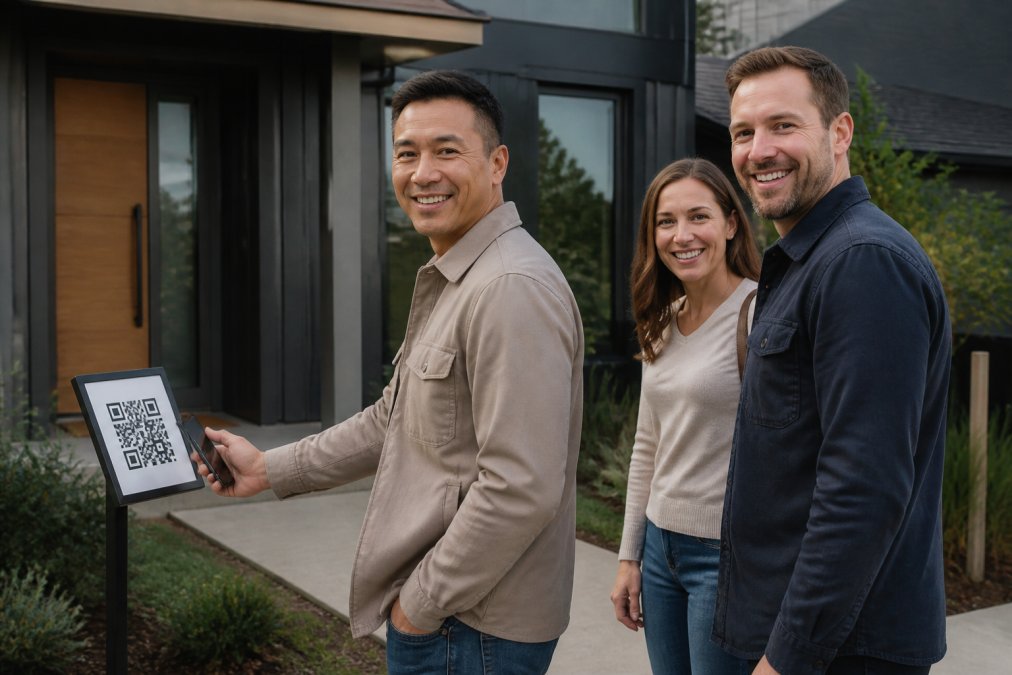
Table of Contents
- Why Paper Open House Sign-In Sheets Fail
- How QR Code Check-In Systems Work at the Door
- Building a Real Estate Open House Sign-In Sheet Template
- CRM Integration for Real Estate Leads: What Actually Works
- How to Follow Up With Open House Leads After the Event
- Open House Seller Reports Without Exposing Visitor Data
- Comparing QR Code Check-In Systems for Open Houses
- Conclusion
- Frequently Asked Questions
Last Updated: September 11, 2026
Why Paper Open House Sign-In Sheets Fail
A paper sign-in sheet asks visitors to write a name, email, and phone number with no verification. Nothing confirms the phone is real or the email belongs to the person holding the pen, and agents retype those entries into a CRM hours later.
The result: fake entries, illegible handwriting, disconnected numbers, and leads that go cold before anyone follows up.
QR code check-in systems replace that sheet with a self-service form visitors complete on their own phone, verified in real time. This guide covers how verification works, how leads reach a real estate CRM, and what to look for in 2026.
How QR Code Check-In Systems Work at the Door
A QR code check-in system for open houses is a digital registration tool where visitors scan a posted QR code, complete a short form on their own device, and verify their contact information before entering. No tablet, no clipboard, no app download.
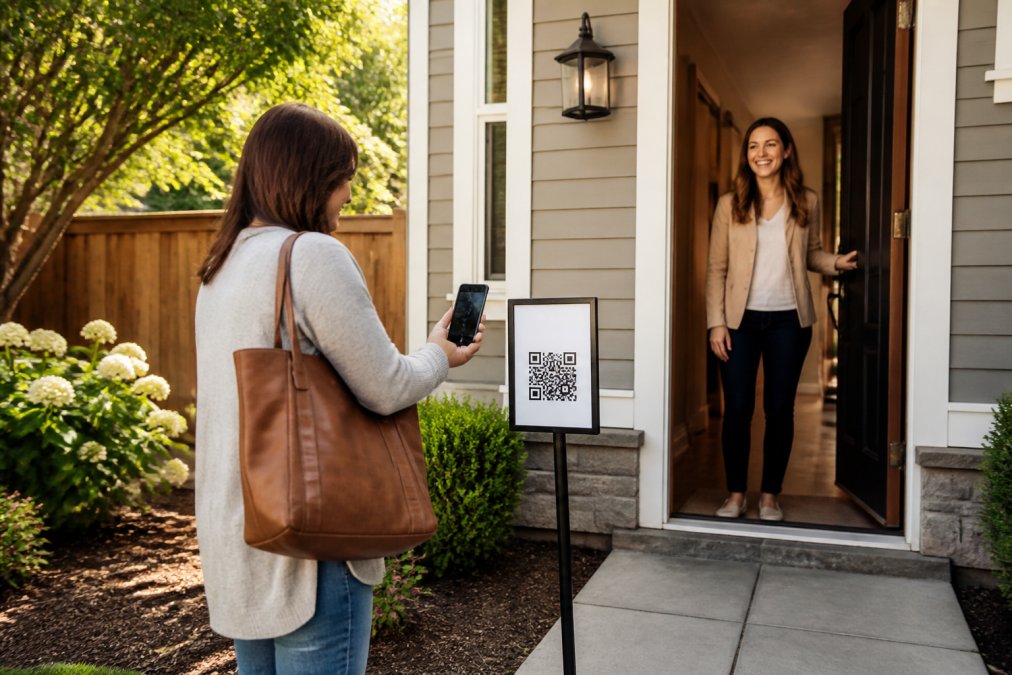
The flow is short by design:
- The agent posts a branded QR sign on a pedestal or A-frame outside the home, or reuses a permanent per-agent code.
- The visitor scans it and fills out name, email, phone, and buying timeline (0-3, 3-6, 6-12, or 12+ months), plus one custom question.
- The form is available in 16 languages, and returning visitors see their information pre-filled for a year.
- The moment they submit, the system sends verification codewords and the agent gets an instant text and email alert.
The Codeword Verification Step That Filters Fake Leads
Codeword verification separates a verified digital sign-in sheet from a form that just collects unverified typing. When a visitor submits the form, ohACCESS sends two codewords: one by text message and one by email, both immediately. The visitor tells a codeword to the host agent at the door to get in. The text codeword is primary; the email codeword is the backup if the text is slow.
Nothing is ever typed into an app or screen, the codeword is spoken to a human. Because the message only reaches a working phone number or inbox, a fake entry never produces a valid codeword. Codewords are set per open house by the agent and never expire on a timer. International visitors receive theirs through WhatsApp.
Building a Real Estate Open House Sign-In Sheet Template
A real estate open house sign-in sheet template should capture five things and nothing more: name, email, phone, buying timeline, and one qualifying question. Every additional field lowers completion rates, especially on a phone.
- Full name (text field)
- Email address (required, verified by codeword)
- Mobile phone (required, verified by codeword)
- Buying timeline: 0-3 months / 3-6 months / 6-12 months / 12+ months
- One custom question: "Are you working with an agent?" or "What's your target neighborhood?"
- Touring agreement e-signature (optional, released before codewords)
The buying-timeline field is the one most agents get wrong. It's how you sort a weekend crowd into a follow-up sequence the next morning.
CRM Integration for Real Estate Leads: What Actually Works
CRM integration for real estate leads works best when leads arrive automatically rather than through manual export and import. The practical question isn't whether a tool has a logo wall of integrations, it's whether a Saturday sign-in lands in your database before you've left the driveway.
ohACCESS delivers leads into your CRM automatically through three mechanisms:
| Mechanism | How it works | Best for |
|---|---|---|
| Formatted lead email | Sends to your CRM's lead-intake address, labeled so the CRM parses it into fields | Follow Up Boss and similar intake-based CRMs |
| Zapier webhook | Pushes each sign-in to thousands of connected apps | Teams already running Zapier automations |
| Team CRM forwarding | Copies every member's leads to a shared team CRM | Brokerages standardizing team data |
Agents pick their CRM from a dropdown during setup: Follow Up Boss, BoldTrail/kvCORE, Lofty, Sierra Interactive, Real Geeks, CINC, Top Producer, Wise Agent, LionDesk, or Other.
"Integration" is a spectrum, not a checkbox. A formatted lead email your CRM parses into real fields does the job; a native two-way sync sounds better on a comparison page but rarely changes your Monday morning.
How to Follow Up With Open House Leads After the Event
Knowing how to follow up with open house leads is the difference between a database that grows and one that converts. The agents who convert run a segmented sequence keyed to the buying-timeline answer each visitor gave at the door, because a 0-3 month buyer and a 12+ month browser need different messages on different clocks.
The buying-timeline field is the highest-value data point your sign-in form produces. It sorts a Saturday crowd into four tracks:
- 0-3 months: active, pre-approved or about to be. Treat as hot. Call within hours, not days.
- 3-6 months: serious but still narrowing. Nurture with new listings and market updates.
- 6-12 months: early-stage. Long drip, low frequency, high value per touch.
- 12+ months: not a lead yet. Keep them warm and don't burn your credibility with daily texts.
A Segmented Follow-Up Sequence That Holds Up
Here's a working cadence you can adapt, assuming ohACCESS delivered the lead to your CRM automatically.
- Within 2 hours (all tracks): Send a short personal text referencing the property address. ohACCESS sends an automatic next-morning thank-you email, so your text is the human layer on top of the automated one.
- Same evening (0-3 and 3-6 month tracks): Call anyone who rated the home highly on the After Tour feedback (1-10 rating plus price verdict). A high rating plus a 0-3 month timeline is the strongest signal you'll get all weekend.
- Next morning (all tracks): Send the listing sheet, disclosure packet, and a link to schedule a private showing. For the 0-3 month track, offer two specific showing windows.
- Day 3 (0-3 and 3-6 month tracks): Follow up with a market-comparison angle, recent sales in the same price band.
- Day 7 (all tracks): Ask one sorting question: "Is this still on your list, or should I keep an eye out for something different?" It tells you whether to keep the lead in active nurture or move them to a long-term track.
- Day 30+ (6-12 and 12+ month tracks): Shift to a low-frequency drip, new listings matching their target neighborhood, price-band updates, and an annual check-in. Don't manufacture urgency for someone who told you they're a year out.
What to Actually Say: Three Templates
Generic follow-up fails because it sounds like every other agent's. Reference the specific property and the answer they gave you.
Same-day text (0-3 month buyer who rated the home highly):
"Hi [name], thanks for coming through [address] today. You rated it [X]/10, so I wanted to check: is this one worth a second look this week? I can hold two showing windows for you, Thursday evening or Saturday morning. Which works better?"
Day 3 email (3-6 month buyer):
"[Name], you mentioned you're looking in the next 3-6 months. Two homes in [neighborhood] just came on that match what you described at [address]. Want me to send the details, or would a quick call to narrow your criteria be more useful?"
Day 7 sorting text (any track):
"[Name], quick one. Is [address] still on your list, or should I keep an eye out for something different? Either answer is helpful."
The Mistake Most Agents Make
The most common pattern is treating every open house lead the same way: one mass email, one generic text, then silence. That ignores the only qualifying data the visitor voluntarily gave you, the buying-timeline answer is free segmentation. A second mistake is over-contacting the 12+ month track: a monthly market update is welcome, a daily "just checking in" text is how you get blocked.
Open House Seller Reports Without Exposing Visitor Data
Open house seller reports should show turnout and buyer sentiment, not a list of who walked through the home. Sellers want proof the marketing worked, not the names, phone numbers, or arrival times of the people who toured.
That's a design choice, but it's also a legal posture. If you're collecting personal information at open houses, names, emails, phone numbers, buying timelines, you're handling consumer data, and a growing patchwork of state privacy laws governs what you can do with it. California's CCPA and CPRA give consumers the right to know what a business collects, the right to delete it, and the right to opt out of certain sharing, and similar laws are in effect in Virginia, Colorado, Connecticut, and Utah.
None of that means you can't collect visitor data at an open house. It means you should be deliberate about where that data goes, and a forwarded PDF on a seller's kitchen counter is exactly the kind of uncontrolled copy that creates exposure.
What the Seller Report Actually Contains
ohACCESS generates a one-tap Seller Report page with aggregate data only:
- Registered-visitor count
- How many plan to buy within six months
- The buying-timeline breakdown (0-3 / 3-6 / 6-12 / 12+ months)
- A scan-to-registration funnel
- The average 1-10 visitor rating
- The price verdict (Too High / Reasonable / Too Low)
- Aggregated answers to your custom questions
There are no visitor names, phone numbers, emails, arrival times, or per-visitor rows anywhere in it. That's deliberate. Visitors consented to the agent having their information, not the seller.
Why This Design Is Your Liability Shield
Forward a PDF of visitor contact info to a seller and that file leaves your CRM, leaves your control, and lands in an inbox you can't audit. If the seller forwards it again, to a contractor, a family member, a group text, you have no visibility and no ability to recall it. If a visitor later exercises a deletion right, you can delete your copy but not the seller's.
The aggregate-only seller report sidesteps all of that. The seller gets the proof they want, turnout, sentiment, price feedback, without holding personal information they have no lawful reason to possess. You keep the visitor data in one controlled place: your CRM, delivered automatically through the formatted lead email, Zapier webhook, or team CRM forwarding.
The Compliance Features That Back It Up
A privacy-safe report is only credible if the underlying system enforces privacy. ohACCESS includes:
- A 3-year automatic data-retention purge, so visitor data doesn't sit in your account indefinitely
- Attorney-reviewed Terms and Privacy Policy
- A forensic trail (IP, device, phone carrier and line type) on every sign-in, which supports verification and abuse investigation
- Global STOP opt-out honoring, so a visitor who opts out of texts is opted out everywhere, not just on one list
- Touring-agreement e-signing before codewords are released, with the signed PDF emailed to both parties and not stored by ohACCESS
What to Tell Sellers
When you send the seller report, frame it correctly: "Here's your open house recap, turnout, buyer sentiment, and price feedback. I've kept visitor contact details private, as those belong to the buyers and to my follow-up, not to the report." Most sellers accept this immediately.
Federal Trade Commission guidance on protecting personal information
Comparing QR Code Check-In Systems for Open Houses
QR code check-in systems for open houses differ most in verification, CRM delivery, and pricing transparency. Here's how the leading options compare in 2026.
| System | Verification method | CRM delivery | Free option |
|---|---|---|---|
| ohACCESS | Two codewords (text + email), spoken to host | Formatted lead email, Zapier, team forwarding | Free trial (25 sign-ins) |
| HouseBuddy | QR form, no codeword check | Zapier | No |
| Cloze | QR self-service check-in | Built into Cloze CRM | No |
| Open House Wizard | QR and text registration | Varies by plan | No |
ohACCESS is the strongest pick for agents who need verified contact data rather than a longer list of unconfirmed entries. The codeword step is the differentiator: it proves the phone and email are real before the visitor reaches the doorway. Pricing is published and flat: the first 25 sign-ins are free, then pricing depends on the plan chosen for solo agents, teams, or brokerages. Price never changes with how many open houses you run.
The honest limitation: there's no ongoing free plan, and the account locks after 25 sign-ins until you subscribe.
HouseBuddy is the budget entry point, with a low annual price and Zapier connectivity. It captures leads but doesn't verify them, so fake numbers still get through.
Cloze makes sense only if Cloze is already your CRM, the check-in feature is a convenience layer on a subscription you're paying for anyway.
Open House Wizard bundles flyer generation and marketing collateral with registration. Pricing isn't publicly listed, which makes budgeting harder.
Conclusion
The open house is still the highest-intent moment in a listing's marketing cycle, and still the moment most agents capture the least reliable data. Fixing that starts with verification at the door, not cleanup in the CRM on Monday.
ohACCESS replaces the paper sheet with verified QR code check-in, delivers every sign-in straight into your CRM, and hands you a privacy-safe seller report you can send the same day. Start free with your first 25 sign-ins and see how many of your leads are actually reachable.
Frequently Asked Questions
How do I create a QR code for an open house sign-in?
With a QR code check-in system like ohACCESS, you do not build the code yourself. The platform generates a permanent reusable QR code for you, plus per-event codes for individual open houses, and gives you a print-ready branded sign. You print it, post it on a pedestal or a-frame outside the home, and visitors scan it with their own phone camera. No design work or third-party QR generator is needed.
How can I verify visitor contact information at an open house?
Verification happens through codewords. When a visitor submits the sign-in form, ohACCESS instantly sends two codewords: one by text message and one by email. The visitor tells a codeword to the host agent at the door to get in. Because the codeword arrives on the phone number and email address they entered, a fake number or throwaway email cannot produce it, so the contact details are confirmed as real.
Are digital open house sign-in sheets secure for visitor data?
A well-built system limits who sees what. In ohACCESS, visitor names, phone numbers, and emails go only to the agent, never to the seller. The seller report shows aggregate figures such as visitor count, buying-timeline breakdown, and average rating, with no per-visitor rows. Every sign-in also carries a forensic trail, data is purged automatically after three years, and the Terms and Privacy Policy are attorney-reviewed.
How do I integrate open house leads into my CRM?
ohACCESS delivers every sign-in into your CRM automatically, with no manual export. It sends a formatted lead email to your CRM's lead-intake address, labeled so the CRM parses it into fields on its own (verified with Follow Up Boss), and it also offers a Zapier webhook plus team CRM forwarding. This is automatic lead delivery, not a native API sync, so there is no field mapping or lead scoring to configure.
Frequently asked questions
How do I create a QR code for an open house sign-in?
With a QR code check-in system like ohACCESS, you do not build the code yourself. The platform generates a permanent reusable QR code for you, plus per-event codes for individual open houses, and gives you a print-ready branded sign. You print it, post it on a pedestal or a-frame outside the home, and visitors scan it with their own phone camera. No design work or third-party QR generator is needed.
How can I verify visitor contact information at an open house?
Verification happens through codewords. When a visitor submits the sign-in form, ohACCESS instantly sends two codewords: one by text message and one by email. The visitor tells a codeword to the host agent at the door to get in. Because the codeword arrives on the phone number and email address they entered, a fake number or throwaway email cannot produce it, so the contact details are confirmed as real.
Are digital open house sign-in sheets secure for visitor data?
A well-built system limits who sees what. In ohACCESS, visitor names, phone numbers, and emails go only to the agent, never to the seller. The seller report shows aggregate figures such as visitor count, buying-timeline breakdown, and average rating, with no per-visitor rows. Every sign-in also carries a forensic trail, data is purged automatically after three years, and the Terms and Privacy Policy are attorney-reviewed.
How do I integrate open house leads into my CRM?
ohACCESS delivers every sign-in into your CRM automatically, with no manual export. It sends a formatted lead email to your CRM's lead-intake address, labeled so the CRM parses it into fields on its own (verified with Follow Up Boss), and it also offers a Zapier webhook plus team CRM forwarding. This is automatic lead delivery, not a native API sync, so there is no field mapping or lead scoring to configure.
Keep reading
Start free with 25 verified check-ins. No credit card required.
Start Free