QR Codes for Real Estate Lead Generation: A 2026 Guide
Table of Contents
- Why QR Codes Matter for Real Estate Lead Generation
- How to Create and Deploy QR Codes for Open House Check-In
- Replacing Your Real Estate Open House Sign-In Sheet with Digital Verification
- How to Verify Open House Leads and Eliminate Fake Contact Information
- Connecting Digital Lead Capture for Realtors to Your CRM Workflow
- Setting Up Real Estate CRM Lead Intake from QR Code Sign-Ins
- Measuring Open House Performance and Reporting to Sellers
- Frequently Asked Questions
Last Updated: August 31, 2026
Why QR Codes Matter for Real Estate Lead Generation
QR codes have transformed how real estate agents capture and verify leads at open houses. Instead of relying on paper sign-in sheets filled with illegible handwriting and fake contact information, agents now use digital verification that instantly captures verified data flowing into their CRM. When a visitor scans a QR code and enters their phone number and email on their own device, they're committing to real contact information, they can't scribble a fake name or jot down a number they'll never check.
Paper sheets get lost, handwriting is illegible, phone numbers don't work, and emails bounce. By the time an agent tries to follow up, they've wasted hours deciphering which leads are real. A digital QR code approach solves this immediately: every lead that comes through is verified before the visitor even enters the property.
How to Create and Deploy QR Codes for Open House Check-In
Creating a QR code for open house check-in is straightforward. The code links to a mobile-optimized registration form that collects the visitor's name, email, phone number, and buying timeline. When deployed correctly, the form takes under 60 seconds to complete and works across all devices without requiring an app download.
The QR code sign should be positioned at eye level on an a-frame stand or pedestal just outside the front door. The sign should be large enough to scan from 3-4 feet away and include clear text: "Scan to enter" or "Verify your visit." The QR code itself should be at least 2 inches by 2 inches for reliable scanning.
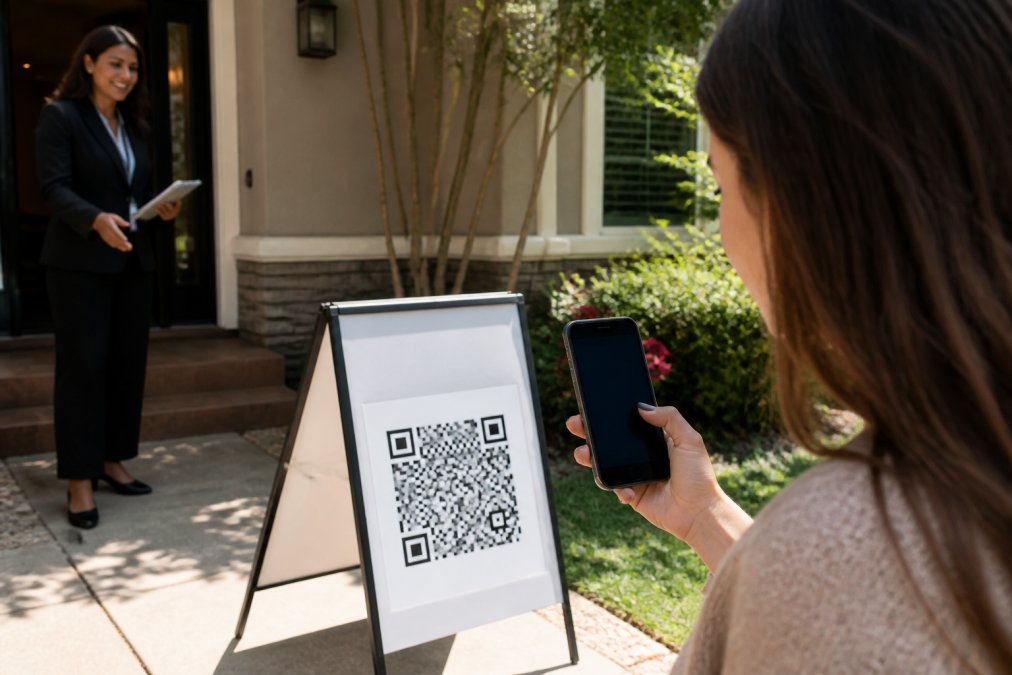
Test the QR code thoroughly before the open house. Scan it from different angles and distances, verify that the form loads quickly on mobile devices, and check that all fields display correctly. If you're using ohACCESS, the platform generates a print-ready QR sign with your branding included.
The registration form should ask only essential questions: visitor name, email, phone number, and buying timeline (0-3 months, 3-6 months, 6-12 months, 12+ months). Many agents add one custom question to gather additional qualification data. Keep it to one custom question; anything more and completion rates drop.
Replacing Your Real Estate Open House Sign-In Sheet with Digital Verification
The paper sign-in sheet era is ending. The transition from paper to digital is simpler than most expect, and the data quality improvement is immediate.
Here's what happens when a visitor scans your QR code. They fill out a short form on their own phone: name, email, phone, buying timeline, and optionally one custom question. The form is available in 16 languages. The moment they submit, they instantly receive two codewords, one by text message and one by email. They tell one of these codewords to you at the door to enter. You get an instant text and email alert with their details.
This flow does three critical things simultaneously. First, it verifies that the phone number and email address are real. Second, it eliminates fake entries, someone won't fill out a form with false information if they want to actually enter the property. Third, it creates an instant, verified visitor log that's already in your system before the open house even starts.
The visitor never types a codeword into any system or app. They simply tell you the code they received; the text version is primary, the email is a backup if texts are slow.
For agents using a digital lead capture system, this approach replaces the clipboard entirely. Every lead comes in clean, verified, and ready for immediate follow-up.
How to Verify Open House Leads and Eliminate Fake Contact Information
Lead verification is where digital QR code check-in delivers its biggest advantage. Paper forms can't verify anything. Digital forms flag invalid data in real time.
When a visitor submits their information through the QR code form, the system checks several data quality signals. It flags VoIP numbers and burner phones, identifies bounced or undeliverable email addresses, and honors opt-out requests globally. All of this happens automatically.
The verified visitor log shows you exactly who scanned, when they scanned, and whether they successfully entered the property. You can toggle a "verified at door" status for each visitor, confirming that the person who scanned actually showed up. Many agents add private notes to each visitor record during or after the showing, creating a lead profile far more actionable than anything a paper sheet could capture.
The system also captures a forensic trail on every sign-in: IP address, device type, phone carrier, and line type. This helps you identify patterns and filter signal from noise.
Connecting Digital Lead Capture for Realtors to Your CRM Workflow
The real value of QR code lead generation emerges when verified leads flow directly into your CRM. Manual data entry is where most agents lose momentum.
ohACCESS delivers every sign-in into your CRM automatically through three mechanisms. The primary method is a formatted lead email sent to your CRM's lead-intake address. The system labels the email so your CRM parses it into the right fields automatically: name, phone, email, buying timeline, custom answers. This works with Follow Up Boss, BoldTrail/kvCORE, Lofty, Sierra Interactive, Real Geeks, CINC, Top Producer, Wise Agent, LionDesk, and many others.
The second method is Zapier webhooks, which connect to thousands of apps beyond traditional real estate CRMs. The third method is team CRM forwarding, where a team lead can configure the system to copy every agent's leads to a shared team CRM.
The system delivers leads as formatted data; your CRM does the rest. The lead arrives in your CRM within seconds of the visitor submitting their form, ready for your follow-up sequence.
Setting Up Real Estate CRM Lead Intake from QR Code Sign-Ins
Setting up CRM integration takes about 10 minutes and requires only two pieces of information: the lead-intake email address from your CRM and your CRM selection from the dropdown.
Once you enter the lead-intake email address, every QR code sign-in automatically generates a formatted email that your CRM ingests as a new lead record. Your CRM recognizes this format and populates the fields automatically. No manual parsing. No data loss.
For Zapier users, you'll authenticate your Zapier account and select your destination app. Zapier then creates a webhook that sends visitor data to your chosen tool every time someone completes the QR code form.
For team setups, the team lead configures CRM forwarding in the dashboard. Once enabled, every agent's leads are copied to the shared team CRM in addition to each agent's individual CRM.
Test the integration with a few test submissions before your first open house. Submit a test form, verify that the lead appears in your CRM within a few seconds, and confirm that all fields populated correctly.
Measuring Open House Performance and Reporting to Sellers
Digital QR code check-in gives you the data to answer seller questions: How many people came? Were they serious buyers? What did they think of the property?
The system tracks how many visitors scanned, how many actually entered the property (verified at door), how many completed post-tour feedback, and what their buying timeline looks like. You can see the breakdown instantly.
The seller report is where this data becomes actionable. ohACCESS generates a one-tap Seller Report page that you can share with the homeowner. It shows aggregate data only: registered-visitor count, the buying-timeline breakdown, a scan-to-registration funnel, the average 1-10 visitor rating, and the price verdict (Too High / Reasonable / Too Low). If you added custom questions, aggregated answers appear too.

This privacy-first approach is intentional. Visitors consented to you having their information, not the seller. The report respects that consent while giving the homeowner proof that the property attracted genuine interest.
The report is generated automatically after the open house. You get a link, you send it to the seller, and they can view engagement metrics in real time. Most sellers appreciate this transparency.
QR codes for real estate lead generation aren't a trend, they're the standard workflow for agents serious about data quality and efficiency. The shift from paper to digital eliminates fake leads, automates CRM entry, and creates seller-ready reports in minutes. If you're still using paper sign-in sheets, your competitors are already capturing cleaner leads, following up faster, and closing more deals. Start with ohACCESS's free trial: your first 25 sign-ins are free with every feature included. No credit card required. See how verified lead capture changes your open house workflow.
Frequently Asked Questions
Q: Do I need an app to use QR codes for real estate lead generation?
A: No. Visitors scan the QR code using their phone's built-in camera and fill out a short registration form directly in their browser on their own phone. There is no app to download, no account to create, and nothing to install. The entire process takes place on the visitor's device, making it frictionless and accessible to all buyers.
Q: How do I ensure the contact information I collect at an open house is accurate?
A: Digital verification methods send two codewords, one by text message and one by email, immediately after a visitor submits their registration. The visitor then shares a codeword with you at the door, proving their phone number and email are real and belong to them. This two-step verification eliminates fake names, invalid phone numbers, and bounced emails that plague paper sign-in sheets.
Q: How do I integrate open house QR code sign-ins with my CRM?
A: Every visitor sign-in is delivered automatically to your CRM as a formatted lead email sent to your CRM's lead-intake address. Your CRM parses the information into fields automatically. You can also connect via Zapier webhook to integrate with thousands of apps, or use team CRM forwarding if you manage multiple agents. No manual data entry required.
Q: What information should I collect from open house visitors?
A: Collect name, email, phone number, and buying timeline (0-3 months, 3-6 months, 6-12 months, or 12+ months). You can also add one custom question to the registration form, such as property type preference or financing status. After the tour, visitors can rate the home on a 1-10 scale and provide a price verdict. Keep questions brief to maximize completion rates.
This article was written using GrandRanker
Frequently asked questions
Q: Do I need an app to use QR codes for real estate lead generation?
A: No. Visitors scan the QR code using their phone's built-in camera and fill out a short registration form directly in their browser on their own phone. There is no app to download, no account to create, and nothing to install. The entire process takes place on the visitor's device, making it frictionless and accessible to all buyers.
Q: How do I ensure the contact information I collect at an open house is accurate?
A: Digital verification methods send two codewords—one by text message and one by email—immediately after a visitor submits their registration. The visitor then shares a codeword with you at the door, proving their phone number and email are real and belong to them. This two-step verification eliminates fake names, invalid phone numbers, and bounced emails that plague paper sign-in sheets.
Q: How do I integrate open house QR code sign-ins with my CRM?
A: Every visitor sign-in is delivered automatically to your CRM as a formatted lead email sent to your CRM's lead-intake address. Your CRM parses the information into fields automatically. You can also connect via Zapier webhook to integrate with thousands of apps, or use team CRM forwarding if you manage multiple agents. No manual data entry required.
Q: What information should I collect from open house visitors?
A: Collect name, email, phone number, and buying timeline (0–3 months, 3–6 months, 6–12 months, or 12+ months). You can also add one custom question to the registration form, such as property type preference or financing status. After the tour, visitors can rate the home on a 1–10 scale and provide a price verdict. Keep questions brief to maximize completion rates.
Keep reading
Start free with 25 verified check-ins. No credit card required.
Start Free