Best Practices for Open House Digital Sign-In Sheets
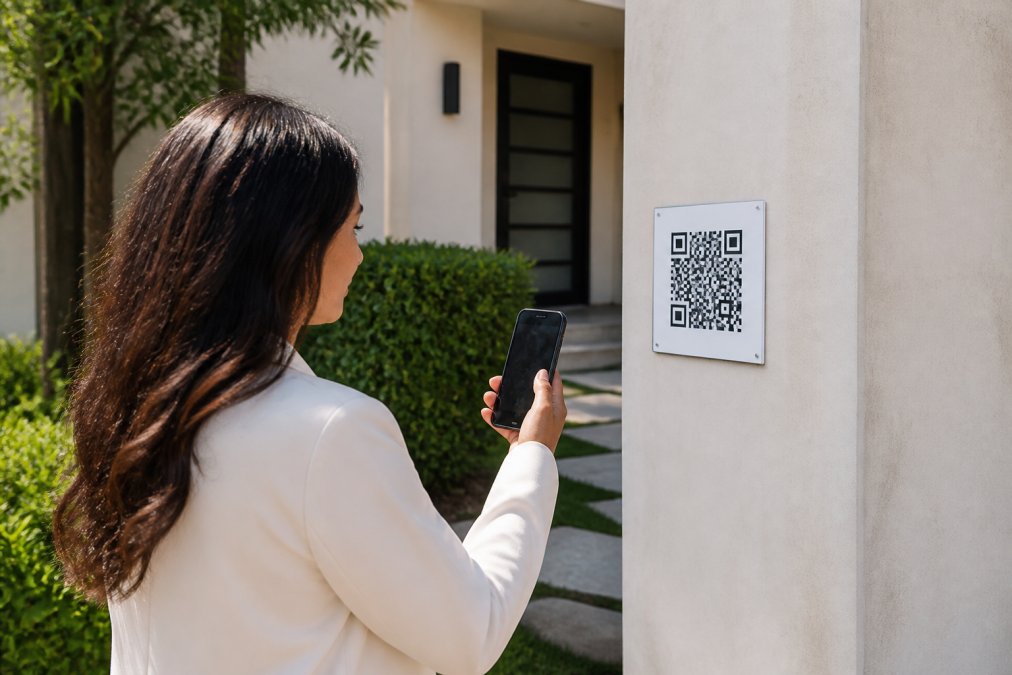
Table of Contents
- Why Digital Sign-In Sheets Beat Paper at Open Houses
- How to Verify Open House Visitor Contact Information
- Real Estate Open House Lead Capture Tools: What to Look For
- Digital Open House Sign-In Sheet Templates and Setup
- Automating Real Estate Follow-Up After Open Houses
- Data Privacy, Compliance, and Security Best Practices
- Measuring Success: Conversion Rates and Lead Quality Benchmarks
- Common Mistakes to Avoid With Digital Sign-In Sheets
Last Updated: August 23, 2026
Why Digital Sign-In Sheets Beat Paper at Open Houses
Paper sign-in sheets have been the real estate standard for decades. Agents scribble visitor names, phone numbers, and emails into spiral notebooks, then spend hours manually entering data into their CRM, deciphering illegible handwriting, and chasing leads that may not be real. Many agents discover too late that half the contact information is fake.
Digital sign-in sheets eliminate this friction entirely. Visitors scan a QR code at the property entrance and submit their contact details through a form. The agent gets instant notification of every visitor with verified information. No illegible names. No made-up phone numbers. No manual data entry.
The shift from paper to digital isn't just about convenience, it's about lead quality and agent safety. When visitors know their information will be verified before they gain access, they're far more likely to provide accurate details. Agents can generate professional reports in seconds instead of hours, and data flows directly into the CRM for immediate follow-up.
This is where platforms like ohACCESS change the game. By requiring visitors to enter legitimate contact information to receive their codewords for property access, the system ensures every lead is real. Visitors scan a QR code outside the property first. The agent gets instantly notified with the visitor's details when the contact form is submitted.
How to Verify Open House Visitor Contact Information
Verifying visitor contact information is the foundation of effective lead capture. Without verification, you're building your follow-up strategy on incomplete or false data.
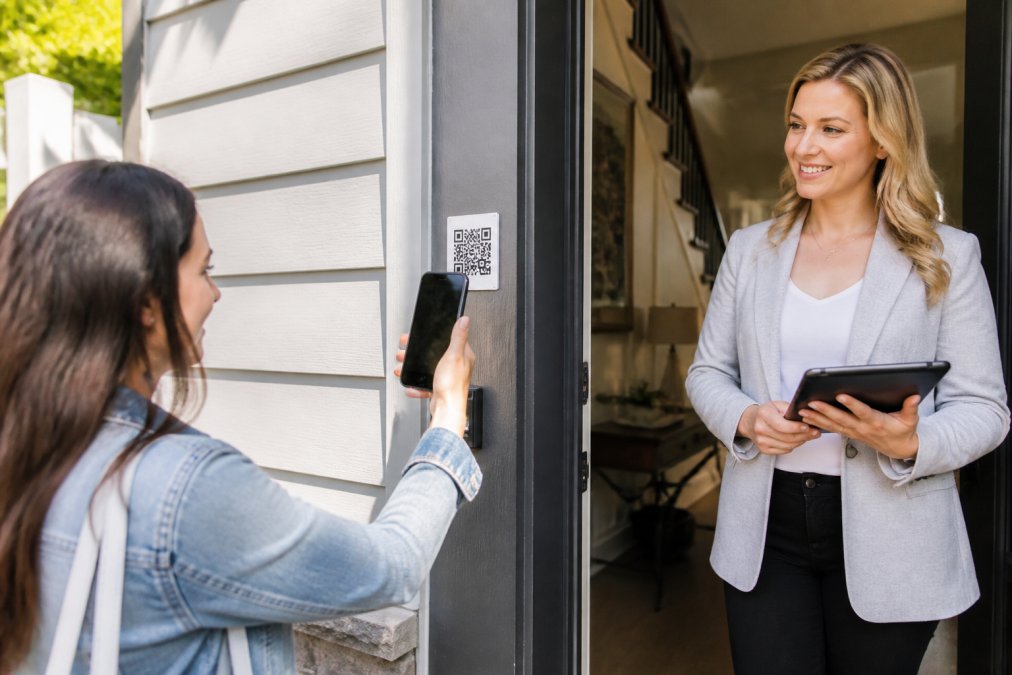
The most reliable verification method requires visitors to confirm their contact details through a two-step process. They submit their phone number and email address, then receive codewords sent to both channels. Only after sharing a codeword with the host agent do they gain access to the property. This approach stops bad actors immediately, someone using a fake number won't receive the code and won't get inside.
For the small percentage of visitors without smartphones, having a tablet at the entrance with the digital sign-in sheet displayed solves the problem. They can still complete the verification process on your device.
The verification step also protects agent safety. When every visitor's contact information is confirmed as legitimate, agents have accurate details to share with their brokers or security contacts. Real estate professionals focused on lead quality find that verification eliminates time spent chasing fake leads. Instead of calling disconnected numbers or sending emails that bounce, agents work only with confirmed contacts.
Real Estate Open House Lead Capture Tools: What to Look For
Choosing the right lead capture tool determines whether your open house data becomes actionable intelligence or another administrative burden. The best tools share several core capabilities.
Verified QR-Code Systems
A verified QR-code system is the foundation of modern open house check-in. Visitors scan the code, submit their information, and receive codewords before gaining property access. This eliminates fake entries at the source.
Look for systems that send codewords through multiple channels, SMS and email both work well. If a visitor doesn't receive one codeword, they have the other as a backup (peer-reviewed research). The system should also track which verification method succeeded, giving you insight into visitor preferences.
ohACCESS uses this verified QR-code approach as its core feature. Visitors scan the code outside the property, enter their phone and email, receive codewords by text and email, and only then gain access. The agent gets instantly notified with the visitor's details when the contact form is submitted. No waiting for data entry. No guessing whether the information is real.
CRM Integration Capabilities
A lead capture tool that doesn't integrate with your CRM forces you back into manual data entry. The best tools sync visitor data directly to your CRM in real time or within minutes of form submission.
Look for integrations with major platforms: HubSpot, Salesforce, Pipedrive, and Zoho CRM. The integration should automatically create new contacts and log the open house visit as an activity. Some tools also allow custom field mapping, so information specific to your business populates the right CRM fields automatically.
Mobile-First Design and Accessibility
Your lead capture tool lives on mobile devices. If the form is slow, confusing, or doesn't display properly on mobile, visitors abandon it. The best tools have forms that load instantly, require minimal typing, and work flawlessly on older phones and slower internet connections.
Mobile-first also means the agent-facing dashboard should work on phones and tablets. After an open house, you might need to pull up visitor data on your phone to answer a homeowner's question.
Digital Open House Sign-In Sheet Templates and Setup
A well-designed sign-in sheet template captures the information you need without overwhelming visitors. The template signals professionalism or sloppiness at first glance.
Essential Fields to Include
Start with the basics: first name, last name, phone number, and email address. These four fields are mandatory. Beyond the basics, consider adding:
- Property address or which listing they're visiting
- How they heard about the open house
- What sparked their interest
- Whether they're a serious buyer, just browsing, or representing another agent
- Preferred contact method
Keep optional fields to three or four maximum. Every additional field increases abandonment rate. Ask yourself: will I actually use this information during follow-up? If the answer is no, remove the field.
Creating a Professional Template
Your template should reflect your brand and the property. Use your company colors and logo so visitors recognize the sign-in sheet as coming from your business. The header should clearly state the property address and purpose: "Welcome to [Address], Please sign in to enter."
Keep the design clean with plenty of white space. Make form fields large enough to tap easily on a phone. Use clear, readable fonts and avoid cluttered backgrounds that slow down loading.
Include a brief privacy statement: "Your information will be used to follow up about this property and may be shared with the listing agent." This transparency builds confidence and addresses privacy concerns upfront.
Automating Real Estate Follow-Up After Open Houses
The open house ends. Visitors leave. Now the real work begins, turning those leads into showings and offers. Automation removes friction from follow-up and ensures no lead falls through the cracks.

CRM Automation Workflows
Once visitor data lands in your CRM, automation workflows take over. A basic workflow might look like this: visitor submits form → CRM creates new contact → automated email sends within 5 minutes thanking the visitor and providing property details → SMS reminder sends 24 hours later with an invitation to schedule a showing → follow-up email sends 3 days later with market analysis or nearby properties.
Each step triggers automatically based on the visitor's actions and timing. You don't manually send each email or text. More advanced workflows segment leads based on their responses. If a visitor opens your email and clicks the virtual tour link, they move into a "high-interest" workflow with more frequent follow-up. If they don't engage, they move into a nurture sequence with less frequent contact.
Instant Agent Notifications and Real-Time Synchronization
The moment a visitor submits their contact information, you should know about it. Real-time notifications keep you in the loop without requiring constant dashboard checks.
The best systems alert your phone the instant a visitor completes the sign-in form — you get a text and email with the visitor's name, phone number, and email immediately. Real-time synchronization means your CRM updates instantly, enabling immediate follow-up. A visitor who just left your open house is still thinking about the property. A phone call or text within minutes has dramatically higher conversion potential than a message sent hours later.
ohACCESS prioritizes this real-time notification. The agent gets alerted the moment the visitor's contact form is submitted, allowing for immediate outreach while the property is fresh in the visitor's mind.
Data Privacy, Compliance, and Security Best Practices
Collecting visitor contact information creates responsibility. You're gathering personal data and must protect it and use it legally.
Start with a clear privacy policy visible on your sign-in form. Explain what data you're collecting, how you'll use it, and how long you'll keep it. Tell visitors whether their information will be shared with the listing agent or broker.
Understand the regulations that apply to your business. The CAN-SPAM Act governs email marketing to prospects (the FTC). The Telephone Consumer Protection Act (TCPA) restricts text message and robocall marketing (fcc.gov). State privacy laws may impose additional requirements. When in doubt, consult with a lawyer familiar with real estate and marketing compliance.
Use a platform that encrypts data both in transit and at rest. Implement role-based access controls so not every team member can access every visitor's contact information. Keep backups of your data and have a clear process for permanently deleting visitor information when requested or when your retention period expires.
Measuring Success: Conversion Rates and Lead Quality Benchmarks
How do you know whether your digital sign-in sheet strategy is working? You need metrics.
Track the number of open house visitors and the number of leads captured. If you're capturing contact information from 60% of visitors, that's solid. Measure lead quality by tracking how many visitors schedule showings or make offers. Track follow-up response rates, what percentage of visitors respond to your first email or text? Calculate cost per qualified lead by dividing your total investment in the digital sign-in tool by the number of leads that result in showings or offers.
Monitor open house attendance trends. Are more visitors coming to your open houses since you switched to digital sign-in? Sometimes the professional appearance of a digital check-in process attracts more serious buyers.
Common Mistakes to Avoid With Digital Sign-In Sheets
Even with the right tool, common implementation mistakes can undermine your results.
Don't make the form too long. Every additional field increases abandonment. Stick to essentials and optional fields that directly impact follow-up. Don't hide the QR code, it should be visible at the property entrance, clearly marked, and easy to scan. Use a large, professional sign with clear instructions.
Don't skip the privacy statement. Visitors who feel their data is being collected without consent may refuse to participate or provide fake information. Don't neglect follow-up timing. The window for immediate follow-up is small, within 15 minutes of a visitor leaving. If your automation doesn't trigger quickly or you don't respond to real-time notifications, you miss the highest-conversion moment.
Don't use generic follow-up messages. Reference specific details about the property or the visitor's interests. Personalization dramatically improves response rates. Don't abandon leads after the first contact. If a visitor doesn't respond to your first email, they may respond to a text message or a call. Use multiple channels and multiple touches before giving up.
Don't forget to integrate with your CRM. If visitor data doesn't flow into your CRM automatically, you're creating extra work and increasing the chance of data loss or duplicate entries.
The shift from paper to digital sign-in sheets is no longer optional for agents serious about lead quality and efficiency. Verified contact information, instant notifications, and CRM integration transform open houses from administrative headaches into lead-generation machines. ohACCESS delivers all three: a verified QR-code system that confirms visitor contact details before property access, instant agent notifications when visitors submit their information, and automatic CRM integration that eliminates manual data entry. Start free and see how accurate leads and real-time automation change your open house results.
Frequently Asked Questions
What information should you collect on an open house digital sign-in sheet?
Collect verified contact information: first and last name, phone number, email address, and property interest level. Many agents also add fields for buyer timeline, price range, and whether the visitor is a real estate agent. The key is collecting only what you'll actually use for follow-up. Verified data, where visitors must confirm their phone and email to gain entry, eliminates fake leads and ensures your contact list is actionable for immediate outreach and email marketing campaigns.
How do digital sign-in sheets improve lead quality compared to paper sheets?
Digital sign-in sheets eliminate fake names and invalid contact information by requiring verification before entry. Bad actors who target agents cannot gain access without providing legitimate details. Real estate open house lead capture tools that use QR codes and codeword verification ensure every lead is qualified and ready for follow-up. You also get instant notifications when visitors submit their information, allowing agents to engage hot prospects immediately during the open house.
Can I integrate a digital sign-in sheet directly with my CRM?
Yes. Most modern digital sign-in platforms sync visitor data directly to your CRM in real-time, eliminating manual data entry and reducing errors. This automation ensures leads are immediately available for your email marketing, text message automation, and lead nurturing workflows. Real-time synchronization also means your client database stays current, and follow-up sequences can trigger automatically based on visitor details and property interest signals.
What's the difference between a QR code sign-in system and a traditional digital form?
QR code systems require visitors to scan at the property entrance, creating a barrier to fake sign-ups and improving security for agents. Verified QR-code systems add an extra layer by sending codewords to the visitor's phone and email, they must share this codeword with the host agent to complete check-in, confirming their contact information is real. Traditional forms allow anyone to submit false data. QR-based verification deters bad actors, ensures accurate contact information, and provides agents with qualified leads ready for immediate follow-up.
This article was written using GrandRanker
Frequently asked questions
What information should you collect on an open house digital sign-in sheet?
Collect verified contact information: first and last name, phone number, email address, and property interest level. Many agents also add fields for buyer timeline, price range, and whether the visitor is a real estate agent. The key is collecting only what you'll actually use for follow-up. Verified data—where visitors must confirm their phone and email to gain entry—eliminates fake leads and ensures your contact list is actionable for immediate outreach and email marketing campaigns.
How do digital sign-in sheets improve lead quality compared to paper sheets?
Digital sign-in sheets eliminate fake names and invalid contact information by requiring verification before entry. Bad actors who target agents cannot gain access without providing legitimate details. Real estate open house lead capture tools that use QR codes and codeword verification ensure every lead is qualified and ready for follow-up. You also get instant notifications when visitors submit their information, allowing agents to engage hot prospects immediately during the open house.
Can I integrate a digital sign-in sheet directly with my CRM?
Yes. Most modern digital sign-in platforms sync visitor data directly to your CRM in real-time, eliminating manual data entry and reducing errors. This automation ensures leads are immediately available for your email marketing, text message automation, and lead nurturing workflows. Real-time synchronization also means your client database stays current, and follow-up sequences can trigger automatically based on visitor details and property interest signals.
What's the difference between a QR code sign-in system and a traditional digital form?
QR code systems require visitors to scan at the property entrance, creating a barrier to fake sign-ups and improving security for agents. Verified QR-code systems add an extra layer by sending codewords to the visitor's phone and email—they must share this codeword with the host agent to complete check-in, confirming their contact information is real. Traditional forms allow anyone to submit false data. QR-based verification deters bad actors, ensures accurate contact information, and provides agents with qualified leads ready for immediate follow-up.
Keep reading
Start free with 25 verified check-ins. No credit card required.
Start Free