Integrating an Open House App With Your Real Estate Website
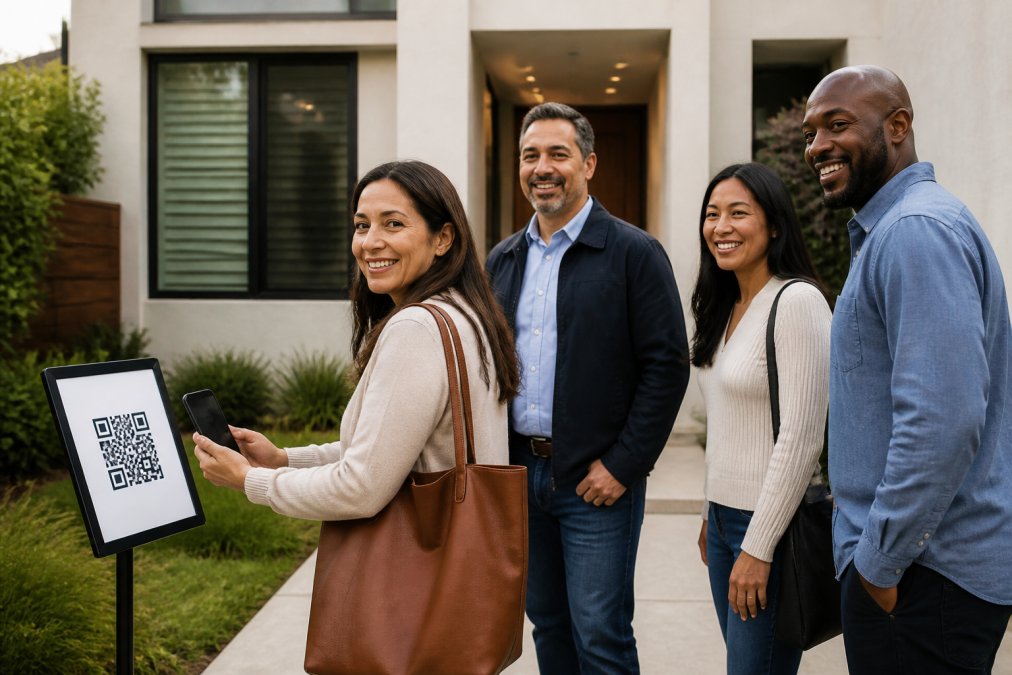
Table of Contents
- Why Integrating an Open House App With Your Real Estate Website Matters
- What a Website-to-App Connection Actually Changes
- How Automated Real Estate Lead Capture Works From QR Code to CRM
- CRM Lead Intake for Realtors: Email Parsing, Zapier, and Team Forwarding
- Replacing the Paper Digital Open House Sign-In Sheet on Your Site
- Open House Feedback Reports for Sellers: Aggregate Data Without Privacy Risk
- Troubleshooting Sync Errors and Common Integration Mistakes
- Cost, Setup Time, and What Integration Really Requires
- Frequently Asked Questions
Last Updated: September 26, 2026
Why Integrating an Open House App With Your Real Estate Website Matters
Integrating an open house app with your real estate website means every visitor who checks in at the door becomes a lead inside your database, without you typing a single name. At ohACCESS, that connection is the whole point: verified check-in data moves straight from the porch to your CRM.
What a Website-to-App Connection Actually Changes
A website-to-app connection changes three things: where leads land, how fast you can act, and how clean your data stays.
- Leads arrive in your CRM automatically, not in a notebook
- You get an instant text and email alert per sign-in
- Every phone number and email is proven real before entry
How Automated Real Estate Lead Capture Works From QR Code to CRM
Automated real estate lead capture starts with a QR code. A visitor scans it, fills a short form on their own phone, and the data flows to your CRM seconds later. No app download, no account, nothing to install.
The Verified Check-In Flow, Step by Step
- Visitor scans the QR code posted outside the home
- They fill out name, email, phone, and buying timeline on their phone
- ohACCESS sends two codewords: one by text, one by email
- The visitor tells a codeword to the host agent at the door
- You get an instant text and email alert with their details
The codeword step is what separates this from every paper sheet. The visitor never types anything back into a system. They simply speak the codeword to you. That proves the phone and email are real and theirs.
CRM Lead Intake for Realtors: Email Parsing, Zapier, and Team Forwarding
CRM lead intake for realtors works through three delivery paths, not a native API sync. Most guides wave at "integration" and move on. The detail that decides whether your setup actually works is how each path moves a lead, so here it is, mechanism by mechanism.

Path 1: The Formatted Lead Email
This is the default and the one most agents should start with. When a visitor submits the check-in form, ohACCESS sends a structured email to the lead-intake address your CRM watches. The email is labeled so the CRM's parser reads it as a new lead and splits the content into fields, name, email, phone, buying timeline, custom question answer, rather than dumping it as a blob of text.
Setup looks like this:
- Open your CRM and find its lead-intake or "email parsing" address (every major CRM has one).
- Paste that address into the CRM dropdown field in ohACCESS, pick your CRM from the list (Follow Up Boss, BoldTrail/kvCORE, Lofty, Sierra Interactive, Real Geeks, CINC, Top Producer, Wise Agent, LionDesk, or Other).
- Send one live test sign-in and confirm the lead appears as a contact, not as an unparsed email.
Path 2: The Zapier Webhook
Zapier sits in the middle and translates between ohACCESS and thousands of apps. Use it when you want routing logic the lead email can't do, for example, sending high-timeline leads to one pipeline and 12+ month leads to a nurture list, or pushing sign-ins into a Slack channel for your team.
Path 3: Team CRM Forwarding
If you run a team, a team lead can turn on forwarding so every member's sign-ins also copy to a shared team CRM. This is how you keep a brokerage-wide database current without asking each agent to configure anything. It is the lowest-effort path for teams and requires no per-agent setup beyond joining the team roster.
API Integration vs. Zapier and Middleware
API integration means two systems talk directly, with no translator in between. Zapier and middleware sit in the middle and translate. Both can move a lead from your open house app to your CRM, but they are not the same thing, and the difference matters for cost and control.
| Method | Setup Effort | Best For | Ongoing Maintenance |
|---|---|---|---|
| Formatted lead email | Low | Solo agents, quick start | None |
| Zapier webhook | Medium | Custom routing and workflows | Occasional checks |
| Team forwarding | Low | Teams sharing one CRM | None |
| Custom API build | High | Large brokerages with developer resources | Developer time |
What "Integration" Does Not Mean Here
A quick reality check, because the word gets stretched. ohACCESS does not offer a native or direct API sync, two-way sync, CRM field mapping, automatic tagging, or lead scoring. What it does is deliver every sign-in into your CRM automatically as a formatted lead through the three paths above. That distinction is worth knowing before you compare vendors, because a promise of "instant native sync" usually means something narrower than it sounds.
Replacing the Paper Digital Open House Sign-In Sheet on Your Site
Replacing the paper sheet on your website is mostly a branding and QR placement job. You embed or link the check-in flow, print the QR sign, and let visitors do the rest on their own phones.
What you gain:
- No more illegible handwriting to decode
- No more fake names and dead phone numbers
- No more manual entry into your database
What to Do About Visitors Without a Smartphone
Some visitors won't have a smartphone, and that's a real gap. You can hand them your own phone and open the same web form in a browser. There's no kiosk product here, just the same form on any device.
Open House Feedback Reports for Sellers: Aggregate Data Without Privacy Risk
Open house feedback reports for sellers show aggregate data only. That's a feature, not a limitation. Sellers see visitor count, buying-timeline breakdown, average 1-10 rating, and the price verdict: Too High, Reasonable, or Too Low.
Troubleshooting Sync Errors and Common Integration Mistakes
Most sync errors trace back to three causes: a wrong CRM intake address, a Zapier trigger that's paused, or a lead email landing in spam. Check those first before you assume the tool is broken.
Common mistakes to avoid:
- Sending leads to an intake address your CRM doesn't watch
- Forgetting to test with a live sign-in before the open house
- Letting a Zapier connection expire without a backup path
- Skipping the CRM dropdown selection during setup
Cost, Setup Time, and What Integration Really Requires
Setup time is short: pick your CRM from a dropdown, print the QR sign, and run a test sign-in. Most agents are live the same day they sign up. The harder question is whether you should use the standard delivery paths at all, or pay for a custom build. Here's how to decide.
What the Standard Paths Cost
Pricing is flat and published. The first 25 sign-ins are free, every feature included, no credit card. After that, Pro runs $15/month, $150/year, or $240 for two years. Team plans for 2-10 agents are a flat $120/month, and brokerages pay $11 per agent per month. Price never changes with how many open houses you run or how many visitors you register, no volume tiers, no usage-based billing.
The Real Cost of a Custom Build
A custom API build is the only path that gets expensive, and the expense is not the invoice, it's the ongoing commitment. A custom integration typically requires:
- A developer to write and maintain the connection
- A developer to fix it when your CRM changes its API
- A developer to fix it when your website stack changes
- A testing process every time either side ships an update
A Simple Decision Framework
Ask three questions:
- Does your CRM have a lead-intake email address? If yes, the formatted lead email path works today. Start there.
- Do you need routing logic the lead email can't do? If yes, add a Zapier webhook. If no, skip it.
- Do you have in-house developers and a stack off-the-shelf tools can't reach? If yes, price a custom build. If no, you don't need one.
Most agents answer no to question three. That's the point, the standard paths exist precisely so you don't have to build anything.
What Setup Actually Requires From You
Beyond picking your CRM and printing the QR sign, setup is mostly a one-time checklist:
- Confirm the lead-intake address your CRM watches
- Run one live test sign-in before your first event
- Decide whether you want a Zapier layer for routing
- Print the branded QR sign and post it outside the home
Frequently Asked Questions
Can I integrate my open house sign-in form directly into my real estate website?
Yes. With ohACCESS, you can embed or link the digital sign-in form on your website, and every visitor who registers at an open house is delivered automatically to your CRM. The connection runs through a formatted lead email sent to your CRM's intake address or a Zapier webhook. There is no native API sync, but the lead arrives in your CRM ready for follow-up within seconds of the visitor submitting the form.
How do I automate open house lead capture into my CRM?
ohACCESS sends every sign-in to your CRM automatically through one of three paths: a formatted lead email to your CRM's lead-intake address, a Zapier webhook, or team CRM forwarding if you're on a team. You pick your CRM from a dropdown during setup. The lead arrives with name, email, phone, and buying timeline already filled in, so you skip manual data entry entirely and can follow up while the visitor is still nearby.
Why is verified digital check-in better than paper sign-in sheets?
Paper sheets collect whatever a visitor chooses to write, which is often a fake name or a disconnected phone number. ohACCESS verifies both the phone and email before the visitor enters by sending two codewords, one by text and one by email, that the visitor shares with the host agent at the door. That proves the contact information is real. You also get an instant text and email alert for every sign-in, so follow-up starts immediately.
What is the best way to share open house feedback with sellers?
Use ohACCESS's one-tap Seller Report. It shows aggregate data only: registered-visitor count, how many plan to buy within six months, the buying-timeline breakdown, the average 1-10 visitor rating, and the price verdict of Too High, Reasonable, or Too Low. It contains no visitor names, phone numbers, emails, or arrival times, which protects visitor privacy and keeps you compliant. You can send it the same day as the open house.
Most agents lose leads in the gap between the open house and the follow-up. Closing that gap means verified data landing in your CRM the moment a visitor walks in. ohACCESS handles it with verified QR-code check-in, automatic CRM delivery through a formatted lead email or Zapier webhook, and a one-tap seller report that shows turnout without exposing visitor details. Get started with ohACCESS and turn every open house into a clean, ready-to-work lead list.
Frequently asked questions
Can I integrate my open house sign-in form directly into my real estate website?
Yes. With ohACCESS, you can embed or link the digital sign-in form on your website, and every visitor who registers at an open house is delivered automatically to your CRM. The connection runs through a formatted lead email sent to your CRM's intake address or a Zapier webhook. There is no native API sync, but the lead arrives in your CRM ready for follow-up within seconds of the visitor submitting the form.
How do I automate open house lead capture into my CRM?
ohACCESS sends every sign-in to your CRM automatically through one of three paths: a formatted lead email to your CRM's lead-intake address, a Zapier webhook, or team CRM forwarding if you're on a team. You pick your CRM from a dropdown during setup. The lead arrives with name, email, phone, and buying timeline already filled in, so you skip manual data entry entirely and can follow up while the visitor is still nearby.
Why is verified digital check-in better than paper sign-in sheets?
Paper sheets collect whatever a visitor chooses to write, which is often a fake name or a disconnected phone number. ohACCESS verifies both the phone and email before the visitor enters by sending two codewords, one by text and one by email, that the visitor shares with the host agent at the door. That proves the contact information is real. You also get an instant text and email alert for every sign-in, so follow-up starts immediately.
What is the best way to share open house feedback with sellers?
Use ohACCESS's one-tap Seller Report. It shows aggregate data only: registered-visitor count, how many plan to buy within six months, the buying-timeline breakdown, the average 1-10 visitor rating, and the price verdict of Too High, Reasonable, or Too Low. It contains no visitor names, phone numbers, emails, or arrival times, which protects visitor privacy and keeps you compliant. You can send it the same day as the open house.
Keep reading
Start free with 25 verified check-ins. No credit card required.
Start Free