How to Collect Buyer Feedback After Property Tours
Table of Contents
- Why Buyer Feedback After Property Tours Decides Your Next Move
- When to Ask: Follow-Up Timing and Channel Selection
- Questions to Ask After a House Showing (Without Leading the Buyer)
- Building a Real Estate Showing Feedback Form That Buyers Actually Complete
- The Real Estate Buyer Follow-Up Email After Showing: Templates That Get Replies
- Open House Feedback Form Template: A Copy-and-Use Starting Point
- Handling Nonresponses, Biased Feedback, and Privacy Rules
- Turning Feedback Into Listing Decisions and Seller Communication
- Frequently Asked Questions
Last Updated: October 12, 2026
Why Buyer Feedback After Property Tours Decides Your Next Move
Buyer feedback after property tours is the fastest way to learn whether your listing is priced, staged, and marketed to actually sell.
Most agents collect nothing. The sign-in sheet goes in a folder and the showing ends at the front door. That silence costs listings.
Feedback isn't a courtesy you owe the seller. It's the data that tells you whether to cut the price, fix the staging, or hold steady.
The best part? A verified sign-in process makes the whole thing easier, because you already have a real phone number and email to follow up with.
When to Ask: Follow-Up Timing and Channel Selection
The best window to request feedback is within the first two hours after a home showing, while the tour is still fresh. Wait a day and the details blur; wait a week and you get nothing.
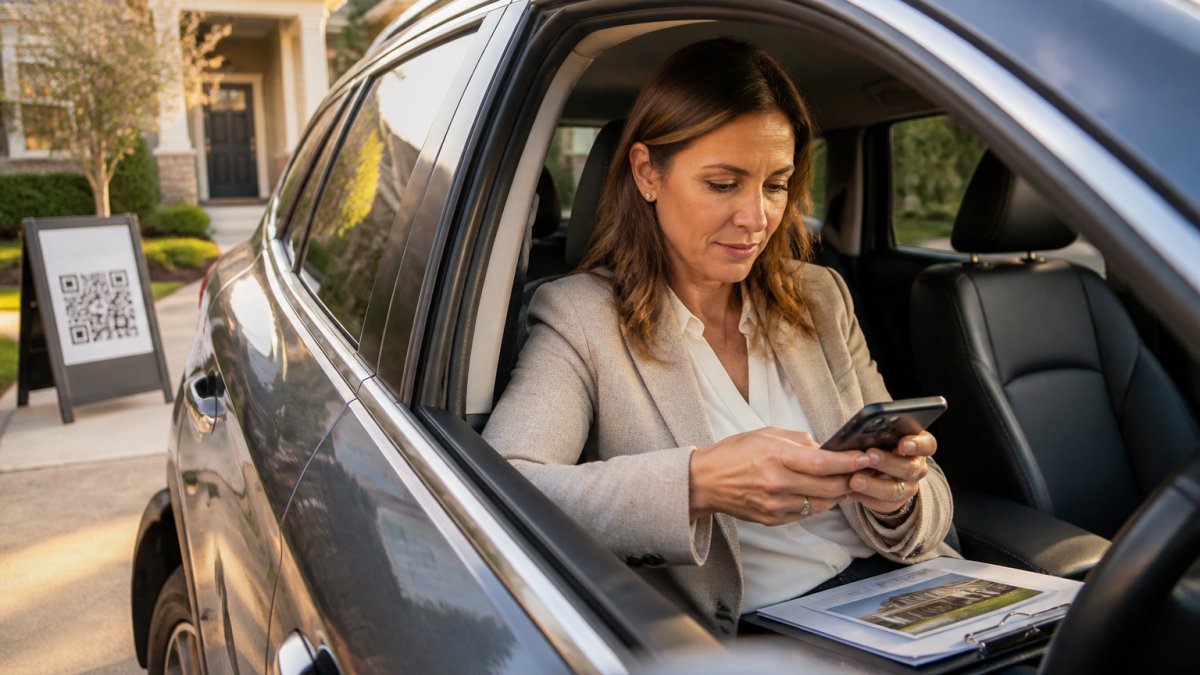
The First Two Hours After a Home Showing
Send your first touch fast. A short text message lands while the buyer is still driving home and still forming an opinion.
The goal isn't a full review yet. It's a quick reaction. Ask one question and make it easy to answer in a few words.
Text Message vs. Email vs. Phone Call
Each channel does a different job. Pick based on how well you know the buyer.
- Text message: Best for a fast first reaction. Highest open rate, lowest effort for the buyer.
- Email: Best for longer answers and written review requests. Good for buyers who prefer detail.
- Phone call: Best for serious buyers and second showings. Use it when you want to dig into objections.
Our rule: text first, email second, call when the buyer is warm. A follow-up that respects the buyer's time gets answered more often.
Questions to Ask After a House Showing (Without Leading the Buyer)
The best questions to ask after a house showing are open-ended and neutral. Leading questions get you the answer you wanted, not the truth you needed.
Compare these two:
- Leading: "Didn't you love that kitchen?"
- Neutral: "What stood out to you about the kitchen?"
The first invites a polite yes. The second invites a real opinion. That difference decides whether your feedback is useful or useless.
Keep your list short. Buyers won't answer ten questions. Pick three or four that map to real decisions:
- What did you think of the asking price for what you saw?
- How did the layout work for your needs?
- Was there anything that would keep you from moving forward?
Building a Real Estate Showing Feedback Form That Buyers Actually Complete
A real estate showing feedback form works when it takes under 60 seconds to finish. Long forms kill your response rate. What separates agents who use feedback from agents who collect it and forget it is a repeatable workflow: request, record, share.
The Four-Step Post-Tour Feedback Workflow
Run the same four steps after every tour. It takes about five minutes per buyer and turns scattered replies into a pattern you can act on.
- Request within two hours. Send one text with one question. No form link yet.
- Record the answer the same day. Log the rating, the price verdict, and the top objection in your CRM or a simple spreadsheet. If you use ohACCESS, the After Tour feedback (1-10 home rating plus price verdict) and up to two custom questions land in your verified visitor log automatically, so recording is a review step, not a typing step.
- Tag the objection. One word per buyer: price, condition, layout, or curb appeal. Tags are what make patterns visible.
- Share the pattern, not the person. Once you have three or more responses on a listing, roll them into an aggregate update for the seller. Never forward individual replies with names attached.
What to Include and What to Leave Out
Include only what changes a decision. Leave out anything that feels like a survey for its own sake.
| Include | Leave Out |
|---|---|
| Rating of the home (1-10) | Long demographic questions |
| Price verdict (too high / reasonable / too low) | Multiple pages of questions |
| Top objection in the buyer's words | Anything that feels like a credit application |
| Buying timeline | Questions you can't act on |
A customized questionnaire beats a generic one. Add one custom question that fits this listing and keep the rest standard. Through ohACCESS you get one custom question on the sign-in form and up to two in the After Tour feedback, enough to probe a specific listing without turning the form into homework.
How to Score and Sort Responses
Raw comments are hard to compare. A simple scoring pass fixes that:
- Rating (1-10): Anything 7 or above is a warm lead worth a call. Anything 4 or below is a pass, note why and move on.
- Price verdict: Count how many say "too high" versus "reasonable." Three or more "too high" responses on the same listing is a pricing conversation with your seller, not a marketing problem.
- Objection tag: Sort every reply into price, condition, layout, or curb appeal. The bucket with the most tags is your next action item.
This is where a verified check-in process pays off. When a buyer signs in through ohACCESS, you already have their real phone and email on file, so your form goes to a working contact, not a fake number. The visitor form is available in 16 languages, and returning visitors are remembered for a year with their info pre-filled, a second tour produces a second data point instead of a blank form.
The Real Estate Buyer Follow-Up Email After Showing: Templates That Get Replies
A real estate buyer follow-up email after showing should be short, personal, and end with one easy question. Here's a template you can copy today.
Subject: Quick thought on [Address]
Hi [Name],
Thanks for touring [Address] today. I'd love your honest take.
What was your favorite part, and what gave you pause?
One line back is all I need.
Best, [Your name]
For a text message version, cut it to two lines:
Hi [Name], thanks for stopping by [Address]. Quick one: what did you think of the price for what you saw?
Notice what's missing: no pressure, no pitch, no paragraph. A feedback request works when it's easy to answer.
Open House Feedback Form Template: A Copy-and-Use Starting Point
Here is a ready-to-use open house feedback form template. Fill in the brackets and send it.
Open House Feedback: [Address]
- How would you rate this home overall? (1-10)
- How did the asking price feel to you? (Too high / Reasonable / Too low)
Six questions, one screen, no login. That's the whole secret to a response rate that holds up.
Handling Nonresponses, Biased Feedback, and Privacy Rules
Not every buyer replies, and some replies aren't honest. Plan for both so a quiet week doesn't stall your listing.
What to Do When Buyers Go Silent
Silence is data too. If most buyers don't respond, your ask is probably too long or too late. Run this sequence and stop after two touches:
- Touch 1 (same day, text): One question, no link. "Quick one, what did you think of the price for what you saw?"
- Touch 2 (next day, different channel): If the text got no reply, switch to email. Same question, one line. If you have their number and they're a serious buyer, a 60-second call beats a third message.
- Then let it go. A third or fourth follow-up reads as pressure and costs you the relationship. A low response rate usually means the request was hard to answer, not that buyers don't care.
If you're collecting through ohACCESS, nonresponses are less of a mystery. The verified visitor log shows who actually signed in and whether their contact details are real, flags for VoIP or burner numbers, bounced emails, undeliverable texts, and STOP opt-outs tell you when a message never had a chance. Opt-outs are honored globally.
Separating Real Objections From Polite Answers
Buyers are often polite. "It was nice" is not feedback. Here's how to tell the difference:
- Polite answers are vague and positive. "Great home, thanks!", no specifics, no objection, no next step. Treat it as a nonresponse and move on.
- Real objections name a thing. "The kitchen felt small for the price" or "the backyard needs work." Specific nouns and a comparison to price are the signal.
- Watch for the price hedge. "It's a little high" usually means "too high." If you hear a hedge, ask one follow-up: "If it were priced right, would this be a contender?" The answer tells you whether price is the only blocker.
Never argue with an objection during collection. Your job at this stage is to gather, not to defend. You can address it later with data.
Consent, Data Retention, and What Sellers Should Never See
Collect contact info with clear consent, and keep it only as long as you need it. Buyers agreed to hear from you, not to have their details passed around. Many agents get sloppy here, pasting visitor names and numbers into a report for the seller. Don't. A seller report should show aggregate data only: how many people came, how many plan to buy soon, the average rating, and the price verdict.
ohACCESS builds this in. Its one-tap seller report shows registered-visitor count, how many plan to buy within six months, the buying-timeline breakdown, the average 1-10 rating, the price verdict, and aggregated answers to your custom questions, all without exposing a single visitor's personal details. Sign-ins carry a forensic trail (IP, device, phone carrier and line type), and data is purged automatically after three years. The Terms and Privacy Policy are attorney-reviewed. That privacy design protects you and the buyer at the same time.
Turning Feedback Into Listing Decisions and Seller Communication
Feedback only matters if it changes something. Three or four consistent objections are a signal; one odd comment is noise.
Sort what you hear into buckets:
- Price: Most buyers say it's too high. Time to talk about a pricing strategy adjustment.
- Condition: Repeated notes on maintenance or presentation. Time to fix the small stuff.
- Layout: Consistent complaints about room size or floor plan. Harder to change, so adjust your marketing to set expectations.
Then report the pattern, not the gossip. Tell your seller what buyers agreed on and what you're doing about it.
Collecting buyer feedback after property tours comes down to a simple habit: ask fast, ask neutral, and act on the pattern.
Frequently Asked Questions
How do you ask buyers for feedback after a property tour?
Ask within a few hours of the tour, while the home is still fresh. Send a short text or email with three to five specific questions tied to what they just saw: first impression, layout, condition, and price. Avoid yes-or-no questions and avoid leading language. If you use a digital check-in tool like ohACCESS, you can attach a custom question to the sign-in form so feedback starts before the buyer even leaves the driveway.
What questions should you ask buyers after a home showing?
Focus on reactions you can act on. Good options include: What was your first impression of the curb appeal? How did the room sizes and floor plan work for your needs? Did anything about the property condition concern you? How did the asking price compare to what you expected? Which single room would you change first? Keep the list to five or fewer so buyers actually finish it. Pair each question with a rating scale plus one open comment box.
How can sellers receive feedback without seeing buyers' personal information?
Share aggregate results instead of individual responses. A seller report should show the registered-visitor count, the buying-timeline breakdown, the average home rating, and the price verdict (Too High, Reasonable, or Too Low), with no names, phone numbers, emails, or arrival times. Tools like ohACCESS generate this report in one tap, which keeps the seller informed about turnout and interest while protecting the contact details buyers shared with you.
Can buyers submit feedback digitally after touring a home?
Yes, and digital collection usually gets a higher response rate than paper forms because buyers can reply from their own phone in seconds. A QR-code check-in system captures contact details at the door, then sends a short follow-up survey by text or email the same day. Responses land in a log you can export to your CRM, so nothing gets lost between tours and you can compare feedback across multiple properties.
Frequently asked questions
How do you ask buyers for feedback after a property tour?
Ask within a few hours of the tour, while the home is still fresh. Send a short text or email with three to five specific questions tied to what they just saw: first impression, layout, condition, and price. Avoid yes-or-no questions and avoid leading language. If you use a digital check-in tool like ohACCESS, you can attach a custom question to the sign-in form so feedback starts before the buyer even leaves the driveway.
What questions should you ask buyers after a home showing?
Focus on reactions you can act on. Good options include: What was your first impression of the curb appeal? How did the room sizes and floor plan work for your needs? Did anything about the property condition concern you? How did the asking price compare to what you expected? Which single room would you change first? Keep the list to five or fewer so buyers actually finish it. Pair each question with a rating scale plus one open comment box.
How can sellers receive feedback without seeing buyers' personal information?
Share aggregate results instead of individual responses. A seller report should show the registered-visitor count, the buying-timeline breakdown, the average home rating, and the price verdict (Too High, Reasonable, or Too Low), with no names, phone numbers, emails, or arrival times. Tools like ohACCESS generate this report in one tap, which keeps the seller informed about turnout and interest while protecting the contact details buyers shared with you.
Can buyers submit feedback digitally after touring a home?
Yes, and digital collection usually gets a higher response rate than paper forms because buyers can reply from their own phone in seconds. A QR-code check-in system captures contact details at the door, then sends a short follow-up survey by text or email the same day. Responses land in a log you can export to your CRM, so nothing gets lost between tours and you can compare feedback across multiple properties.
Keep reading
Start free with 25 verified check-ins. No credit card required.
Start Free