Calculating Open House Software ROI

Table of Contents
- Why Open House Software ROI Matters
- Understanding the Software ROI Calculation Formula
- Identifying Your Investment Costs
- Measuring Open House Lead Conversion Rate
- Using an Open House ROI Calculator
- Tracking and Improving Open House Follow-Up
- A Real Estate Team Example
- Common Mistakes to Avoid
- Frequently Asked Questions
Last Updated: October 10, 2026
Why Open House Software ROI Matters
Understanding open house software ROI helps agents decide whether digital check-in tools are worth the investment. The question isn't whether the software costs money, it's whether it generates more revenue and saves enough time to justify that cost.
Understanding the Software ROI Calculation Formula
Open house software ROI is a straightforward comparison of what you invest versus what you gain. The basic principle: if the software generates more revenue and saves time, the investment pays for itself.
The Basic Formula
ROI = (Net Benefit ÷ Total Investment Cost) × 100
Net benefit is revenue gained plus time savings (in dollars). Total investment cost includes the software subscription and setup time.
Net Benefit and Total Costs
Net benefit includes additional revenue from qualified leads that convert to transactions, plus time savings from eliminating manual data entry. Total costs include your software subscription and setup time.
| Component | Example Calculation |
|---|---|
| Additional revenue per year | 3 extra deals × $6,000 commission = $18,000 |
| Time saved per year (in dollars) | 100 hours × $50/hour = $5,000 |
| Total net benefit | $18,000 + $5,000 = $23,000 |
| Annual software cost | $180 |
| Total investment | $180 |
| ROI | ($23,000 ÷ $180) × 100 = 12,778% |
Identifying Your Investment Costs
Before calculating ROI, account for every cost tied to your software choice. Most agents focus only on subscription fees and miss hidden costs that inflate the true investment.
Software Subscription Fees
ohACCESS offers a free trial for the first 25 visitor registrations; pricing does not change based on open house volume.
Implementation and Training Time
Setup time is real cost. Most solo agents spend 2-4 hours configuring QR codes and testing the system. Teams of five agents typically spend 8-12 hours total on rollout and training.
CRM Integration and Data Workflow Setup
ohACCESS delivers every sign-in to your CRM automatically via formatted lead email, Zapier webhook, or team CRM forwarding. Your CRM administrator must configure the intake address and test the connection (1-2 hours for solo agents, 2-4 hours for teams).
Hardware and Signage
Display the QR code using a printed sign, a-frame sign, or permanent reusable QR code. Budget for initial signage.
Ongoing Operational Time Per Open House
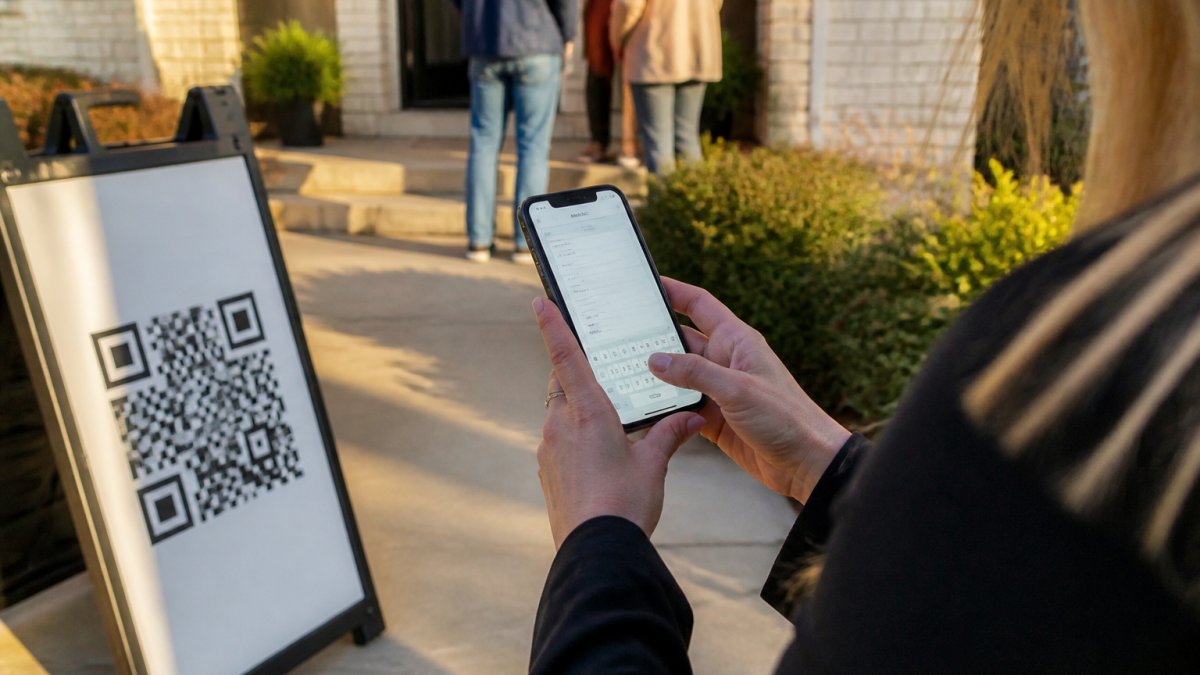
With ohACCESS, visitors sign in on their own phones and you receive instant alerts, no manual entry needed. Budget 15-30 minutes per open house for follow-up coordination and lead qualification.
Total Cost of Ownership Worksheet
Use this worksheet to calculate your complete first-year and ongoing annual costs:
| Cost Category | First Year | Ongoing Annual |
|---|---|---|
| Software subscription (annual) | $180 (Pro solo) or $1,440 (Team) | Same |
| Setup and configuration time (hours × $50) | $100-$600 | $0 |
| CRM integration setup (hours × $50) | $50-$200 | $0 |
| Zapier or integration tools (if needed) | $0-$50 | $0-$600 |
| Hardware and signage | $30-$50 | $0 |
| Total First-Year Cost | $360-$1,540 | $180-$2,040 |
First-year cost is higher due to setup; ongoing annual cost is primarily the subscription fee. This is why payback period matters, the software investment pays dividends over time.
Measuring Open House Lead Conversion Rate
Your conversion rate determines how much revenue each visitor generates and drives your entire ROI calculation. Measure it accurately by isolating the software's impact from other marketing channels.
From Visitor to Qualified Lead
A qualified lead has real buying intent and a timeline matching your sales cycle. Count visitors who provide verified contact info, indicate a 6-month buying timeline, and follow up with you. If 100 visitors yield 15 qualified leads, your conversion rate is 15%.
Conversion to Transaction
Next, measure how many qualified leads become actual transactions.
If 15 qualified leads per open house convert to 1 deal every four open houses, your transaction rate is roughly 6.7% of qualified leads. That means 1 deal per 150 total visitors.
Your commission per deal determines the revenue per visitor. If your average deal is $500,000 and your commission is 2%, that is $10,000 per transaction.
Attribution: Isolating Software Impact from Existing Activity
Here is where most ROI calculations fail. If you hold an open house and close a deal two months later, you cannot assume the software caused the deal. The buyer may have found you through a search engine, a referral, or a previous marketing touch. The software verified the visitor and delivered their contact info faster, but it did not create the buyer.
Establish a baseline by tracking your conversion rate for three months before implementing the software. After implementation, measure results over the same period (3-6 months) and compare. The difference is the software's incremental impact. Example: baseline 10% qualified lead conversion → post-software 14% = 4% improvement. Use only the incremental gain in your ROI calculation.
Controlling for Seasonality and Market Conditions
Account for seasonality by measuring baseline and post-implementation periods during the same season, tracking results over 12 months if possible, and noting major market changes (interest rates, inventory, local events) that affect buyer behavior independently of your software.
Verified Contact Data and Follow-Up Speed
With ohACCESS, every visitor's phone and email are verified, eliminating bad contact info and handwriting deciphering. Track bounce rate, follow-up speed, and response rate. Better data and faster follow-up improve conversion rates.
Building Your Conversion Rate Assumption
Once you have established your baseline and measured the software's incremental impact, use the incremental conversion rate in your ROI calculation, not the total rate.
Conservative approach: Use your baseline conversion rate and assume the software improves it by 10-20% (e.g., from 10% to 11-12% qualified lead conversion). This is a realistic, measurable improvement from faster follow-up and verified contact data.
Optimistic approach: If you have measured a larger improvement in your first 3-6 months, use that number. But document your assumptions so you can revisit them as you collect more data.
The more data you collect, the more accurate your ROI calculation becomes. Start conservative, measure results, and adjust your assumptions as you learn what the software actually delivers in your market and with your team.
Using an Open House ROI Calculator
A dedicated calculator makes this math fast and repeatable. The Open House ROI Calculator at Aibrify's open house ROI tool lets you input your numbers and see results instantly.
What to Input
Enter these five numbers:
- Average visitors per open house, count from your last 3-4 events
- Your qualified lead conversion rate, leads divided by visitors, as a percentage
- Your transaction conversion rate, deals divided by qualified leads, as a percentage
- Average commission per deal, your typical deal size times your commission split
- Annual software cost, your subscription fee multiplied by 12 months
Interpreting Your Results
The calculator shows your annual net benefit and ROI percentage. An ROI above 100% means the software pays for itself and generates profit. An ROI below 100% means the software costs more than it saves.
Tracking and Improving Open House Follow-Up
Your follow-up process directly affects conversion rates. Better follow-up means more leads become transactions.
Automated Lead Capture and Alerts
When visitors sign in, ohACCESS sends you an instant text and email alert with their name, phone, email, and buying timeline. You get this data within seconds, not days.
This speed matters. Leads contacted quickly are more likely to respond.
Your CRM receives every sign-in automatically. Leads arrive via a formatted email to your CRM's intake address or through a Zapier webhook, depending on your system. No manual data entry means no delays and no typos.
Time Savings and Operational Benefits
Manual sign-in sheets waste time. You spend 15-30 minutes per open house transferring names and numbers into your CRM, deciphering handwriting, and tracking down incomplete contact info.
Digital sign-in eliminates that work. Verified contact information arrives in your CRM automatically. You start follow-up immediately instead of spending hours on data cleanup.
This time savings alone often covers your software cost. If you hold four open houses per month and save 20 minutes per event, you save roughly 13 hours per year. At $50 per hour, that's $650 in recovered time.
A Real Estate Team Example
Let's walk through a real calculation for a three-agent team holding 12 open houses per month.
The Calculation Breakdown
Monthly revenue from open houses: 3 deals × $11,250 = $33,750
Time savings per open house: 20 minutes (data entry + CRM cleanup)
Time saved per month: 12 open houses × 20 minutes = 240 minutes = 4 hours
Hourly rate: $50 per hour
Monthly time savings value: 4 hours × $50 = $200
Total monthly net benefit: $33,750 + $200 = $33,950
Annual net benefit: $33,950 × 12 = $407,400
Team annual software cost: $120 per month × 12 = $1,440
Annual ROI: ($407,400 ÷ $1,440) × 100 = 28,292%
Break-Even and Payback Period
This team's payback period is short. The software cost is covered by the revenue and time savings generated quickly.
For many teams, payback happens quickly. Solo agents typically break even within a few months, depending on open house frequency and conversion rates.
Common Mistakes to Avoid
Most agents make three errors when calculating open house software ROI.
First mistake: ignoring time savings. Agents focus only on revenue and forget to value their own time. Manual data entry is real work with real cost. Include it in your calculation.
Second mistake: using inaccurate conversion rates. Guess wrong on how many leads convert to deals, and your entire ROI is wrong. Track your actual numbers from past open houses instead of assuming industry averages.
Third mistake: comparing against zero instead of your current system. If you're already using a system, calculate the incremental benefit of switching, not the total benefit. What extra revenue and time savings does the new tool provide beyond what you have now?
Frequently Asked Questions
How do you calculate ROI for open house software?
ROI is calculated by dividing your net benefit (additional revenue minus total costs) by your total investment cost, then multiplying by 100 to get a percentage. For example, if software costs $200 and generates $1,000 in additional commission revenue, your net benefit is $800, and your ROI is 400%. The key is tracking which leads came from your open house and which converted to transactions.
What costs should you include when calculating software ROI?
Include the software subscription fee, any setup or training time (valued at your hourly rate), and the cost of your time managing the system. For team implementations, factor in the cost per agent. Many agents overlook time costs, if you spend 2 hours per month setting up or reviewing data, that's a real investment. Be honest about your actual labor cost.
How can real estate agents measure the value of open house leads?
Track three metrics: your average client value (commission per transaction), your open house conversion rate (visitors who become qualified leads), and your transaction conversion rate (leads who close). Multiply these together to get the average revenue per visitor. For example, if your average commission is $6,000, 10% of visitors become leads, and 25% of leads close, each visitor is worth $150 in expected revenue.
How long should you track results before evaluating open house software ROI?
Track for at least 90 days to account for real estate's longer sales cycle. Many transactions take 30-60 days to close after an open house, so a shorter window misses sales. For a more complete picture, track for 6 months or a full year. This also helps you account for seasonal variations in buyer activity and gives you enough data to calculate reliable conversion rates.
Calculating open house software ROI shows whether digital check-in tools like ohACCESS deliver real value. Start by tracking your visitor count, qualified lead rate, and transaction rate. Plug those numbers into your ROI formula and you'll see exactly what the investment returns. Most agents find that verified digital sign-in pays for itself within weeks and generates hundreds of percent ROI annually. The math is clear: better lead quality and faster follow-up drive more deals.
Frequently asked questions
How do you calculate ROI for open house software?
ROI is calculated by dividing your net benefit (additional revenue minus total costs) by your total investment cost, then multiplying by 100 to get a percentage. For example, if software costs $200 and generates $1,000 in additional commission revenue, your net benefit is $800, and your ROI is 400%. The key is tracking which leads came from your open house and which converted to transactions.
What costs should you include when calculating software ROI?
Include the software subscription fee, any setup or training time (valued at your hourly rate), and the cost of your time managing the system. For team implementations, factor in the cost per agent. Many agents overlook time costs—if you spend 2 hours per month setting up or reviewing data, that's a real investment. Be honest about your actual labor cost.
How can real estate agents measure the value of open house leads?
Track three metrics: your average client value (commission per transaction), your open house conversion rate (visitors who become qualified leads), and your transaction conversion rate (leads who close). Multiply these together to get the average revenue per visitor. For example, if your average commission is $6,000, 10% of visitors become leads, and 25% of leads close, each visitor is worth $150 in expected revenue.
How long should you track results before evaluating open house software ROI?
Track for at least 90 days to account for real estate's longer sales cycle. Many transactions take 30–60 days to close after an open house, so a shorter window misses sales. For a more complete picture, track for 6 months or a full year. This also helps you account for seasonal variations in buyer activity and gives you enough data to calculate reliable conversion rates.
Keep reading
Start free with 25 verified check-ins. No credit card required.
Start Free