How Do You Build a Database From Open House Visitors?
Last Updated: October 24, 2026
Quick Summary
To build database open house visitors, use digital verification: visitors scan a QR code, fill out a short form with name, email, phone, and buying timeline, receive two codewords by text and email, and share one codeword with you at the door to prove their contact information is real. Verified leads flow automatically into your CRM for immediate follow-up.
- Visitors fill out the form on their own phone in under 30 seconds and receive codewords instantly by text and email.
- The visitor shares a codeword with you at the door, they never type it into any system, which proves the phone and email are real.
- Every sign-in triggers an instant text and email alert to you with the visitor's verified details and buying timeline.
- Leads deliver automatically to your CRM through formatted email, Zapier, or team forwarding with no manual data entry.
- Segment visitors into tiers by buying timeline and financing readiness to prioritize follow-up: A-tier (0-3 months, pre-approved) gets same-day contact; D-tier (12+ months) gets quarterly check-ins.
Table of Contents
- Why Building a Database From Open House Visitors Matters
- Replacing Your Open House Sign-In Sheet With Digital Verification
- Designing Your Open House Visitor Information Form
- Automating Lead Delivery Into Your Real Estate Lead Management System
- Creating and Sending Your Open House Follow-Up Email
- Organizing and Segmenting Your Visitor Database
- Sharing Open House Results With Your Seller
- Starting Your First Verified Open House
- Frequently Asked Questions
Why Building a Database From Open House Visitors Matters
Paper sign-in sheets are unreliable, impossible to organize, and often filled with fake names and invalid contact information. Agents who still rely on them are leaving leads behind.
When you build database open house visitors, you capture verified contact information instantly.
This guide covers how to build database open house visitors using digital verification: capturing real contact information, automating lead delivery into your CRM, and organizing visitor data so it drives conversions.
Replacing Your Open House Sign-In Sheet With Digital Verification
The old paper sign-in sheet served one purpose: capture a name and phone number. Most of the time it failed at even that, illegible handwriting, fake numbers, skipped sheets.
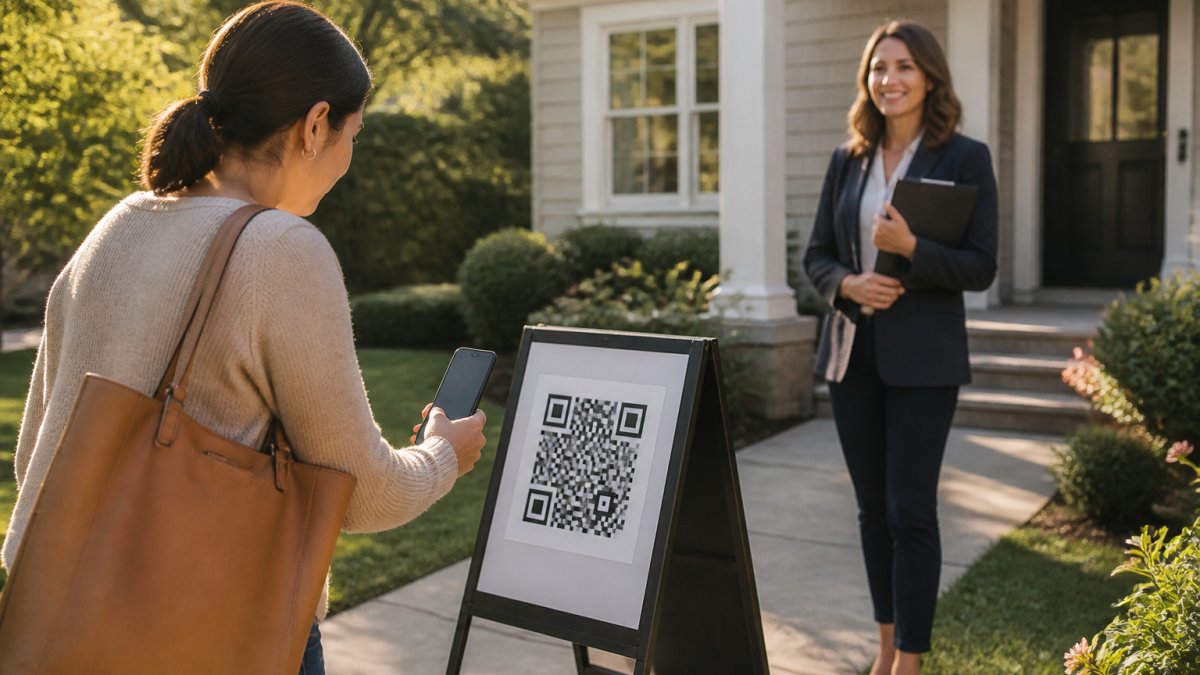
How the QR Code and Codeword Verification Flow Works
Here is exactly how the process works:
- Visitor scans a QR code printed on a sign outside the property or on the agent's permanent reusable QR code.
- They fill out a short form on their phone: name, email, phone number, and buying timeline (0-3 months, 3-6 months, 6-12 months, or 12+ months). The form is available in 16 languages.
- Two codewords arrive instantly, one by text message and one by email. Both arrive immediately, always.
- The visitor tells a codeword to you at the door to enter the property. The text codeword is primary; the email codeword is backup if the text is slow to arrive.
- You get an instant alert by text and email with the visitor's details the moment they submit the form.
The critical part: visitors never type a codeword back into any system. They simply speak or show it to you. This proves the phone number and email they entered are real and belong to them.
What Data the Visitor Information Form Collects
The visitor form captures four core fields:
- Name, exactly as they enter it
- Email address, verified by receiving a codeword
- Phone number, verified by receiving a text codeword
Agents can add up to one custom question to qualify leads on the spot. International visitors receive their codeword via WhatsApp instead of text. Returning visitors are remembered for a year and see their information pre-filled.
Importing Paper Sign-Ins Into Your Database
Step 1, Transcribe. Build a spreadsheet with the same schema you use for digital records. Enter one row per sign-in; don't clean as you type.
Step 3, Deduplicate. Match on normalized phone first, lowercased email second, and name plus property plus date last.
Step 4, Import. Bring the cleaned rows into your CRM in one batch, tagged with source and open house date.
Consent, Privacy, and Retention for Offline Records
Digital verification is the durable fix because it captures consent and proof of contact at the door.
Designing Your Open House Visitor Information Form
Your visitor form is your first conversation with a lead. Keep it short, visitors are standing outside your property and will abandon a long form. The essential fields are name, email, phone, and buying timeline: four questions most complete in under 30 seconds.
The custom question is optional but powerful for segmenting leads immediately:
- "What's most important to you in a home?" captures priorities
- "Are you working with an agent?" identifies whether they're already represented
- "What's your price range?" filters by budget
Keep it short and specific. Avoid open-ended questions like "Tell us about yourself"; ask for a single piece of information that changes how you follow up.
Automating Lead Delivery Into Your Real Estate Lead Management System
Manually exporting visitor data and copying it into your CRM is the bottleneck that kills most open house programs, leads sit in a spreadsheet for hours or days. Automation eliminates that delay: every sign-in flows into your CRM the moment they verify. Learn how to integrate open house sign-ins with your CRM system.
How Leads Flow Automatically to Your CRM
ohACCESS delivers every sign-in into your CRM automatically through three mechanisms:
-
Formatted lead email, A labeled email is sent to your CRM's lead-intake address, which parses it into the correct fields. Works with Follow Up Boss, BoldTrail/kvCORE, Lofty, Sierra Interactive, Real Geeks, CINC, Top Producer, Wise Agent, LionDesk, and others.
-
Zapier webhook, If your CRM isn't on the pre-built list, Zapier connects to thousands of apps. Set it up once, and every sign-in triggers an automatic action in your system.
-
Team CRM forwarding, If you're part of a team, a team lead can copy every member's leads to a shared team CRM for centralized management.
Leads arrive in your CRM with verified contact information already validated. No fake numbers. No bounced emails. No manual cleanup.
Setting Up Zapier or Email-Based Integration
If your CRM is on the pre-built list, setup takes minutes: authenticate ohACCESS, select your CRM, confirm the connection.
If your CRM isn't pre-built, Zapier is your bridge. Create a Zap that triggers on a new sign-in, map the visitor's name, email, phone, and buying timeline to your CRM's lead fields, test, and activate.
Automation works while you're showing the property. By the time the last visitor leaves, their information is already in your system and ready for follow-up.
Creating and Sending Your Open House Follow-Up Email
Your follow-up email is where open house leads convert to appointments. Discover best practices for timing and executing follow-up with open house leads. The best arrive within hours, not days. Every visitor receives an automatic thank-you email the morning after.
A strong follow-up email includes:
- A personal greeting, use their name
- A specific reference, mention something about the property or their questions
- A clear next step, "I'd love to show you more properties in this neighborhood" or "Let's schedule a time to discuss your timeline"
Keep it to three paragraphs max. For visitors with a 0-3 month timeline, follow up immediately with a stronger call to action; for 12+ months out, a softer touch works better. Your CRM segments them automatically based on the timeline they selected during sign-in.
Organizing and Segmenting Your Visitor Database
A database full of unorganized leads is almost as useless as a paper sign-in sheet. The difference between a list and a database is structure: consistent fields, defined qualification rules, and a repeatable way to merge records.
A Reusable Visitor Database Schema
Define these fields once, then apply them to every record. Most CRMs let you create custom fields, and a spreadsheet can mirror the same structure.
Identity fields
- First name, last name (normalized: title case, no all-caps)
- Email address (lowercased; one primary email per record)
- Mobile phone (single format, e.g., 10 digits with area code)
Property and visit fields
- Property address or listing ID
- Open house date and time window
- Source (digital sign-in, paper sheet, walk-in, referral)
Buyer status fields
- Buying timeline (0-3, 3-6, 6-12, 12+ months)
- Financing readiness (pre-approved, pre-qualified, cash, not yet started, unknown)
- Representation status (unrepresented, represented, unsure)
Consent and follow-up fields
- Consent to contact (yes/no, with date and method)
- Opt-out status (honored globally)
- Last contact date and next follow-up date
Data quality fields
- Phone line type (mobile, VoIP, landline, unknown)
- Email deliverability (deliverable, bounced, unknown)
- Duplicate-of record ID (blank if unique)
Qualification and Segmentation Rules
Segment on two axes: intent (timeline) and readiness (financing and representation). A 0-3 month visitor who isn't pre-approved needs different follow-up than one who is pre-approved and unrepresented.
A practical rule set:
- A, Hot: 0-3 months, pre-approved or cash, unrepresented. Call or text within the hour; send matching listings same day.
- B, Warm: 3-6 months, pre-qualified or pre-approved, any representation status. Follow up within 24 hours, then weekly.
- C, Nurture: 6-12 months, or 0-6 months with financing not started. Monthly market updates and new-listing alerts.
Representation status changes the message, not the tier. If a visitor is already represented, follow up politely without soliciting and note it in the record so no one on your team pitches them.
Removing Invalid and Duplicate Records
ohACCESS flags VoIP and burner numbers, bounced emails, undeliverable texts, and STOP opt-outs automatically. Move flagged records out of your active follow-up list, honor opt-outs globally, and re-verify before contacting again. A record you can't verify after two attempts belongs in the X tier.
Use these qualification tiers to prioritize follow-up based on buying timeline and financing readiness.
| Tier | Timeline | Financing | Action |
|---|---|---|---|
| A, Hot | 0-3 months | Pre-approved or cash | Call or text within the hour |
| B, Warm | 3-6 months | Pre-qualified or pre-approved | Follow up within 24 hours, then weekly |
| C, Nurture | 6-12 months | Any status | Monthly market updates and new-listing alerts |
| D, Long-term | 12+ months | Any status | Quarterly check-in, keep on mailing list |
| X, Do not contact | Any | Any | Honor opt-outs and unverified records |
Sharing Open House Results With Your Seller
Sellers want proof their open house was worth the effort. Learn how to present open house results and value to sellers effectively. A one-tap seller report shows them exactly what happened without exposing visitor privacy.
The seller report includes:
- Total registered visitors, how many people signed in
- Buying timeline breakdown, how many plan to buy within 6 months, within 12 months, etc.
- Average visitor rating, the 1-10 rating visitors gave the property
The report deliberately excludes visitor names, contact information, arrival times, and per-visitor details. Visitors consented to you having their information, not the seller. This privacy design protects your leads and builds trust.
Starting Your First Verified Open House
Ready to build database open house visitors? Here's how to start:
-
Set up your account, Sign up for ohACCESS. The first 25 visitor registrations are free, with every feature included.
-
Customize your form, Add your custom question if you want one. Choose your CRM from the pre-built list or set up Zapier.
-
Generate your QR code, Print it on a branded sign or use your permanent reusable QR code.
-
Position the sign, Place it on a pedestal or a-frame outside the property where visitors can't miss it.
-
Test the flow, Scan the QR code yourself, fill out the form, verify you receive the two codewords, share one with the host agent, and confirm the alert arrives.
-
Hold your open house, Visitors scan, fill out the form, receive codewords, and tell you one at the door.
-
Review your results, Within 24 hours, generate a seller report and send it to your listing client. Your visitor data is delivered to your CRM for follow-up.
Your first open house will show you the difference between captured leads and qualified leads: verified contact information ready for immediate follow-up.
Frequently Asked Questions
What information should an open house visitor information form collect?
A visitor information form should capture name, email address, phone number, and buying timeline (0-3 months, 3-6 months, 6-12 months, or 12+ months). Many agents also add one custom question relevant to the property or their follow-up strategy. This data goes directly into your database and CRM, enabling immediate follow-up with qualified leads.
How do you verify that open house visitor contact information is real?
Digital verification systems send two codewords, one by text and one by email, to the visitor's phone and email address immediately after they register. The visitor shares a codeword with the host agent at the door, proving both the phone number and email are real and belong to them. This eliminates fake names and invalid contact information that plague paper sign-in sheets.
How quickly can you send an open house follow-up email after the event?
Automated systems can send follow-up emails the next morning to all registered visitors. Many platforms also generate a same-day lead report for the agent and a seller report showing aggregate visitor data (count, buying timelines, average ratings, price verdict) without exposing individual visitor contact details.
Can a real estate lead management system automatically receive open house visitor data?
Yes. Verified digital check-in systems deliver every sign-in to your CRM automatically through a formatted lead email sent to your CRM's intake address, a Zapier webhook, or team CRM forwarding. Leads appear in your system instantly without manual data entry, so you can begin follow-up immediately after the open house ends.
Building a database from open house visitors isn't complicated. It's a shift from paper to digital, from manual to automatic, from guessing to verifying. Start your free trial with ohACCESS and see how verified check-in transforms your open house process. You'll get instant alerts for every sign-in, automatic CRM integration, and a clean database of qualified leads ready to follow up with immediately.

Frequently asked questions
What information should an open house visitor information form collect?
A visitor information form should capture name, email address, phone number, and buying timeline (0–3 months, 3–6 months, 6–12 months, or 12+ months). Many agents also add one custom question relevant to the property or their follow-up strategy. This data goes directly into your database and CRM, enabling immediate follow-up with qualified leads.
How do you verify that open house visitor contact information is real?
Digital verification systems send two codewords—one by text and one by email—to the visitor's phone and email address immediately after they register. The visitor shares a codeword with the host agent at the door, proving both the phone number and email are real and belong to them. This eliminates fake names and invalid contact information that plague paper sign-in sheets.
How quickly can you send an open house follow-up email after the event?
Automated systems can send follow-up emails the next morning to all registered visitors. Many platforms also generate a same-day lead report for the agent and a seller report showing aggregate visitor data (count, buying timelines, average ratings, price verdict) without exposing individual visitor contact details.
Can a real estate lead management system automatically receive open house visitor data?
Yes. Verified digital check-in systems deliver every sign-in to your CRM automatically through a formatted lead email sent to your CRM's intake address, a Zapier webhook, or team CRM forwarding. Leads appear in your system instantly without manual data entry, so you can begin follow-up immediately after the open house ends.
Keep reading
Start free with 25 verified check-ins. No credit card required.
Start Free