How to Manage Open House Guest Lists Efficiently
Table of Contents
- Why an Efficient Open House Guest List Matters
- Step 1: Build Your Open House Guest List Template
- Step 2: Choose an Open House Sign-In Form Template That Gets Completed
- Step 3: Set Up Digital Open House Sign-In at the Door
- Step 4: Use Scripts and Conversation Starters to Capture Contact Information
- Step 5: Qualify Leads Without Pressure and Protect Visitor Data
- Step 6: Run Real Estate Open House Follow-Up That Converts
- Step 7: Measure Guest List Effectiveness and Report to Sellers
- Frequently Asked Questions
Last Updated: October 21, 2026
Why an Efficient Open House Guest List Matters
An open house guest list is only as good as the data it produces. A messy sheet of half-written names and dead phone numbers wastes the one thing agents can't buy back: follow-up time. This guide from ohACCESS walks through managing open house guest lists efficiently, from template to seller report.
The core problem is trust. A visitor writes a phone number, and nobody knows if it's real. Follow-up gets sent to a dead line, and the lead disappears. An efficient guest list fixes that at the door, not days later.
Step 1: Build Your Open House Guest List Template
Start with the fields, not the format. A guest list template is a fixed set of questions every visitor answers the same way, so you can sort and compare leads later. The template below is the one to copy; it separates fields you must have from fields you can add later.
Essential Fields (Collect Every Time)
- Full name (required)
- Email address (required)
- Phone number (required)
- Buying timeline: 0-3, 3-6, 6-12, or 12+ months
These four fields are the minimum for a usable lead. Without a verified phone and email, follow-up has nowhere to land. Without a timeline, you cannot prioritize who to call first.
Optional Fields (Add Only If You Will Use Them)
- Working with an agent? Yes or no
- One custom question tied to the listing (for example, "Are you pre-approved?" or "What is your ideal move-in date?")
- Preferred contact method: text, email, or call
Every optional field adds friction. Add one only if you have a specific follow-up action that depends on the answer. If you will not change your follow-up based on the response, leave the field off.
Copyable Guest List Template
Use this as your paper or digital form structure:
| Field | Type | Required? | Why It Matters |
|---|---|---|---|
| Full name | Text | Yes | Identifies the lead |
| Yes | Backup contact channel | ||
| Phone | Phone | Yes | Primary follow-up channel |
| Buying timeline | Choice (0-3 / 3-6 / 6-12 / 12+) | Yes | Sets follow-up priority |
| Working with an agent? | Yes/No | Optional | Avoids duplicate outreach |
| Custom question | Text or choice | Optional | Ties the lead to the listing |
Field Selection Rules
- Ask only what you will actually use in follow-up. A field with no downstream action is clutter.
- Put the buying timeline near the top. It is the highest-value field and should not be buried.
- Keep the form to six fields or fewer. Long forms get abandoned, and abandoned forms mean no contact information at all.
- Test the form on your own phone before the event. If it takes more than a minute, cut a field.
The buying timeline does the heaviest lifting. It tells you who to call tonight and who to add to a slower nurture sequence. Everything else is secondary.
Step 2: Choose an Open House Sign-In Form Template That Gets Completed
The best sign-in form template is the one a visitor finishes in under a minute. That means six fields or fewer, plain labels, and a mobile-first layout.
A few rules we'd apply to any form:
- Ask only what you'll actually use in follow-up
- Skip the "how did you hear about us" dropdown on the paper version
- Put the buying timeline near the top, not buried
- Test it on your own phone before the event
A short form beats a thorough one every time. You can always learn more in the conversation at the door.
Step 3: Set Up Digital Open House Sign-In at the Door
Digital open house sign-in means visitors register on their own phones by scanning a QR code, with no app and no clipboard. The agent posts a printed QR sign outside the home or reuses a permanent QR code.
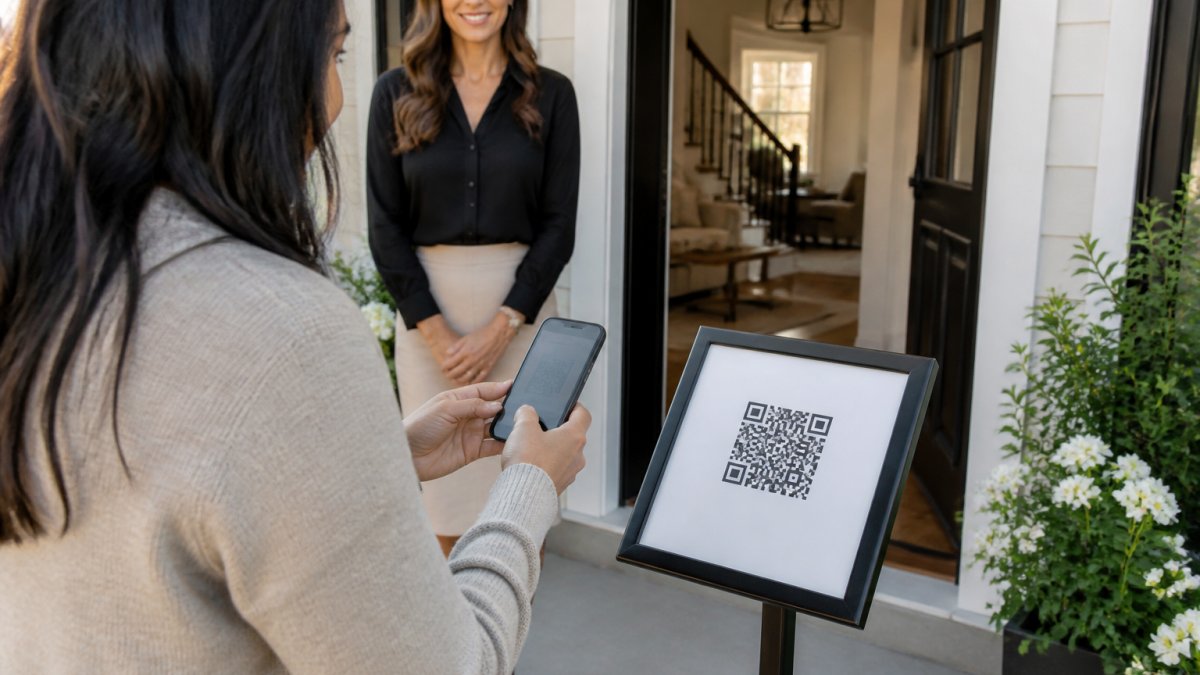
Here's how the ohACCESS flow works at the door:
- The visitor scans the QR code and fills out a short form on their phone.
- They instantly receive two codewords, one by text and one by email.
- They tell a codeword to the host agent to get in. The text codeword is primary; the email codeword is the backup.
- The agent gets an instant text and email alert with the visitor's details.
Nothing is ever typed back into a system. The codeword is spoken to a human, and that's what proves the phone number and email are real. The form is available in 16 languages, and international numbers get their codeword by WhatsApp.
Paper vs. Digital Sign-In: What Changes
| Factor | Paper Sign-In | Digital Sign-In |
|---|---|---|
| Contact accuracy | Unverified, easy to fake | Verified at the door |
| Data entry | Manual, after the event | Automatic, in real time |
| Follow-up speed | Hours or days later | Same day, often same hour |
| Privacy handling | Sheets left in the open | Consent-based, secure |
| Seller reporting | Hand-counted | One-tap aggregate report |
Paper isn't evil. It's just slow, and slow costs leads.
Step 4: Use Scripts and Conversation Starters to Capture Contact Information
A sign-in script removes the awkward pause at the door. The goal is to make registration feel like part of the welcome, not a gate.
Try openers like these:
- "Welcome in. Before you look around, scan the sign here so I can send you the full listing details."
- "I'm [name]. Pop your info in here and I'll follow up with anything you want to see again."
- "The seller asked me to track interest, so this helps me keep them posted."
Then hand off to conversation starters: "What brings you out today?" or "Are you looking in this neighborhood specifically?"
Step 5: Qualify Leads Without Pressure and Protect Visitor Data
Lead qualification should feel like curiosity, not an interrogation. The buying timeline field does most of the qualifying for you, so you never have to ask "how serious are you?"
On privacy, be direct. Tell visitors what you'll do with their information and that you won't share it with the seller. That's not just courtesy; consent is the foundation of a clean contact database.
ohACCESS is built around that boundary. The seller report shows aggregate data only: visitor count, timeline breakdown, average rating, and price verdict. It never shows visitor names, phone numbers, emails, or arrival times. Visitors consented to you having their info, not the homeowner.
Step 6: Run Real Estate Open House Follow-Up That Converts
Real estate open house follow-up works best when it starts the same day. A verified lead that reaches your CRM automatically gets a follow-up while the property is still fresh. The workflow below connects capture, segmentation, and follow-up into one repeatable process you can run after every event.
The Follow-Up Workflow, Start to Finish
- Capture at the door. Every visitor registers on their own phone and receives two codewords, one by text and one by email. They share a codeword with the host agent to enter, which proves the phone number and email are real and theirs.
- Deliver to your CRM automatically. ohACCESS sends every sign-in to your CRM as a formatted lead email, or through a Zapier webhook.
- Segment by buying timeline. Sort the verified visitor log into the four timeline buckets so each lead gets the right cadence.
- Follow up on a timeline-based cadence. Use the sequence below.
- Measure and adjust. Track the numbers in the next section and refine the cadence after each event.
Segmentation by Buying Timeline
- 0-3 months: call or text within hours, offer a private showing
- 3-6 months: send the listing details and two similar homes
- 6-12 months: add to a monthly market update
- 12+ months: keep on a light nurture list
The timeline field does the qualifying for you, so you never have to ask "how serious are you?" at the door. The cadence follows the answer the visitor already gave.
What Reaches Your CRM and What Does Not
ohACCESS delivers leads into your CRM automatically through three mechanisms: a formatted lead email to the CRM's lead-intake address, a Zapier webhook, and team CRM forwarding for shared team pipelines. The lead email is labeled so the CRM parses it into fields automatically. This is delivery, not a two-way sync; the agent's CRM handles automated sequences.
The next-morning thank-you email to visitors goes out on its own, so the first touch happens even if you are busy with the next showing.
Handling Bad Contact Data Before It Wastes Time
The verified visitor log flags VoIP and burner numbers, bounced emails, undeliverable texts, and STOP opt-outs. Opt-outs are honored globally, so a visitor who opts out is not contacted again. Check the flags before you start calls; a flagged number is a signal to try the email channel first.
Step 7: Measure Guest List Effectiveness and Report to Sellers
Track three numbers after every open house: sign-ins, verified contact rate, and follow-up appointments booked. Those three tell you whether your guest list is actually working.
The seller report makes this easy to share. One tap gives the homeowner a clean summary of turnout and buyer interest, with no private data exposed. That's how you prove the value of your work without compromising a single visitor.
Frequently Asked Questions
What information should you collect from open house visitors?
Keep the open house guest list short: name, phone number, email address, and buying timeline. A single custom question, such as whether they are already working with an agent, adds context without slowing sign-in. ohACCESS sends every guest two codewords, one by text and one by email, and the guest shares a codeword with the host agent at the door. That step confirms the phone number and email are real and belong to the visitor, so your contact database stays clean.
How do you follow up with open house guests after an event?
Sort your guest list the same day into hot, warm, and long-range leads based on buying timeline and feedback. Send a short thank-you email the next morning, then a call or text within 24 to 48 hours to the hottest prospects. ohACCESS sends an automatic next-morning thank-you email to visitors and delivers every sign-in into your CRM as a formatted lead.
What is the best way to track open house visitors?
Use a digital open house sign-in that timestamps each guest and flags bad contact data. ohACCESS gives you a verified visitor log with a 'verified at door' toggle, private notes, and flags for VoIP or burner numbers, bounced emails, and undeliverable texts. You can export the log as a CSV and push leads to your CRM automatically. That beats a paper sign-in sheet, where names are often illegible and nothing tells you whether a number works.
How do you protect visitor information collected at an open house?
Collect only what you will use, tell guests why you are collecting it, and store it in a system with clear retention rules. ohACCESS keeps data with attorney-reviewed Terms and Privacy Policy, honors STOP opt-outs globally, and automatically purges records after three years. The one-tap Seller Report shows sellers aggregate numbers only, such as visitor count and buying-timeline breakdown, never names, phone numbers, emails, or arrival times, because visitors consented to the agent holding their information.
Managing an open house guest list efficiently comes down to one shift: capture verified data at the door, not after the fact. When you're ready to stop chasing paper, ohACCESS gives you verified QR-code check-in, instant text and email alerts, automatic CRM delivery, and a one-tap seller report. Start free with your first 25 sign-ins and see the difference at your next open house.
Frequently asked questions
What information should you collect from open house visitors?
Keep the open house guest list short: name, phone number, email address, and buying timeline. A single custom question, such as whether they are already working with an agent, adds context without slowing sign-in. ohACCESS sends every guest two codewords, one by text and one by email, and the guest shares a codeword with the host agent at the door. That step confirms the phone number and email are real and belong to the visitor, so your contact database stays clean.
How do you follow up with open house guests after an event?
Sort your guest list the same day into hot, warm, and long-range leads based on buying timeline and feedback. Send a short thank-you email the next morning, then a call or text within 24 to 48 hours to the hottest prospects. ohACCESS sends an automatic next-morning thank-you email to visitors and delivers every sign-in into your CRM as a formatted lead.
What is the best way to track open house visitors?
Use a digital open house sign-in that timestamps each guest and flags bad contact data. ohACCESS gives you a verified visitor log with a 'verified at door' toggle, private notes, and flags for VoIP or burner numbers, bounced emails, and undeliverable texts. You can export the log as a CSV and push leads to your CRM automatically. That beats a paper sign-in sheet, where names are often illegible and nothing tells you whether a number works.
How do you protect visitor information collected at an open house?
Collect only what you will use, tell guests why you are collecting it, and store it in a system with clear retention rules. ohACCESS keeps data with attorney-reviewed Terms and Privacy Policy, honors STOP opt-outs globally, and automatically purges records after three years. The one-tap Seller Report shows sellers aggregate numbers only, such as visitor count and buying-timeline breakdown, never names, phone numbers, emails, or arrival times, because visitors consented to the agent holding their information.
Keep reading
Start free with 25 verified check-ins. No credit card required.
Start Free