Protecting Real Estate Lead Data From Unauthorized Access

Table of Contents
- Why Real Estate Lead Data Is a Target
- How Real Estate Lead Data Actually Gets Exposed
- Real Estate Data Security Best Practices That Hold Up
- Real Estate CRM Security: A Practical Configuration Walkthrough
- Open House Sign-In Data Security: Closing the Front-Door Leak
- Real Estate Data Breach Prevention: Monitoring, Vendors, and Response
- A 30-Day Implementation Plan for Small Agencies
- Conclusion
- Frequently Asked Questions
Last Updated: October 18, 2026
Why Real Estate Lead Data Is a Target
Protecting real estate lead data starts with one uncomfortable fact: your contact list is the most valuable thing you own. A lead record, name, phone, email, budget, buying timeline, sells.
Real estate lead data is the contact details, property preferences, and transaction notes an agent gathers about buyers and sellers.
At open houses, the pattern repeats: a paper sheet sits on the kitchen counter for hours, and anyone who walks in can photograph it. Below, we'll show where this data leaks and how to close each gap.
What Counts as Sensitive Client Information
Sensitive client information is any detail that identifies a person or reveals their financial position, more than most agents assume.
- Full names, phone numbers, and email addresses
- Home addresses and property search history
- Pre-approval amounts and lender details
The last two are the ones people forget. A note like "needs to sell before fall" is personal information about someone's life. Keep it out of shared documents.
How Real Estate Lead Data Actually Gets Exposed
Most exposure is boring. It rarely looks like a hacker in a hoodie, it looks like a shared login and a spreadsheet on a personal laptop. Where it happens:
- Shared CRM passwords. Three agents use one login. Nobody knows who deleted a record.
- Leads in personal email. Buyer details sit in an inbox with no access control.
- Paper sign-in sheets. Photographed, lost, or left in a car.
A common mistake is assuming the CRM vendor handles all of this. Your CRM secures its servers. It does not stop your team from sharing a password.
Insider Threats and Offboarding Gaps
The insider threat is the gap most brokerages never close. An agent leaves on Friday. Their CRM access stays live for weeks.
Picture this: a departing agent exports the full contact list on their last day. Those leads follow them to a new brokerage. No alarm fires, because the account was legitimate.
Offboarding needs a checklist, not a memory:
- Disable CRM access the same day
- Revoke email and cloud storage access
- Change any shared passwords the person knew
Real Estate Data Security Best Practices That Hold Up
Most security advice for real estate is generic IT tips. It ignores what makes lead data different: a lead record is copied, forwarded, exported, and re-imported constantly, and every copy is a new place it can leak from. The practices that hold up are tied to the lead record's lifecycle, not the laptop it sits on. Start with this baseline:
- Give every person their own login. No shared accounts, ever.
- Turn on multifactor authentication. A password alone is not authentication.
- Use a password manager. Long, unique passwords beat clever ones.
- Set user permissions by role. An assistant does not need export rights.
- Encrypt devices. Full-disk encryption on every laptop and phone.
- Store files in approved cloud storage. Not on a desktop.
- Train staff on phishing. Quarterly, with real examples.
- Log access. You cannot investigate what you never recorded.
That baseline is table stakes. The gap most brokerages never close is applying it to the lead record itself, from capture to deletion.
Secure the Lead Record at Every Stage
A lead passes through six stages, each with a different failure mode. Map controls to the stage, not the tool.
- Capture. At an open house or web form, the risk is a fake or unverified contact. Collect only what you will use, and verify phone and email at capture so a bad record never enters the pipeline. Paper sheets fail here: anyone can photograph them or write a fake name.
- Storage. Once the lead is in the CRM, the risk shifts to who can see it. Restrict records by team, by office, or by assignment so an agent sees their own pipeline, not the whole brokerage's.
- Assignment. A lead with two owners is a lead with two people who can lose it. Route each new lead to exactly one owner and log the assignment.
- Export. This is where most theft happens. Bulk export should be admin-only, logged with a name and timestamp, and reviewed. An agent who can export the full database in one click is one resignation away from taking it.
Run Access Reviews on a Schedule
Permissions drift. An agent changes teams, an assistant leaves, a contractor finishes a project, and the login stays live. A quarterly access review is the cheapest control you can run.
- Pull the full user list from every system that holds lead data.
- Confirm each active user is a current team member with a current role.
- Remove duplicates, shared logins, and accounts nobody can explain.
- Check that export and delete rights sit only with people who need them.
The principle behind all of it: limit access, then watch it. That is access control in one sentence, and it only works if you revisit it on a calendar, not when something goes wrong.
Real Estate CRM Security: A Practical Configuration Walkthrough
Real estate CRM security comes down to configuration, not features.
Here is how we would set it up, in order:
Step 1: Audit the user list. Remove old accounts and duplicates, confirm every active user is a current team member, and flag any account with no login in 90 days, an inactive account waiting to be used by someone who is not its owner.
Step 2: Assign roles. Create three tiers: admin, agent, and assistant.
Step 3: Require multifactor authentication. Enforce it org-wide.
Step 4: Set export limits. Restrict bulk export to admins.
Step 5: Configure lead routing. Make sure new leads land with one owner, not three.
Step 7: Review integrations. Every connected app is a door.
What to Watch in the Audit Log
An audit log is only useful if you know what to look for. Review these signals weekly:
- Bulk exports. Any export larger than a normal day's work, especially by a non-admin.
- New-device logins. A login from a device or location the user has never used before.
- After-hours access. Logins at 2 a.m. from an account that never works nights.
- Permission changes. Anyone granting themselves or others export or delete rights.
Pick two or three as standing alerts. A short list you actually check beats a dashboard nobody opens.
Assess Every Integration Before You Connect It
Third-party risk is invisible until it isn't. Lead forms, marketing platforms, virtual tour tools, and CRM connectors all touch lead data, and each is an access point you do not control. Before connecting any app, ask:
- What lead fields does this app receive, and does it need all of them?
- Who at the vendor can see our data?
- How does the vendor notify us of a breach, and how fast?
- Can we revoke access cleanly when we stop using it?
Get the answers in writing. Then put a calendar reminder to re-check every integration twice a year. A forgotten integration from a past campaign is a live access point nobody is watching.
Close the Inactive-Account Gap
Inactive accounts are the quietest insider risk. A former agent's login that was never disabled is a legitimate credential in the wrong hands. Tie deactivation to your offboarding checklist so it happens the same day someone leaves, and run a monthly sweep for accounts with no recent activity. The sweep costs minutes; skipping it costs your lead list.
Open House Sign-In Data Security: Closing the Front-Door Leak
Open house sign-in data security is the gap most brokerages ignore.
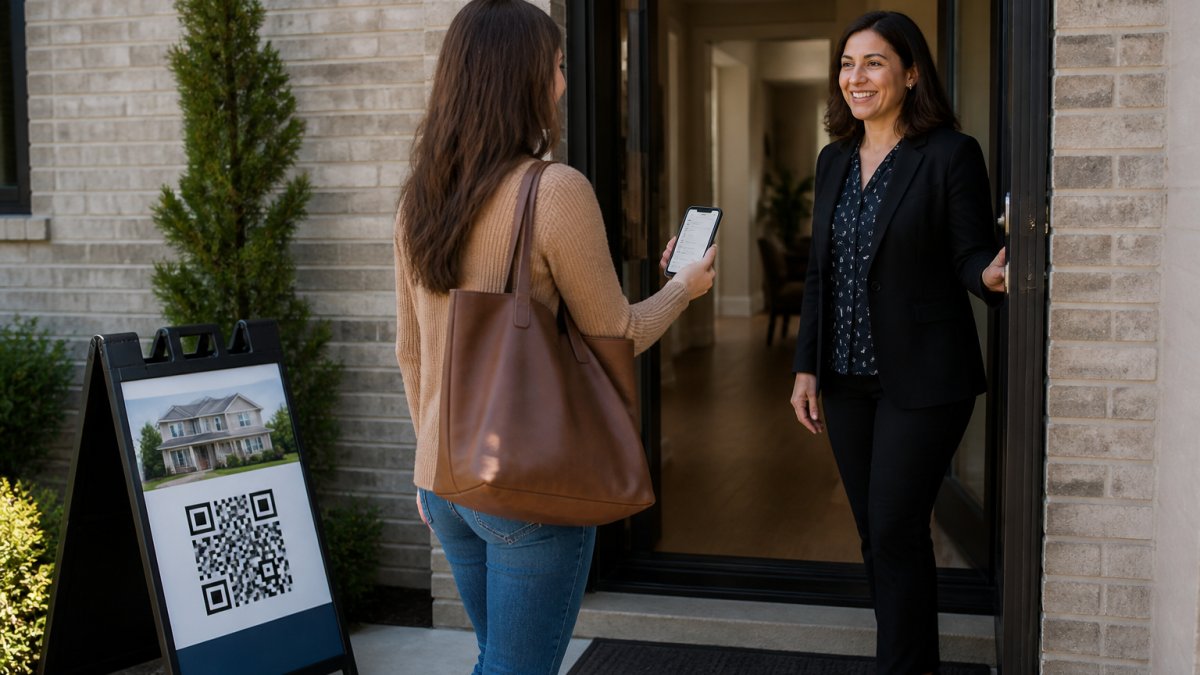
Paper sheets collect fake names and disconnected numbers, and they expose real buyer details to everyone who walks past the clipboard.
That flow proves the phone number and email are real and belong to the visitor.
The seller report stays aggregate-only: visitor count, timeline breakdown, average rating, and price verdict.
Real Estate Data Breach Prevention: Monitoring, Vendors, and Response
Real estate data breach prevention rests on three habits: watch access, vet vendors, and rehearse the response.
Monitoring. Review audit logs weekly. Flag logins from new devices, bulk exports, and after-hours access.
Vendor risk. Ask every vendor three questions: What data do you hold? Who can see it?
Response plan. Write it before you need it:
- Who declares an incident
- Who contacts affected clients
- Who handles the regulator and legal notice
- Where the incident log lives
The Federal Trade Commission's data breach response guidance lays out notification duties for businesses.
A 30-Day Implementation Plan for Small Agencies
A small agency can close most of these gaps in a month. Here is the schedule we would follow.
| Week | Focus | Key Actions | Who Owns It |
|---|---|---|---|
| Week 1 | Audit | List all users, tools, and data locations | Broker or office manager |
| Week 2 | Access control | Role tiers, unique logins, multifactor on | Admin |
| Week 3 | Process | Offboarding checklist, vendor review, retention rules | Operations lead |
| Week 4 | Monitoring | Audit log review, staff training, response drill | Broker |
Add a written security policy in week one. Keep it to two pages: who can access what, how to report a suspected breach, and what happens at offboarding.
Then pick one front-door fix. If paper sheets are still in use, that is the highest-value change you can make.
Conclusion
The hardest part of protecting lead data is not the technology. It is the habit of checking who still has access.
ohACCESS closes the front-door leak with verified QR-code check-in, instant text and email alerts, and automatic CRM delivery. Every sign-in is logged with a forensic trail, and the seller report stays aggregate-only.
Get started with ohACCESS and stop losing leads to a clipboard.
Frequently Asked Questions
What does unauthorized access to real estate lead data actually mean?
It means anyone viewing, copying, or using lead records without a legitimate business reason and the permission that goes with it. That includes a former agent who still has CRM credentials, a vendor with open access to your whole database, or a stranger who pulls sign-in sheets off a clipboard. Protecting real estate lead data starts with defining who should see each record, then removing access from everyone else. Access you cannot explain is access you cannot defend.
What security practices should agents use when collecting open-house sign-ins?
Stop using paper sheets that sit on a counter where anyone can photograph them. Use a digital form the visitor completes on their own phone so the data lands in a controlled system instead of a clipboard. ohACCESS does this with a QR code at the door: the visitor registers on their phone and receives two codewords, one by text and one by email, which they tell the host agent to enter. That confirms the phone and email are real, and the agent gets an instant alert plus a verified visitor log.
How should a brokerage control access to lead records?
Give each agent their own login and scope permissions to the leads they are working. Team leads should see team records; solo agents should not see each other's pipelines. When someone leaves, revoke access the same day and reassign their leads before the account goes dormant. Review the permission list quarterly, because roles drift and old accounts linger. For real estate CRM security, the rule is simple: the smallest set of people who need a record should be the only ones who can open it.
What should an agent do after discovering a data breach?
Contain it first: reset credentials, cut off the exposed account, and preserve logs before anything gets overwritten. Then work out what was exposed and who is affected. Most states have breach notification statutes with their own timelines and thresholds, so check the rules that apply where you operate rather than guessing. Notify affected clients promptly, document every step, and report to your broker and insurer. Afterward, fix the gap that allowed it and add monitoring so the same path is not left open.
Frequently asked questions
What does unauthorized access to real estate lead data actually mean?
It means anyone viewing, copying, or using lead records without a legitimate business reason and the permission that goes with it. That includes a former agent who still has CRM credentials, a vendor with open access to your whole database, or a stranger who pulls sign-in sheets off a clipboard. Protecting real estate lead data starts with defining who should see each record, then removing access from everyone else. Access you cannot explain is access you cannot defend.
What security practices should agents use when collecting open-house sign-ins?
Stop using paper sheets that sit on a counter where anyone can photograph them. Use a digital form the visitor completes on their own phone so the data lands in a controlled system instead of a clipboard. ohACCESS does this with a QR code at the door: the visitor registers on their phone and receives two codewords, one by text and one by email, which they tell the host agent to enter. That confirms the phone and email are real, and the agent gets an instant alert plus a verified visitor log.
How should a brokerage control access to lead records?
Give each agent their own login and scope permissions to the leads they are working. Team leads should see team records; solo agents should not see each other's pipelines. When someone leaves, revoke access the same day and reassign their leads before the account goes dormant. Review the permission list quarterly, because roles drift and old accounts linger. For real estate CRM security, the rule is simple: the smallest set of people who need a record should be the only ones who can open it.
What should an agent do after discovering a data breach?
Contain it first: reset credentials, cut off the exposed account, and preserve logs before anything gets overwritten. Then work out what was exposed and who is affected. Most states have breach notification statutes with their own timelines and thresholds, so check the rules that apply where you operate rather than guessing. Notify affected clients promptly, document every step, and report to your broker and insurer. Afterward, fix the gap that allowed it and add monitoring so the same path is not left open.
Keep reading
Start free with 25 verified check-ins. No credit card required.
Start Free