7 Steps to Using QR Codes for Real Estate Property Access
Last Updated: October 31, 2026
Quick Summary
Using QR codes for real estate property access means posting a code at the door that opens a short registration form on the visitor's own phone. The visitor receives two codewords, one by text and one by email, and speaks one to the host agent to enter, which proves their contact details are real.
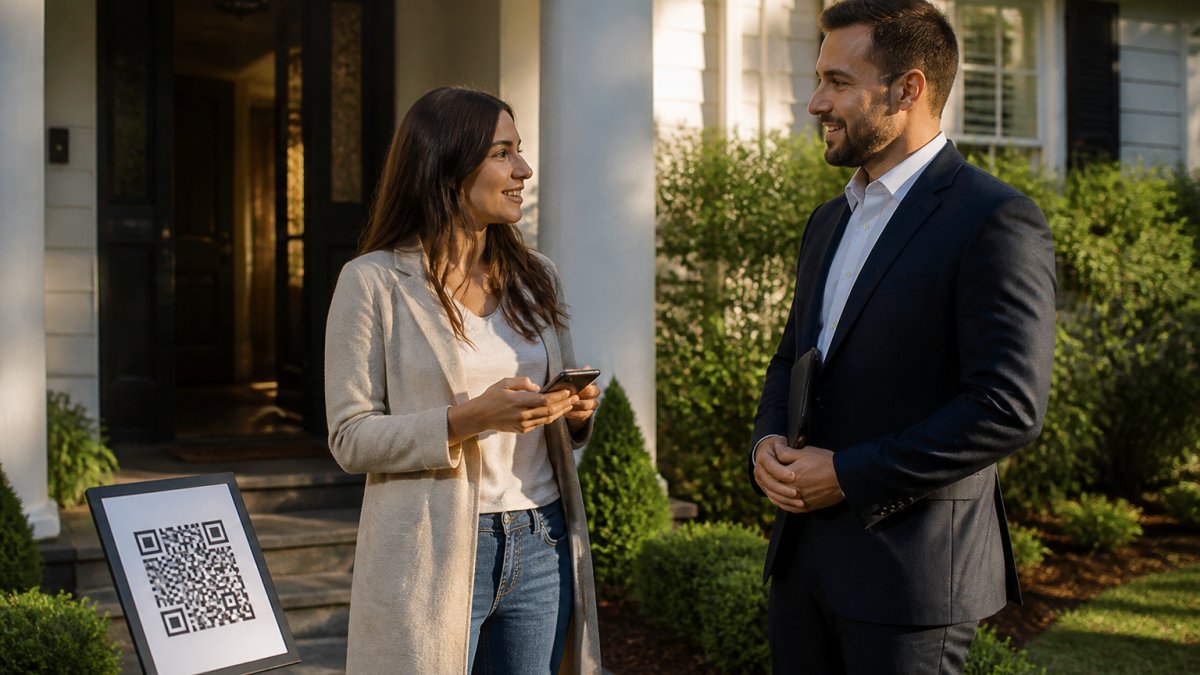
- Place the QR sign at the walkway start or beside the front door at eye level.
- Keep the form to name, email, phone, buying timeline, and one custom question.
- Visitors never type a codeword into a screen; they speak it to the host agent.
- The seller report shows aggregate data only, with no visitor names or contact details.
- ohACCESS purges visitor records automatically after three years.
Table of Contents
- Why Paper Sign-In Sheets Fail Property Access
- Step 1: Choose Your QR Code Open House Sign-In System
- Step 2: Build the Real Estate Open House Registration Form
- Step 3: Print and Place Your QR Code Sign
- Step 4: Run Open House Visitor Verification at the Door
- Step 5: Compare Open House Sign-In Sheet Alternatives
- Step 6: Protect Visitor Data and Prevent QR Code Fraud
- Step 7: Send the Seller Report and Route Leads to Your CRM
- Frequently Asked Questions
Why Paper Sign-In Sheets Fail Property Access
A paper sign-in sheet asks visitors to write down a name, an email, and a phone number. Nothing checks whether any of it is real.
At ohACCESS, we built our check-in flow around that gap.
Here is what paper sign-in sheets can cost you in practice:
- Fake entries. A visitor writes "John Smith" and a burner number to get inside.
- Illegible handwriting. Half the sheet is unreadable by Sunday night.
- Manual data entry. Someone retypes every row into a CRM, and typos follow.
QR codes fix the capture problem. But a plain QR code that opens a form still collects unverified data.
Below, we walk through seven steps to set up QR code property access that verifies visitors, protects their data, and delivers leads into your CRM automatically.
Step 1: Choose Your QR Code Open House Sign-In System
Pick a system that verifies contact details at the door, not one that just digitizes the paper sheet. For a deeper walkthrough of how QR code sign-in works at open houses, see our full guide.
Most QR tools stop at form capture. They generate a code, collect a name and email, and email you a CSV.
A verified system adds one more move. The visitor submits the form, then receives two codewords, one by text message and one by email.
When you evaluate options, ask these questions:
- Does the visitor receive verification by text and email, or just one channel?
- Is anything typed back into a screen, or is the codeword spoken to the agent?
- Does the agent get an instant alert per sign-in?
ohACCESS covers these points. The visitor form runs in 16 languages, and international numbers get their codeword by WhatsApp.
You can also visit ohACCESS to start a free trial.
Step 2: Build the Real Estate Open House Registration Form
Keep the real estate open house registration form short. Every extra field is a reason for a visitor to walk away.
The fields that earn their place:
- Name, required
- Email, required, and verified
- Phone, required, and verified
- Buying timeline, 0-3 months, 3-6 months, 6-12 months, or 12+ months
- One custom question, optional, set by the agent
That timeline field is the most valuable thing on the form. It tells you which visitors are ready to move and which are browsing.
Skip the long questionnaires. A visitor standing in a hallway will not fill out ten fields.
Step 3: Print and Place Your QR Code Sign
Placement decides whether the QR code gets scanned at all. Put the sign where the visitor stops before reaching the door.
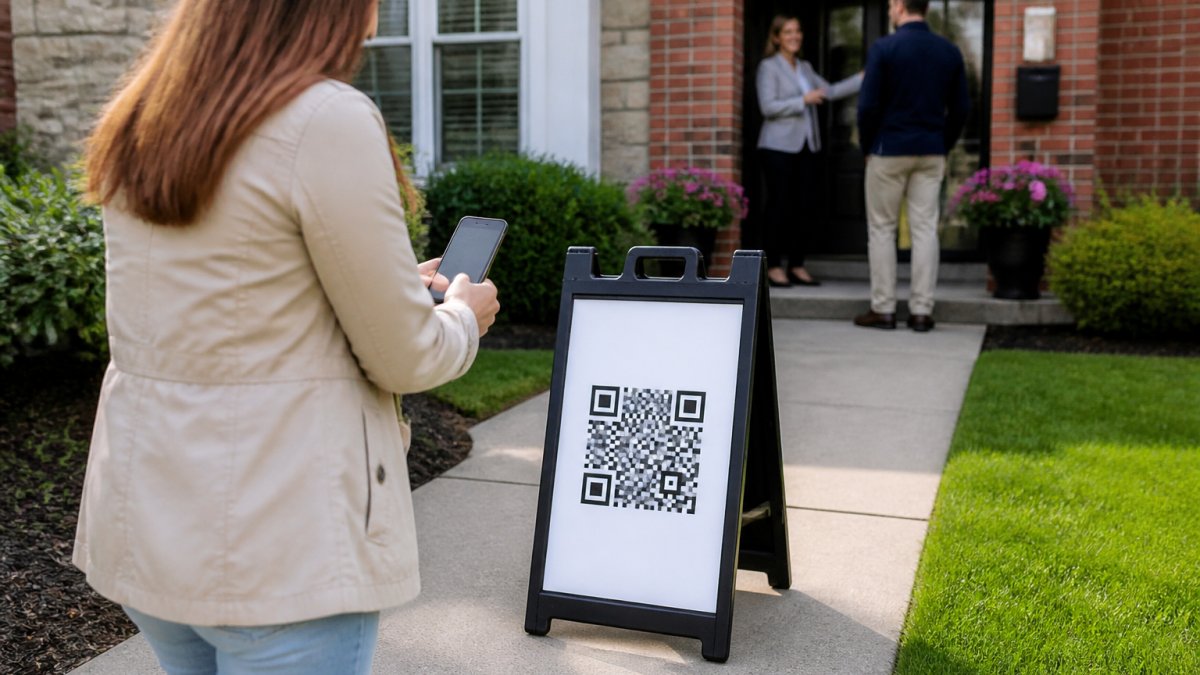
Good spots for the sign:
- On an a-frame or pedestal sign at the start of the walkway
- Beside the front door, at eye level
- On the for-sale sign as a backup scan point
Bad spots: inside a dark hallway, on a low table, or anywhere the visitor has to hunt for it.
Print at a size that scans from a few feet away. Test the print with your own phone before you post it.
Treat the code as a credential, not a flyer
Most guides stop at "print it big and put it outside." The harder question is how the code behaves as an access credential once someone scans it. A QR code on a sign is not a permanent key to the property, it is one layer in a short, controlled access window.
A practical setup looks like this:
- Use a per-event code for each open house. The sign and the visitor log point to that address and date, and a permanent, reusable per-agent code can be used for repeat events.
- Limit what the code does. The code opens a registration form. Entry depends on the visitor sharing a codeword with the host agent, so a photographed code does not grant access on its own.
- Take the sign down after the event. The codeword is spoken to a person at the door, and the human check is the control.
- Switch codes for the next property. A permanent agent code stays tied to your account and is not a property key.
How this works at gates, smart locks, and building systems
QR codes are sometimes pitched as a way to open gates or smart locks directly. Be careful: a code that unlocks hardware is a different product from a code that registers a visitor, with different failure modes.
- Gated communities and building lobbies. The code usually sits at a call box or printed placard, and the visitor still needs a human or a building system to buzz them in. Keep a phone number on the sign as a fallback for visitors whose scan fails.
- Smart locks. A lock that accepts a QR credential depends on the lock's own app, connectivity, and battery. If the lock is offline or the battery dies, the visitor is stuck at the door. Always have a physical key or a host on site as backup.
- Network failure. Sign-in runs on each visitor's own cellular data, so weak property Wi-Fi is not the problem, a dead zone at the door is. Print the host's phone number on the sign so a visitor can call if the form will not load.
One more thing: a permanent, reusable per-agent QR code is available, so you can print once and reuse the sign at open houses. Per-event QR codes are available as well.
Step 4: Run Open House Visitor Verification at the Door
Open house visitor verification is the step that separates a real lead list from a paper sheet.
The visitor scans the code and fills the form on their own phone.
The visitor tells a codeword to you at the door.
Nothing is typed back into a system.
If you skip the codeword check and wave people through, you are back to an unverified list.
Step 5: Compare Open House Sign-In Sheet Alternatives
The real choice is between four approaches, and they are not close on data quality. For a side-by-side look at open house sign-in apps before deciding, see our comparison.
| Option | Data Quality | Agent Effort | Seller Reporting | Best For |
|---|---|---|---|---|
| Paper sheet | Unverified, often illegible | Retyping into CRM | Hand count only | Low-volume agents who rarely host |
| Generic form QR code | Captured but unverified | CSV export and cleanup | Manual summary | Agents who only want digital capture |
| Sign-in app with tablet | Captured, partly verified | Device setup and charging | Varies by tool | Teams with a dedicated greeter |
| ohACCESS | Verified by text and email | None beyond the door check | One-tap aggregate report | Agents who need clean leads and proof |
Paper is familiar, and that is its main appeal. A generic form QR code is a small upgrade, but fake entries can still get through.
ohACCESS needs no tablet or kiosk. Visitors use their own phones, the codeword check verifies contact details, and the seller report is one tap away.
Step 6: Protect Visitor Data and Prevent QR Code Fraud
QR codes can be used as a vehicle for scams, which is why Old Republic Title's guidance on using QR codes safely stresses safe deployment to protect customers and clients. A code stuck to a sign is easy to cover with a sticker that sends visitors somewhere else.
Prevent QR code fraud
Prevent QR code fraud with these habits:
- Inspect the sign before each open house. Look for stickers or overlays on top of your code, and check that the printed URL matches the one you generated.
- Use a code you control. A permanent code tied to your account is harder to spoof than a printed third-party link, and a per-event code lets you retire a sign after the event.
- Tell visitors what to expect. They should land on a short form, not a payment page or a login screen. Put a line on the sign: "Scan to sign in. You will not be asked for payment."
Protect visitor data
On the data side, the Federal Trade Commission's guidance on protecting personal information is clear that businesses collecting consumer data must safeguard it. Four design choices matter most:
- Consent and disclosure. Visitors agree to share details with you, the agent. Say so on the form and on the sign. They did not agree to share their details with the seller.
- Data minimization. Collect only what you will use: name, email, phone, buying timeline, and one custom question. Skip the long questionnaire and fields you will never act on.
- Retention. Data should not sit around forever. ohACCESS purges records automatically after three years, and the Terms and Privacy Policy are attorney-reviewed.
- Access control. Limit who on your team can see the visitor log. A team or brokerage dashboard with roster management lets a lead control access rather than passing a spreadsheet around.
That consent point drives the seller report design. The report shows aggregate numbers only: visitor count, timeline breakdown, average rating, and price verdict. It contains no names, phone numbers, emails, or arrival times. That protects the visitor and protects you from a privacy complaint.
Safeguards for vacant and high-risk properties
Vacant listings raise the stakes. A few practical safeguards:
- Log every arrival. The verified visitor log with a "verified at door" toggle and private notes gives you a record of who was verified and when.
- Flag weak contacts. The log flags VoIP and burner numbers, bounced emails, undeliverable texts, and STOP opt-outs, so you know which contacts to trust before you follow up.
- Pair the code with a touring agreement. ohACCESS supports a touring-agreement e-signature before codewords are released, and the signed PDF is emailed to both parties. ohACCESS does not store it.
Step 7: Send the Seller Report and Route Leads to Your CRM
The seller report and the CRM handoff are where the setup pays off.
The seller report is aggregate only.
You send it in one tap. Sellers get aggregate proof of turnout and buyer interest, and no visitor's contact details are included.
On the CRM side, ohACCESS delivers leads into your CRM automatically. For a practical guide to getting open house data into your CRM, see our walkthrough.
Do not promise a seller names and phone numbers in the report.
Frequently Asked Questions
How do real estate agents use QR codes at open houses?
The agent prints a QR code sign and places it at the door. A visitor scans it with their phone camera, fills out a short form on their own device, and instantly receives two codewords, one by text and one by email. The visitor tells a codeword to the host agent to get in, which proves the phone number and email are real. The agent gets a text and email alert for every sign-in and a verified visitor log they can export or send to their CRM.
Do visitors need to download an app to use an open-house QR code?
No. The visitor scans the code with their phone camera and the form opens in a browser, so there is nothing to install and no account to create. ohACCESS remembers returning visitors for a year and pre-fills their information. If a visitor cannot or will not scan, the agent can open the same web form in a browser on any device, though there is no tablet kiosk product. Visitors with non-US or non-Canada phone numbers receive their codeword by WhatsApp.
How do you verify visitors who register with a QR code?
Verification happens in two places. First, the system sends two codewords, one by text and one by email, so the contact details must be live and belong to the visitor. Second, the visitor tells a codeword to the host agent at the door, and the agent marks the sign-in as verified in the visitor log. ohACCESS also flags VoIP and burner numbers, bounced emails, undeliverable texts, and STOP opt-outs so you know which records to trust before you follow up.
How can agents protect visitor information collected at an open house?
Collect only what you will use, keep the data in one system rather than a paper sheet in your car, and never pass visitor names, phone numbers, emails, or arrival times to the seller. ohACCESS stores sign-ins under an attorney-reviewed privacy policy, purges data automatically after three years, and produces a seller report that shows aggregate counts, buying-timeline breakdown, average rating, and price verdict with no per-visitor rows. Visitors consented to the agent holding their details, not the seller.
Paper sheets and unverified QR forms both leave you with a list you cannot trust and a seller you cannot prove anything to. ohACCESS closes that gap with verified check-in, instant text and email alerts, and a one-tap seller report that stays private. Start your free trial with the first 25 sign-ins included, then get started with ohACCESS and put verified leads in your CRM the same day.

Frequently asked questions
How do real estate agents use QR codes at open houses?
The agent prints a QR code sign and places it at the door. A visitor scans it with their phone camera, fills out a short form on their own device, and instantly receives two codewords, one by text and one by email. The visitor tells a codeword to the host agent to get in, which proves the phone number and email are real. The agent gets a text and email alert for every sign-in and a verified visitor log they can export or send to their CRM.
Do visitors need to download an app to use an open-house QR code?
No. The visitor scans the code with their phone camera and the form opens in a browser, so there is nothing to install and no account to create. ohACCESS remembers returning visitors for a year and pre-fills their information. If a visitor cannot or will not scan, the agent can open the same web form in a browser on any device, though there is no tablet kiosk product. Visitors with non-US or non-Canada phone numbers receive their codeword by WhatsApp.
How do you verify visitors who register with a QR code?
Verification happens in two places. First, the system sends two codewords, one by text and one by email, so the contact details must be live and belong to the visitor. Second, the visitor tells a codeword to the host agent at the door, and the agent marks the sign-in as verified in the visitor log. ohACCESS also flags VoIP and burner numbers, bounced emails, undeliverable texts, and STOP opt-outs so you know which records to trust before you follow up.
How can agents protect visitor information collected at an open house?
Collect only what you will use, keep the data in one system rather than a paper sheet in your car, and never pass visitor names, phone numbers, emails, or arrival times to the seller. ohACCESS stores sign-ins under an attorney-reviewed privacy policy, purges data automatically after three years, and produces a seller report that shows aggregate counts, buying-timeline breakdown, average rating, and price verdict with no per-visitor rows. Visitors consented to the agent holding their details, not the seller.
Keep reading
Start free with 25 verified check-ins. No credit card required.
Start Free