How to Set Up a Real Estate Safety Check-In System
Last Updated: November 12, 2026
Quick Summary
A safety check-in system verifies who is entering an open house before they walk through the door. Visitors register on their own phones and receive two codewords, one by text and one by email, then share a codeword with the host to enter. This confirms the contact details are real and gives agents usable lead data from the start.
- Visitors scan a QR code and fill out a short form on their own phone.
- Two codewords arrive instantly, one by text and one by email.
- Visitors share a codeword with the host at the door to enter.
- Agents receive an instant text and email alert for every sign-in.
- The first 25 sign-ins are free, with every feature included and no credit card required.
Table of Contents
- Why Open House Check-In Needs to Be Verified
- What You Need Before You Set Up a Safety Check-In System
- Step-by-Step: How the Digital Open House Sign-In Flow Works
- Designing an Open House Sign-In Form That Captures Usable Leads
- Connecting Sign-Ins to Your CRM Without Manual Entry
- Real Estate Agent Safety Tips and an Open House Safety Checklist
- Sharing Privacy-Safe Seller Reports and Taking Your First Open House Live
- Frequently Asked Questions
Why Open House Check-In Needs to Be Verified
Paper sign-in sheets are easy to fake. A visitor can write any name, phone number, and email, and nobody at the door can tell the difference.
A safety check-in system addresses both problems: it confirms who is walking through the door before they enter and gives agents usable lead data from the start.
This guide from ohACCESS walks through setting up a verified check-in process, from the QR code at the curb to the seller report.
What You Need Before You Set Up a Safety Check-In System
Before you start, gather a few basics. No special equipment or technical skills required.
- A phone for each visitor. Visitors sign in on their own devices, so you do not need a tablet at the door.
- A printed QR sign. Place it on a pedestal or A-frame outside the home.
- Your CRM login. Know which system your leads will land in, such as Follow Up Boss or another platform.
Start with the free trial, which covers the first 25 sign-ins with every feature included and no credit card required, and run one event before deciding on a paid plan.
Step-by-Step: How the Digital Open House Sign-In Flow Works
- The visitor scans the QR code at the door or on the sign outside.
- They fill out a short form on their own phone. It asks for name, email, phone, and buying timeline.
- They receive two codewords instantly. One arrives by text and one by email.
- They tell a codeword to you at the door to enter the home.
- You get an instant alert by text and email with their details.
Notice that the visitor never types a codeword into an app or system. They simply share it with you, the host. That step proves the phone number and email they gave are real and belong to them.
Setting Up Your QR Code and Codewords
- Create your open house in your account and choose the date and time.
- Set your codewords for the event. Type your own or use the auto-generate button.
- Print your QR code using the print-ready branded sign.
You can also use your permanent reusable QR code for regular events. Per-event codes work well when you want separate reporting for each house.
Codewords stay in place for the event and do not expire on a timer. Choose words that are easy to say and remember.
What Visitors See When They Register
Visitors see a short form that loads in their phone's browser. There is no app to download and no account to create.
The form asks for:
- Name
- Phone number
The form is available in 16 languages. Right after they submit, the visitor receives both codewords. Returning visitors are remembered for a year and see their information already filled in.
Designing an Open House Sign-In Form That Captures Usable Leads
A sign-in form has one job: get a real name, a real phone, and a real email without scaring the visitor off. Every extra field is a reason to walk away, so keep it short.
The four fields that earn their place
ohACCESS asks for name, email, phone, and buying timeline (0-3, 3-6, 6-12, or 12+ months). Those four do the heavy lifting:
- Name and phone let you call or text the next morning while the visit is fresh.
- Email gives you a second channel and feeds your CRM's lead email.
- Buying timeline is the single best sorting question. A 0-3 month visitor is a live buyer; a 12+ month visitor is a nurture lead. You treat them differently starting the next morning.
You get one custom question on the sign-in form. Spend it on the thing that changes how you follow up: "Are you working with an agent?" "What is your price range?" Avoid anything you would not act on within 48 hours.
Sequencing matters more than length
The form loads on the visitor's own phone, so the first screen is the only screen most people see before deciding to finish. Put the easiest question first (name), the identifying questions next (email, phone), and the qualifying question last (timeline).
A short form keeps the line at the door moving, which matters when you are managing the event alone.
Using the data after capture
The form is only as good as the follow-up it triggers. Build a simple three-tier plan before your first event:
- 0-3 months: call within 24 hours, reference the specific home, offer a private showing.
- 3-6 months: text the next morning with a thank-you and one comparable listing.
- 6-12 and 12+ months: add to your CRM's nurture track and let the CRM run the long game.
ohACCESS sends an automatic next-morning thank-you email to every visitor and a post-event lead report email to you.
What the form should not try to do
The sign-in form is not a buyer consultation. Do not ask for pre-approval status, current address, or employer, those belong in a follow-up conversation, not at the door.
Watch out: a custom question that duplicates the buying-timeline field (for example, "When are you looking to buy?") wastes your one custom slot and lengthens the form without adding signal.
A note on language and returning visitors
The form is available in 16 languages, which matters in markets with international buyers. Visitors with non-US/Canada phone numbers receive their codeword by WhatsApp, so verification still works. Returning visitors are remembered for a year and see their information pre-filled.
Connecting Sign-Ins to Your CRM Without Manual Entry
You should not have to copy names into your CRM by hand. ohACCESS delivers every sign-in to your CRM automatically in one of three ways:
- A formatted lead email. The email goes to your CRM's lead-intake address, and the CRM reads it as a new lead. The lead email has been verified with Follow Up Boss.
- A Zapier webhook. Zapier connects your sign-ins to thousands of other apps.
- Team CRM forwarding. A team lead can send every member's leads to one shared CRM.
To set this up, choose your CRM from the dropdown in your account. Then follow the connection steps for your chosen method. Test with one sign-in before your open house so you know leads arrive correctly.
The system delivers leads automatically. Your CRM handles follow-up on those leads. For a focused walkthrough of this setup, see integrating open house sign-ins with your CRM.
Real Estate Agent Safety Tips and an Open House Safety Checklist
A verified check-in is one part of a safety plan. It proves the phone number and email a visitor gave are real and belong to them. It does not prove intent, and it does not replace the habits that keep agents safe at a vacant property. To review how visitor data is handled, see the open house privacy compliance guide.
What verification actually proves, and what it does not
When a visitor tells you a codeword at the door, you know three things: the phone number they entered received a text, the email they entered received a message, and they had access to at least one of those channels. That is a meaningful filter. It removes the casual walk-in who will not give a real number and the visitor using a burner.
It does not tell you whether the person is a buyer, whether they have a criminal record, or whether they intend harm. ohACCESS does not run background checks or scan IDs, and no check-in system should be sold as if it does. Every sign-in includes a forensic trail, IP address, device, phone carrier and line type, that gives you a record for reference.
Before the event
- Confirm your codewords are set and your QR sign is posted where visitors can see it before they reach the door
- Tell a colleague or office contact where you will be, the address, and when you expect to finish
- Test your phone signal inside the home, a dead zone means you will not see alerts
Test the QR code on your own phone before the first visitor arrives. If the form does not load, you will find out with an empty house instead of a line at the door.
During the event
- Check each visitor's codeword before they enter, and watch your alerts for the matching sign-in
- Stay between the visitor and the door when you can, and keep a clear path to the exit
- Do not let a visitor block the doorway or follow you into a room with no second exit
If a visitor gives a codeword but your alert has not arrived, ask them to show the text or email on their own screen before you let them in.
After the event
- Check in with your colleague that you are safe and finished
- Review your verified visitor log and flag any sign-in that looks off, a VoIP number, a bounced email, a STOP opt-out
- Add private notes to the log while the visits are fresh
The seller-trust angle most agents miss
Safety at an open house is not only the agent's problem. Sellers worry about who is walking through their home and ask about it at the listing appointment.
You can share the aggregate picture with the seller through the one-tap Seller Report without exposing any visitor's name, phone, email, or arrival time.
That privacy design is a selling point. Tell sellers plainly: their report shows results, not people.
When something feels wrong
Trust your instincts over the system. If a visitor's behavior is off, refusing to stay in common areas, asking about alarm codes, pressing to know when the home will be empty, end the showing politely and leave.
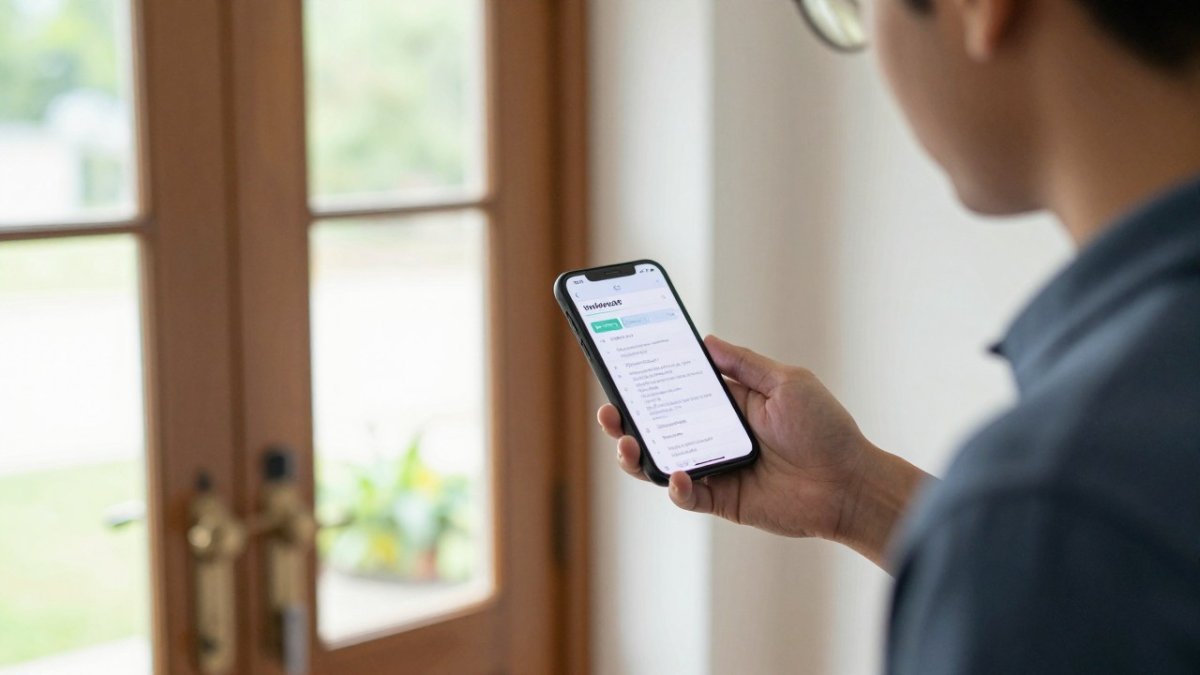
The checklist below lays out the safety steps agents should take before, during, and after an open house.
| Stage | Action | Timing |
|---|---|---|
| Before | Confirm codewords are set and QR sign is posted | Before the first visitor arrives |
| Before | Tell a colleague where you will be and when you expect to finish | Before the event |
| Before | Test phone signal inside the home | Before the event |
| During | Check each visitor's codeword before they enter | At the door, for every visitor |
| During | Keep a clear path to the exit and stay between visitor and door | Throughout the event |
| After | Check in with your colleague that you are safe and finished | After the event |
| After | Review the verified visitor log and flag suspicious sign-ins | After the event |
Sharing Privacy-Safe Seller Reports and Taking Your First Open House Live
Sellers want to know how their open house went.
ohACCESS lets you share a one-tap Seller Report page. It shows aggregate data only:
- Total registered visitors
- How many plan to buy within six months
- The buying timeline breakdown
The report does not include visitor names, phone numbers, emails, or arrival times.
When you are ready, take your first open house live.
Start Free and use your first 25 sign-ins to test the full setup before you commit to a plan.
Set up your verified check-in with ohACCESS and stop guessing who walked through the door.
Frequently Asked Questions
How do real estate agents keep themselves safe at open houses?
Start by requiring every visitor to register before entering, so you know a name, a phone number, and an email address for each person in the home. Verified check-in means each visitor shares a codeword with you at the door, which confirms the phone and email they entered belong to them. Keep a running log of sign-ins, arrange for a second person to check in or check on you when possible, and keep your phone charged and within reach throughout the showing. Share your schedule with your office so someone knows where you are and when you expect to finish.
What should an open house sign-in form ask visitors?
Keep the form short. Name, email, phone number, and buying timeline (0-3, 3-6, 6-12, or 12+ months) cover the essentials for follow-up. ohACCESS allows one custom question on the sign-in form, which is useful for asking something specific about the property, such as whether the visitor is working with an agent. Longer forms reduce completion rates, so ask only what you will actually use in your follow-up.
How can a real estate team verify open house visitors?
Verification means confirming that the phone number and email a visitor entered are real and belong to them. With ohACCESS, each visitor receives two codewords the moment they submit, one by text and one by email, and they share one with the host agent at the door to enter. The codeword is delivered to the contact details the visitor entered. Teams can standardize this step so every agent checks visitors in the same way.
How do I get open house sign-in leads into my CRM automatically?
ohACCESS delivers each sign-in to your CRM in three ways: a formatted lead email sent to your CRM's lead-intake address, a Zapier webhook that connects to thousands of apps, or team CRM forwarding, where a team lead copies every member's leads to a shared CRM. The lead email has been verified with Follow Up Boss. Choose the CRM from the dropdown in your settings, then confirm the first test sign-in arrives correctly before your next open house.

Frequently asked questions
How do real estate agents keep themselves safe at open houses?
Start by requiring every visitor to register before entering, so you know a name, a phone number, and an email address for each person in the home. Verified check-in means each visitor shares a codeword with you at the door, which confirms the phone and email they entered belong to them. Keep a running log of sign-ins, arrange for a second person to check in or check on you when possible, and keep your phone charged and within reach throughout the showing. Share your schedule with your office so someone knows where you are and when you expect to finish.
What should an open house sign-in form ask visitors?
Keep the form short. Name, email, phone number, and buying timeline (0-3, 3-6, 6-12, or 12+ months) cover the essentials for follow-up. ohACCESS allows one custom question on the sign-in form, which is useful for asking something specific about the property, such as whether the visitor is working with an agent. Longer forms reduce completion rates, so ask only what you will actually use in your follow-up.
How can a real estate team verify open house visitors?
Verification means confirming that the phone number and email a visitor entered are real and belong to them. With ohACCESS, each visitor receives two codewords the moment they submit, one by text and one by email, and they share one with the host agent at the door to enter. The codeword is delivered to the contact details the visitor entered. Teams can standardize this step so every agent checks visitors in the same way.
How do I get open house sign-in leads into my CRM automatically?
ohACCESS delivers each sign-in to your CRM in three ways: a formatted lead email sent to your CRM's lead-intake address, a Zapier webhook that connects to thousands of apps, or team CRM forwarding, where a team lead copies every member's leads to a shared CRM. The lead email has been verified with Follow Up Boss. Choose the CRM from the dropdown in your settings, then confirm the first test sign-in arrives correctly before your next open house.
Keep reading
Start free with 25 verified check-ins. No credit card required.
Start Free